
Students in 2026 have more learning resources available than ever before. From online lectures and digital textbooks to artificial intelligence, technology is changing how students understand difficult subjects, prepare assignments, and study for exams. However, managing multiple subjects, meeting deadlines, and completing academic projects can still be challenging.
This is where the best AI tools for students in 2026 can make a real difference. These tools can help students understand complicated concepts, summarize notes, find research sources, improve English writing, create presentations, and organize their study schedules. Instead of spending hours struggling with a difficult topic, students can use AI as a learning assistant to get explanations, practice questions, and step-by-step guidance.
The good news is that students do not always need expensive subscriptions. Many AI platforms offer free access or limited free features that are useful for everyday study tasks. In this guide, we will explore the best AI tools for students, explain how each tool works, and show practical ways to use them for assignments, homework, presentations, research, and exam preparation.
Quick Overview: Best AI Tools for Students in 2026
Here is a quick comparison of the tools covered in this article.
| AI Tool | Best Use | Free Access |
| ChatGPT | Learning, explanations, and assignments | Yes, with limits |
| Google Gemini | Research and study support | Yes, with limits |
| Claude | Reading and document analysis | Yes, with limits |
| Perplexity AI | Research and finding sources | Yes, with limits |
| Grammarly | English writing and grammar | Yes, with limits |
| Canva AI | Presentations and educational designs | Yes, with limits |
| NotebookLM | Studying from your own materials | Free access available |
| Quizlet | Flashcards and exam preparation | Some free features |
| Notion | Notes and study planning | Free plan available |
| GitHub Copilot | Programming and coding practice | Free plan available |
| Wolfram Alpha | Mathematics and science problems | Some free features |
| Khan Academy Khanmigo | Guided learning and tutoring | Availability varies |
Note: Features, usage limits, eligibility, and pricing can change. Check the official websites before relying on a particular feature.
1. ChatGPT — Best AI Tool for Everyday Learning
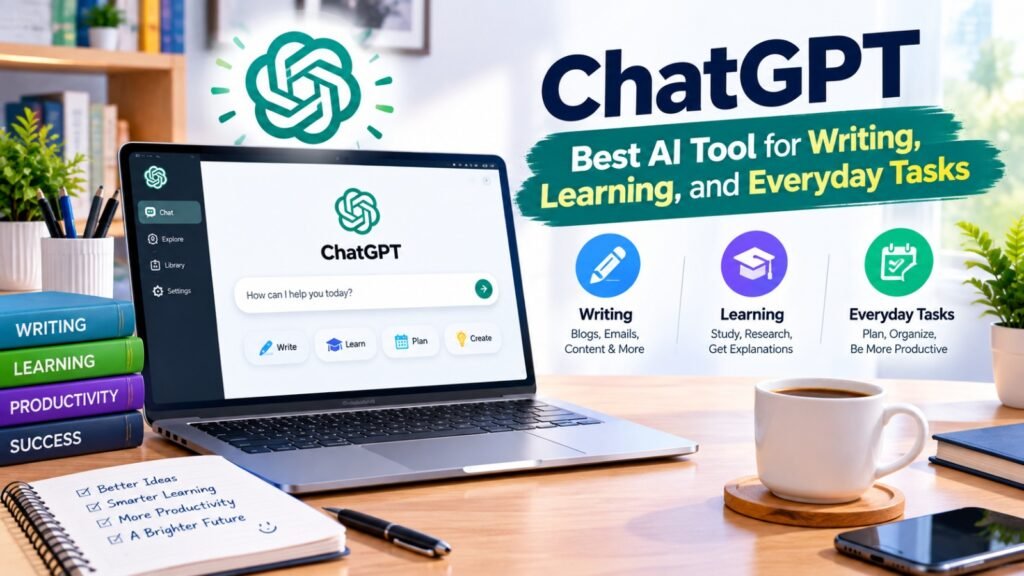
ChatGPT is one of the most versatile AI tools for students because it can assist with many academic tasks in one place. Students can ask questions, explore unfamiliar topics, brainstorm ideas, practice English, summarize information, and prepare revision materials.
One of its biggest advantages is that students can ask follow-up questions. If an explanation is too difficult, they can request a simpler version, examples, or a step-by-step breakdown.
How students can use ChatGPT
- Understand difficult topics in simple English or Urdu.
- Create assignment outlines and brainstorm ideas.
- Generate practice questions for examinations.
- Summarize notes and revise important concepts.
- Practice English grammar and speaking.
- Learn basic programming and problem-solving.
Assignment example: Suppose you need to prepare an assignment about environmental pollution. You can ask ChatGPT to explain the topic, suggest headings, and identify questions your research should answer.
Sample prompt:
“Explain environmental pollution in simple English for a college student. Create an assignment outline with an introduction, five main headings, practical examples, and a conclusion. Suggest which facts need reliable sources.”
After receiving the outline, research the topic, verify the facts, and write the final assignment in your own words.
ChatGPT also offers a Study mode that supports step-by-step learning and practice questions. <Cite refs={[“turn737818search6”]}/>
Free or paid? ChatGPT offers a free plan, while paid plans provide additional features and higher limits.
Official website: https://chatgpt.com/
2. Google Gemini — Best AI Tool for Study Support

Google Gemini is an AI assistant that can help students understand concepts, brainstorm project ideas, organize information, and prepare for examinations. It can also work with supported Google services and educational materials.
Students can use Gemini to develop revision schedules, create practice questions, and explore complicated subjects. Its educational features can be especially useful when students want to study from their own course materials.
How students can use Google Gemini
- Generate study guides from course topics.
- Create quizzes and revision questions.
- Develop presentation outlines.
- Understand scientific and mathematical concepts.
- Organize ideas for academic projects.
- Improve the structure of written assignments.
Assignment example: Imagine that your teacher has assigned a presentation about renewable energy. You can ask Gemini to organize the presentation into logical sections and suggest which information needs supporting evidence.
Sample prompt:
“Prepare an outline for an eight-slide presentation about renewable energy for university students. Include solar power, wind energy, advantages, limitations, examples, and a conclusion. Identify where verified statistics and references should be included.”
You can use the outline to create your slides and add information from reliable sources.
Google also provides education-focused Gemini features and student offers, but eligibility and availability depend on the offer and location. <Cite refs={[“turn737818search2″,”turn737818search4”]}/>
Free or paid? Gemini offers free access, with additional features available through eligible paid plans or student offers.
Official website: https://gemini.google.com/
3. Claude — Best AI Tool for Reading and Understanding Long Documents

Claude is useful for students who need help understanding lengthy reading materials, organizing complex ideas, and improving written explanations. It can analyze supported documents and help students identify key arguments, definitions, and examples.
For university students, this can be particularly helpful when preparing research notes or studying chapters containing unfamiliar terminology.
How students can use Claude
- Summarize lengthy chapters.
- Explain difficult academic concepts.
- Compare arguments from different texts.
- Organize notes under clear headings.
- Prepare revision questions.
- Review assignment structure and clarity.
Assignment example: Suppose you have a long chapter about business management. You can provide the permitted material and ask Claude to identify the main concepts and explain them in simpler language.
Sample prompt:
“Summarize this business management chapter under clear headings. Explain difficult terms in simple English, identify the main arguments, and create ten revision questions based on the supplied text.”
Read the original material as well, so you understand the context and do not miss important details.
Free or paid? Claude offers free and paid options, with usage limits and available features depending on the plan.
Official website: https://claude.ai/
4. Perplexity AI — Best AI Tool for Research and Finding Sources

Research is an important part of school and university assignments. Perplexity AI helps students investigate topics by providing conversational answers with links to sources.
Instead of relying only on a short answer, students can explore the cited websites, discover relevant publications, and ask follow-up questions. This makes it useful for research projects, reports, and current topics.
How students can use Perplexity AI
- Discover sources related to an assignment topic.
- Explore current developments and statistics.
- Find reports and research publications.
- Compare information from different sources.
- Develop research questions.
- Identify information that needs further verification.
Assignment example: If your assignment is about the effects of social media on students, Perplexity can help you discover relevant research and reports.
Sample prompt:
“Research the effects of social media on university students’ academic performance. Find credible studies, summarize their findings, provide publication dates, and link to the original sources.”
Always open the sources and check whether they support the claims. AI-generated citations can sometimes be incomplete or misleading, so verify publication details before adding references to your assignment.
Free or paid? Perplexity offers a free Standard plan and paid plans with additional research capabilities. <Cite refs={[“turn737818search3”]}/>
Official website: https://www.perplexity.ai/
5. Grammarly — Best AI Tool for English Writing
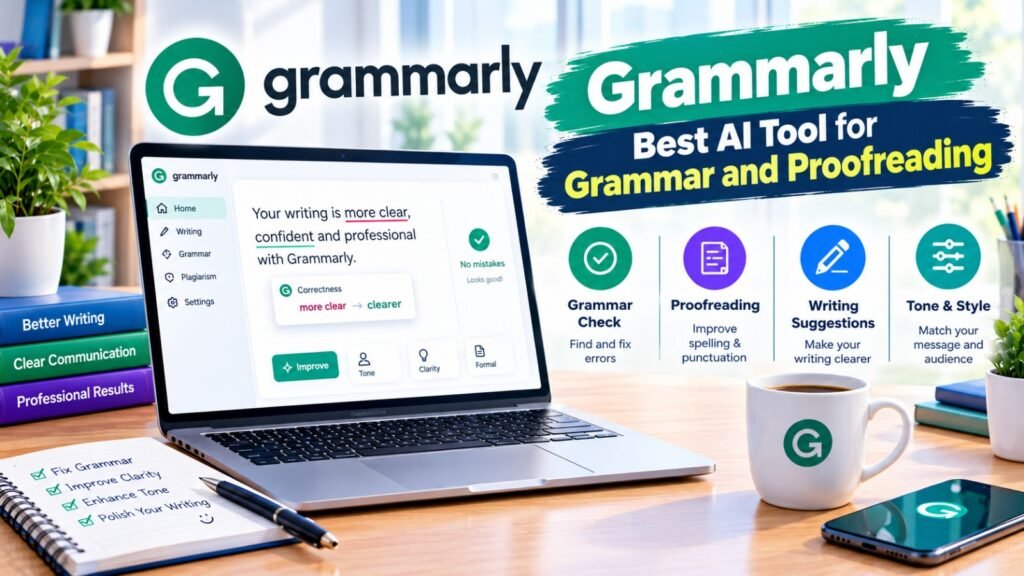
Students who write assignments in English may struggle with grammar, spelling, punctuation, and sentence structure. Grammarly helps identify these problems and suggests ways to improve clarity.
It can be particularly useful for students who understand their subject but want to communicate their ideas more clearly in written English.
How students can use Grammarly
- Correct spelling and punctuation.
- Identify grammatical mistakes.
- Improve sentence clarity.
- Review tone and readability.
- Learn from writing corrections.
- Proofread essays, reports, and emails.
Assignment example: After completing an essay, paste your writing into a supported Grammarly editor and review the suggestions.
Sample task:
“Review my essay for grammar, punctuation, spelling, and clarity. Explain the important corrections and preserve my original meaning.”
Do not accept every suggestion automatically. Understanding why a correction is needed will help you improve your writing skills over time.
Free or paid? Grammarly provides a free version and paid plans with additional features.
Official website: https://www.grammarly.com/
6. Canva AI — Best AI Tool for Presentations and Educational Designs
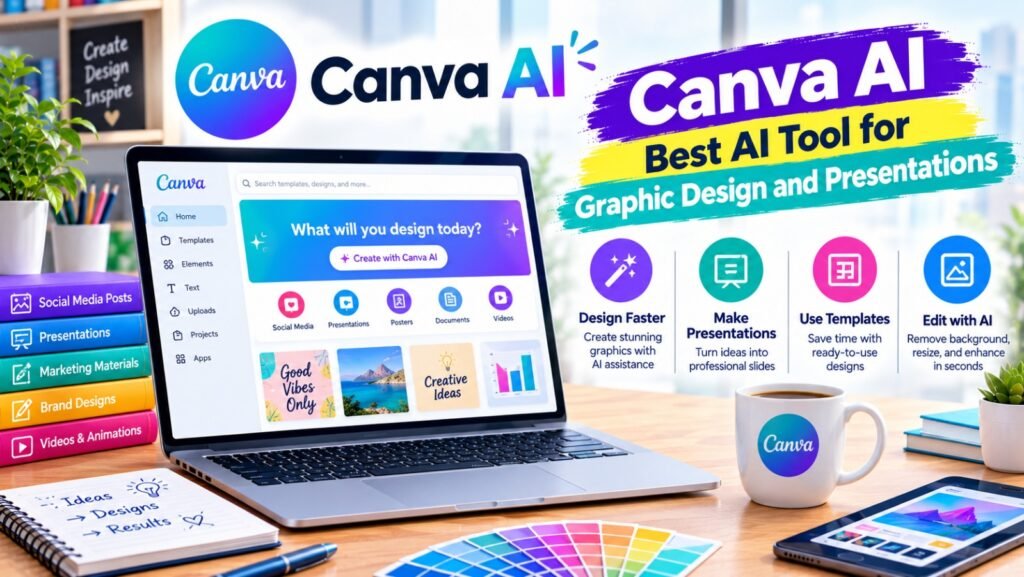
Canva is a design platform that helps students create attractive presentations, posters, infographics, diagrams, and other academic visuals. Its AI-assisted features can help with design ideas and supported content-creation tasks.
A well-organized presentation can make a complicated topic easier to understand. Students can use Canva to combine short explanations, images, diagrams, and charts in a consistent layout.
How students can use Canva AI
- Design assignment presentations.
- Create educational posters.
- Prepare infographics and diagrams.
- Organize information into visual sections.
- Develop project covers and classroom materials.
- Create revision charts and mind maps.
Assignment example: For a presentation about water conservation, students can design slides showing the causes of water waste, its effects, and practical solutions.
Sample prompt:
“Help me plan a professional eight-slide presentation about water conservation. Suggest clear headings, short bullet points, relevant visuals, and a final slide for references. Use a clean educational design suitable for university students.”
Check the spelling, factual accuracy, image rights, and source credits before submitting your presentation.
Free or paid? Canva offers a free plan and paid plans with additional design assets and features.
Official website: https://www.canva.com/
7. NotebookLM — Best AI Tool for Studying from Your Own Notes
NotebookLM is an AI research and study assistant designed to help users work with supplied source materials. Students can use supported documents and sources to organize information, understand readings, and prepare study resources.
Its source-focused approach is useful when you need to study a particular textbook chapter, lecture notes, or a collection of course readings instead of asking general questions without context.
How students can use NotebookLM
- Organize information from lecture notes.
- Summarize supplied reading materials.
- Identify important concepts and definitions.
- Create study guides and revision questions.
- Explore relationships between ideas.
- Review information with source references.
Assignment example: Suppose your teacher provides lecture notes about the human digestive system. You can add the permitted material to NotebookLM and ask it to identify the main processes and explain their relationships.
Sample prompt:
“Using only the supplied lecture notes, create a study guide about the human digestive system. Include the major organs, their functions, key definitions, and ten practice questions. Identify any questions that the supplied material does not answer.”
This approach can help you focus on the material covered in class. Still, verify important details and consult your teacher or textbook if the notes are incomplete.
Free or paid? NotebookLM has free access with usage limits, while paid or bundled plans may provide expanded capabilities.
Official website: https://notebooklm.google.com/
8. Quizlet — Best AI Tool for Flashcards and Exam Preparation
Quizlet helps students practice and memorize information using digital flashcards and other study activities. It can be useful for vocabulary, definitions, formulas, historical dates, scientific terms, and short-answer revision.
Regular practice can help students identify which topics they understand and which require more attention.
How students can use Quizlet
- Create flashcards from revision notes.
- Memorize key definitions.
- Practice vocabulary and terminology.
- Review important dates and formulas.
- Test knowledge before examinations.
- Repeat difficult questions during revision.
Assignment and exam example: If you are preparing for a biology examination, create flashcards for important terms such as cells, tissues, organs, and organ systems.
Sample task:
“Turn my biology revision notes into question-and-answer flashcards. Keep each answer short, use the definitions from my notes, and mark concepts that need further review.”
Quizlet can support memorization, but students should also practice explaining concepts in their own words and answering longer questions.
Free or paid? Quizlet offers some free study features, while additional features may require a subscription.
Official website: https://quizlet.com/
9. Notion — Best Tool for Notes and Study Planning
Notion is a workspace for organizing notes, documents, tasks, and projects. Students can use it to keep their academic information organized and track their progress throughout the semester.
It is especially helpful when students have multiple subjects, different deadlines, and several assignments to complete.
How students can use Notion
- Organize lecture notes by subject.
- Create assignment deadline lists.
- Build weekly study schedules.
- Track project progress.
- Maintain revision checklists.
- Collaborate on group projects.
Example: A student taking five subjects can create a separate page for each subject and maintain a list of upcoming assignments and examinations.
Sample task:
“Organize my subjects into a weekly study planner. Include assignment deadlines, revision sessions, short breaks, and time for reviewing difficult topics. Leave space for tasks that I have not completed.”
Notion’s AI features can help with supported writing and summarization tasks, but AI access depends on the current plan and terms.
Free or paid? Notion has a free plan, while some advanced features and AI capabilities depend on paid plans.
Official website: https://www.notion.so/
10. GitHub Copilot — Best AI Tool for Programming Students
Students learning computer science or software development often need help understanding code, identifying errors, and practicing programming concepts. GitHub Copilot can suggest code, explain programming patterns, and support development in compatible environments.
It can be a useful learning assistant when students want to understand why a program works rather than simply copy a solution.
How students can use GitHub Copilot
- Understand unfamiliar code.
- Practice Python, JavaScript, and other supported languages.
- Identify possible programming errors.
- Explore alternative solutions.
- Learn how functions and loops work.
- Develop small academic programming projects.
Assignment example: If your programming assignment involves creating a basic calculator in Python, Copilot can help you understand functions, user input, and error handling.
Sample prompt:
“Help me learn how to create a basic calculator in Python. Explain user input, arithmetic operations, functions, and error handling step by step. Give me small examples and test cases rather than completing the entire assignment for me.”
Run your code, test different inputs, and make sure you understand the logic before submitting the project.
Free or paid? GitHub Copilot offers free and paid plans with different usage limits.
Official website: https://github.com/features/copilot
11. Wolfram Alpha — Best AI-Powered Tool for Mathematics and Science
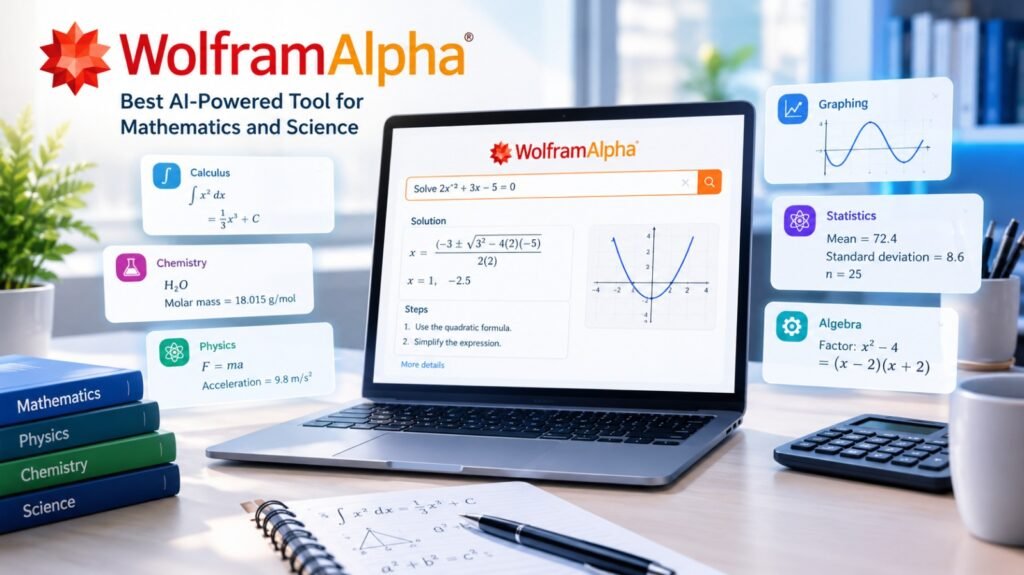
Wolfram Alpha is a computational knowledge tool that can help students explore mathematical problems, equations, scientific concepts, and numerical calculations.
It is particularly useful when a student needs to check a calculation or explore the steps involved in solving a problem. Available explanations and step-by-step features may depend on the task and subscription.
How students can use Wolfram Alpha
- Check algebraic calculations.
- Explore equations and functions.
- Solve supported calculus problems.
- Work with statistics and numerical data.
- Investigate scientific calculations.
- Check mathematical results.
Example: A student studying algebra can enter an equation and use the result to check whether their own solution is correct.
Sample task:
“Solve the equation 2x + 5 = 17. Explain the mathematical steps, show how to check the result by substitution, and identify the rule used at each step.”
Try solving the problem independently first, then compare your work with the result. This will help you understand the method instead of relying only on the final answer.
Free or paid? Wolfram Alpha offers free computational features and a paid Pro subscription with additional capabilities.
Official website: https://www.wolframalpha.com/
12. Khan Academy Khanmigo — Best AI Tool for Guided Learning
Khan Academy provides educational resources across subjects, and Khanmigo is its AI-powered learning assistant. It is designed to support guided learning by helping learners work through problems and explore concepts rather than simply receiving answers.
Its suitability depends on the subject, learner, account type, and regional availability.
How students can use Khanmigo
- Practice mathematics and other supported subjects.
- Explore difficult concepts through guided questions.
- Work through problems step by step.
- Identify gaps in understanding.
- Review concepts covered in educational lessons.
- Build confidence through practice.
Example: If you are struggling with fractions, you can use a guided learning approach to work through examples and understand why each step is necessary.
Sample prompt:
“Help me understand fractions. Start with a simple example, ask me one question at a time, and give me a hint if I make a mistake. Explain the reasoning without immediately giving me the final answer.”
This approach encourages independent thinking and helps students learn from mistakes.
Free or paid? Khan Academy offers many free educational resources. Khanmigo access, features, and eligibility can vary by user type and location.
Official website: https://www.khanacademy.org/
How to Use AI Tools for Assignments: A Step-by-Step Guide
Choosing an AI tool is only the beginning. Students also need a practical method for using these tools responsibly and effectively.
Step 1: Understand the assignment requirements
Read the question carefully and identify the topic, word count, required format, deadline, and marking criteria. Make sure you understand what your teacher expects before starting.
Step 2: Research the topic
Use Perplexity AI to discover possible sources or NotebookLM to study materials you have already collected. Read the original sources and record accurate reference details.
Step 3: Create an outline
Ask ChatGPT, Claude, or Gemini to suggest a structure for your assignment. Organize it into an introduction, main sections, supporting examples, and conclusion.
Step 4: Write your own first draft
Use the outline and your research to develop your own explanation. Add examples, evidence, and analysis that demonstrate your understanding.
Step 5: Improve your writing
Use Grammarly to review grammar and clarity. Make sure the final wording communicates your ideas accurately.
Step 6: Create supporting materials
If your assignment includes a presentation or poster, use Canva to develop the visuals. Check all information and cite the sources used in your work.
Step 7: Check and submit
Verify important facts, calculations, and references. Follow your institution’s rules for AI use and disclosure, and make sure your final work reflects your own understanding.
Best Free AI Tools for Students in 2026
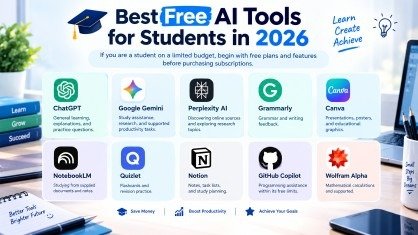
If you are a student on a limited budget, begin with free plans and features before purchasing subscriptions.
- ChatGPT: General learning, explanations, and practice questions.
- Google Gemini: Study assistance, research, and supported productivity tasks.
- Perplexity AI: Discovering online sources and exploring research topics.
- Grammarly: Grammar and writing feedback.
- Canva: Presentations, posters, and educational graphics.
- NotebookLM: Studying from supplied documents and notes.
- Quizlet: Flashcards and revision practice.
- Notion: Notes, task lists, and study planning.
- GitHub Copilot: Programming assistance within its free limits.
- Wolfram Alpha: Mathematical calculations and supported problem-solving.
The availability of free features may differ by country, account, age, educational institution, and current plan. Students should check the official websites rather than assume that every feature is free.
Benefits of AI Tools for Students
When used thoughtfully, AI tools can make studying more organized and accessible.
1. Save time: Students can quickly organize notes, brainstorm ideas, and prepare revision materials.
2. Understand difficult topics: Simple explanations and guided examples can help learners explore concepts at their own pace.
3. Improve writing: Grammar feedback and editing suggestions can help students communicate their ideas more clearly.
4. Prepare for examinations: Practice questions, flashcards, and study guides can support regular revision.
5. Develop digital skills: Using research, design, and coding tools can help students gain skills relevant to modern workplaces.
6. Manage academic responsibilities: Digital planners and task lists can help students keep track of deadlines and progress.
Common Mistakes Students Should Avoid When Using AI
AI tools can be helpful, but students should use them carefully.
- Copying answers without understanding: Always review the explanation and make sure you understand the topic.
- Trusting every AI response: AI can make factual mistakes, so verify important information.
- Using false references: Open original publications and confirm that the cited evidence actually supports your claims.
- Ignoring academic policies: Follow your institution’s rules on AI-generated content and disclosure.
- Sharing private information: Avoid uploading sensitive personal details or confidential academic material without permission.
- Depending on only one tool: Choose the right tool for the task and compare important information when necessary.
The purpose of AI-assisted studying should be to improve understanding, not to avoid learning.
Conclusion
The best AI tools for students in 2026 can help learners study smarter, manage their time, and approach academic challenges with greater confidence. ChatGPT and Gemini can explain difficult topics, Perplexity AI can support research, Grammarly can improve writing, and Canva can help students prepare engaging presentations. Tools such as NotebookLM, Quizlet, Notion, GitHub Copilot, and Wolfram Alpha support more specialized learning needs.
You do not need to use every tool to benefit from AI. Start with the tools that match your subjects and goals, explore their free features, and build a study routine that works for you. Most importantly, use AI to understand, practice, and improve. Verify the information you receive, follow academic rules, and complete your work with your own knowledge and effort. With the right approach, AI can become a valuable study partner throughout 2026 and beyond.
Frequently Asked Questions (FAQs)
1. What are the best AI tools for students in 2026?
Some of the best AI tools for students include ChatGPT, Google Gemini, Claude, Perplexity AI, Grammarly, Canva, and NotebookLM for learning, research, writing, and presentations.
2. Which AI tools are free for students?
ChatGPT, Gemini, Perplexity AI, Grammarly, Canva, NotebookLM, and Notion offer free access or free features, although usage limits and availability vary.
3. Which AI tool is best for assignments?
ChatGPT and Claude can help students understand topics and create outlines, while Perplexity AI supports source discovery and Grammarly helps improve writing.
4. Can AI tools help students prepare for exams?
Yes, students can use AI tools to create practice questions, flashcards, revision notes, and study schedules to prepare more effectively for exams.
5. Which AI tool is best for presentations?
Canva is useful for designing presentation slides, while ChatGPT and Gemini can help organize ideas and develop presentation outlines.
Meta description
Discover the best AI tools for students in 2026. Explore free study tools for assignments, research, writing, presentations, coding, and exam preparation.
- Quick Overview: Best AI Tools for Students in 2026
- 1. ChatGPT — Best AI Tool for Everyday Learning
- 2. Google Gemini — Best AI Tool for Study Support
- 3. Claude — Best AI Tool for Reading and Understanding Long Documents
- 4. Perplexity AI — Best AI Tool for Research and Finding Sources
- 5. Grammarly — Best AI Tool for English Writing
- 6. Canva AI — Best AI Tool for Presentations and Educational Designs
- 7. NotebookLM — Best AI Tool for Studying from Your Own Notes
- 8. Quizlet — Best AI Tool for Flashcards and Exam Preparation
- 9. Notion — Best Tool for Notes and Study Planning
- 10. GitHub Copilot — Best AI Tool for Programming Students
- 11. Wolfram Alpha — Best AI-Powered Tool for Mathematics and Science
- 12. Khan Academy Khanmigo — Best AI Tool for Guided Learning
- How to Use AI Tools for Assignments: A Step-by-Step Guide
- Best Free AI Tools for Students in 2026
- Benefits of AI Tools for Students
- Common Mistakes Students Should Avoid When Using AI
- Conclusion
- Frequently Asked Questions (FAQs)
- Meta description