

Artificial intelligence is changing the way people study, work, create content, and manage their daily tasks. From writing assignments and conducting research to designing graphics and developing software, AI tools can help users save time and improve productivity. However, choosing the right tool can be challenging because every platform offers different features, pricing options, and capabilities.
The best AI tools in 2026 are not necessarily the most expensive ones. The right choice depends on what you want to accomplish. Students may need tools for research, homework, presentations, and coding, while professionals may need AI writing assistants, graphic design platforms, or video generators.
In this guide, we will explore the top 15 free and paid AI tools for every task, including their key features, benefits, limitations, and practical uses. You will also learn how students can use these tools for assignments, projects, presentations, and exam preparation without depending entirely on AI-generated answers.
Quick Overview of the Top 15 AI Tools in 2026
Here is a quick comparison of the AI tools covered in this article.
| AI Tool | Best For | Pricing Type |
| ChatGPT | Writing, learning, and brainstorming | Free and paid |
| Claude | Long-form writing and document analysis | Free and paid |
| Google Gemini | Research and productivity | Free and paid |
| Perplexity AI | Online research and source discovery | Free and paid |
| Grammarly | Grammar and proofreading | Free and paid |
| Jasper AI | Marketing content and copywriting | Paid plans and possible offers |
| Canva AI | Graphic design and presentations | Free and paid |
| Midjourney | AI image generation | Paid |
| Leonardo AI | Creative images and visual assets | Free access with limits and paid plans |
| Runway | AI video generation and editing | Free limited access and paid |
| HeyGen | AI avatar videos | Free limited access and paid |
| ElevenLabs | AI voiceovers and text-to-speech | Free limited access and paid |
| GitHub Copilot | Coding and programming assistance | Free and paid |
| Cursor | AI-powered coding and debugging | Free limited access and paid |
| Notion AI | Notes, planning, and productivity | Plan-dependent AI access |
Note: Free features, usage limits, trials, and subscription prices can change. Check each tool’s official website before choosing a plan.
1. ChatGPT — Best AI Tool for Writing, Learning, and Everyday Tasks
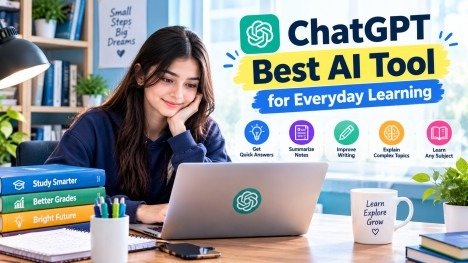
ChatGPT is one of the most versatile AI assistants for students, professionals, content creators, and businesses. It can answer questions, explain difficult concepts, generate ideas, help with writing, assist with coding, and organize information. Its usefulness comes from the ability to handle many different tasks through natural-language instructions.
For example, a student who does not understand a topic can ask ChatGPT to explain it in simple English, Urdu, or Roman Urdu. A blogger can use it to develop article outlines, brainstorm titles, and organize content before writing a complete article.
Key features:
- Writing assistance and brainstorming
- Topic explanations and study support
- Summarization of notes and documents
- Coding guidance and troubleshooting
- Practice questions and study plans
How students can use ChatGPT for assignments
Suppose you have an assignment on climate change. Instead of asking AI to write the entire assignment for submission, start by asking it to explain the topic, suggest an outline, and identify questions that your research should answer.
Example prompt:
“Explain climate change in simple English for a college student. Create an assignment outline with an introduction, five main headings, examples, and a conclusion. Suggest reliable sources I can consult for research.”
You can then research the suggested points, write the assignment in your own words, and use ChatGPT to review the structure. Always verify factual claims and citations independently.
Free vs. paid: ChatGPT offers free access with usage limits, while paid plans provide higher limits and access to additional features depending on the plan.
Best for: Students, bloggers, freelancers, teachers, and general users.
Official website: https://chatgpt.com/
2. Claude — Best AI Tool for Long-Form Writing and Document Analysis

Claude is an AI assistant that can help users understand lengthy documents, organize complex information, develop written content, and review ideas. It is particularly useful when a task involves several sections of text or requires careful explanations.
Students can use Claude to break down difficult reading materials, summarize chapters, compare arguments, and create study notes. Writers can use it to improve the flow of articles, develop outlines, and identify sections that need clearer explanations.
Key features:
- Long-form writing assistance
- Document summarization and analysis
- Structured explanations
- Brainstorming and editing
- Coding and problem-solving support
How students can use Claude for assignments
Imagine that your teacher has provided a lengthy chapter about business management. You can provide the permitted study material and ask Claude to identify the main concepts, definitions, examples, and possible examination questions.
Example prompt:
“Analyze this chapter on business management. Summarize its main ideas under clear headings, explain difficult terms in simple English, and create ten revision questions with answers based on the supplied material.”
This can help you understand the chapter before preparing your assignment or studying for an exam.
Free vs. paid: Claude has free and paid options, but usage limits and available models vary by plan and region.
Best for: University students, researchers, writers, and people working with lengthy documents.
Official website: https://claude.ai/
3. Google Gemini — Best AI Tool for Research and Productivity

Google Gemini is an AI assistant for learning, brainstorming, information processing, and everyday productivity. It can help users understand concepts, develop project ideas, summarize information, and work with supported Google services and document formats.
Students who already use Google Docs, Gmail, and Google Drive may find Gemini useful for organizing their academic work. It can also help explain scientific concepts, prepare revision notes, and generate practice questions.
Key features:
- Topic explanations and brainstorming
- Research assistance
- Study notes and summaries
- Support for supported Google Workspace workflows
- Help with presentations and project planning
How students can use Gemini for assignments
Suppose you need to prepare a presentation on renewable energy. Ask Gemini to suggest a logical sequence of slides, explain solar and wind energy, and identify useful topics for further research.
Example prompt:
“Create a 10-slide presentation outline about renewable energy for a university assignment. Include an introduction, solar energy, wind energy, advantages, limitations, real-world examples, and a conclusion. Suggest where reliable sources and statistics should be added.”
You can transfer the outline into your presentation software, verify the information, and create your own slides.
Free vs. paid: Gemini provides free access and paid subscription options. Features, model access, and usage limits can change, so confirm the current offering on Google’s official website.
Best for: Students, researchers, teachers, and users of Google’s productivity tools.
Official website: https://gemini.google.com/
4. Perplexity AI — Best AI Tool for Online Research

Perplexity AI is designed for answering questions through web-based research. It provides answers with source links, making it useful when users need to investigate a topic and trace information back to its original source.
Unlike a traditional search engine that primarily presents a list of links, Perplexity organizes information into a conversational answer. However, citations do not automatically guarantee accuracy. Users should open the original sources and confirm that they support the claims being made.
Key features:
- AI-powered web research
- Source-linked answers
- Topic exploration
- Research summaries
- Follow-up questions
How students can use Perplexity for assignments
If you are preparing a research assignment on the effects of social media on students, you can use Perplexity to discover relevant reports, academic publications, and reputable websites.
Example prompt:
“Research the effects of social media on university students’ academic performance. Find credible studies, summarize the main findings, provide publication dates, and include direct links to the original sources.”
After receiving the results, open the sources, read the relevant sections, and record accurate bibliographic information. Do not cite a study that you have not checked.
Free vs. paid: Perplexity offers free access and paid plans with additional capabilities and higher limits.
Best for: Students, journalists, researchers, bloggers, and fact-checkers.
Official website: https://www.perplexity.ai/
5. Grammarly — Best AI Tool for Grammar and Proofreading

Grammarly helps users improve written communication by identifying grammatical errors, spelling mistakes, punctuation problems, and unclear sentences. Depending on the plan and feature, it can also provide suggestions for tone, clarity, and style.
For students who write assignments in English, Grammarly can be helpful during the editing stage. It can identify common mistakes and make sentences easier to understand. However, students should learn from the corrections instead of accepting every suggestion automatically.
Key features:
- Grammar and spelling checks
- Punctuation corrections
- Clarity and readability suggestions
- Tone-related feedback
- Writing improvement support
How students can use Grammarly for assignments
Write your assignment first, then review it with Grammarly. Examine each correction and decide whether it improves the meaning of your sentence.
Example prompt or task:
“Review my assignment for grammar, spelling, punctuation, and clarity. Identify awkward sentences and explain the most important corrections without changing my original meaning.”
This approach can improve your English writing skills while keeping the ideas and arguments your own.
Free vs. paid: Grammarly has a free option and paid plans with additional writing assistance. The exact features available depend on the current plan.
Best for: Students, job applicants, bloggers, freelancers, and professionals.
Official website: https://www.grammarly.com/
6. Jasper AI — Best AI Tool for Marketing Content and Copywriting
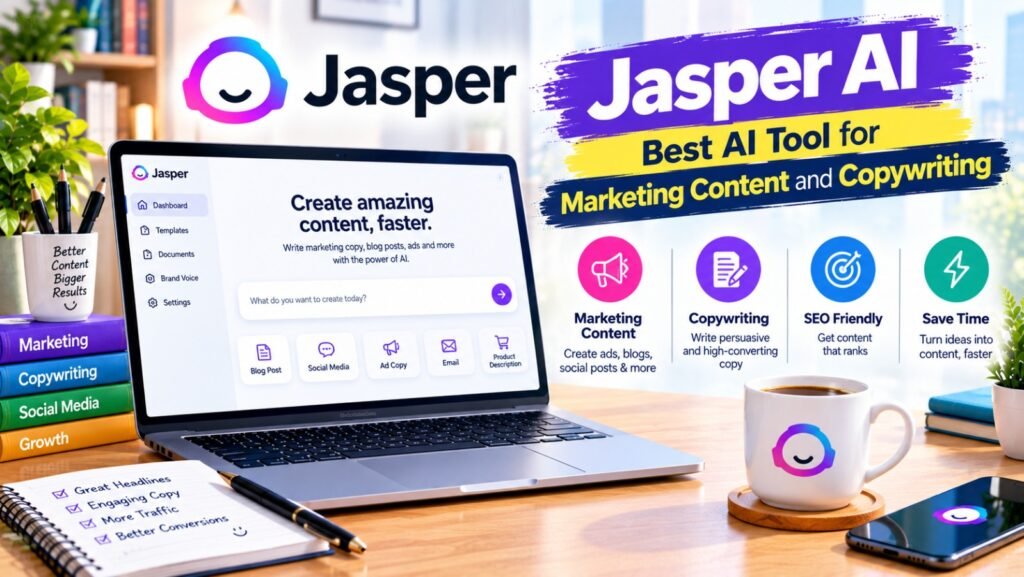
Jasper AI is a content platform focused on marketing and business communication. It can assist with creating advertising copy, campaign ideas, product descriptions, email content, and other marketing materials.
Businesses often need multiple versions of a message for different audiences and channels. Jasper can help marketers develop initial drafts and explore alternative ways to communicate a product’s benefits.
Key features:
- Marketing copy generation
- Campaign brainstorming
- Product and service descriptions
- Email and advertising content
- Brand-focused content workflows
How students and beginners can use Jasper
Students studying digital marketing can use Jasper to understand how promotional messages are structured. For example, they can compare several possible headlines for a fictional product and analyze which one communicates its value most clearly.
Example prompt:
“Create three sample marketing messages for a fictional eco-friendly water bottle. Give each message a different angle: affordability, sustainability, and convenience. Explain the target audience and purpose of each version.”
The results can become a learning exercise or part of a marketing project. For real business campaigns, verify all product claims and revise the generated copy to match the brand’s voice.
Free vs. paid: Jasper is primarily a paid marketing platform. Trial availability and plan features may change, so check the official pricing page.
Best for: Marketers, agencies, copywriters, and businesses that produce marketing content regularly.
Official website: https://www.jasper.ai/
7. Canva AI — Best AI Tool for Graphic Design and Presentations

Canva AI combines design tools with AI-assisted features for creating visual content. Users can design social media posts, presentations, posters, infographics, and other materials without advanced graphic design skills.
For students, Canva can make academic presentations more visually appealing. For freelancers and businesses, it can help create promotional graphics and branded content. AI features and available design assets depend on the user’s plan.
Key features:
- Presentation and poster design
- Social media graphics
- AI-assisted design and content creation
- Infographics and educational visuals
- Templates and visual editing
How students can use Canva AI for assignments
Suppose you have to present a project about environmental pollution. You can use Canva to create a consistent slide layout, add relevant visuals, and present your findings in a clear sequence.
Example prompt:
“Help me design a professional 8-slide educational presentation about environmental pollution. Use a clean layout, readable headings, simple charts, relevant illustrations, and a final slide with verified references.”
Prepare and verify the content first, then use Canva to organize the information visually. Check chart labels, spelling, image permissions, and source credits before submitting your work.
Free vs. paid: Canva offers a free plan and paid plans with additional features, assets, and usage allowances.
Best for: Students, teachers, social media managers, designers, and small businesses.
Official website: https://www.canva.com/
8. Midjourney — Best AI Tool for High-Quality Image Generation

Midjourney generates images from written prompts. Users describe a subject, visual style, composition, lighting, and mood, and the platform produces images based on those instructions.
It can be useful for creative projects, concept art, mood boards, blog illustrations, and visual experimentation. Students in design, media, and advertising courses can use generated images to explore different visual approaches.
Key features:
- Text-to-image generation
- Creative visual concepts
- Artistic styles and compositions
- Image variations and refinement
- Concept development
How students can use Midjourney for assignments
For a design project about sustainable cities, a student could generate a visual concept showing green buildings, public transport, solar panels, and urban gardens.
Example prompt:
“Create a conceptual illustration of a sustainable city with green buildings, solar panels, bicycle lanes, urban gardens, and clean public transport. Use a modern editorial illustration style and a balanced composition.”
Use the image according to your assignment requirements and clearly disclose AI-generated visuals when required by your institution.
Free vs. paid: Midjourney has generally operated through paid subscriptions. Check its official website for current access and pricing.
Best for: Designers, illustrators, creative students, and content creators.
Official website: https://www.midjourney.com/
9. Leonardo AI — Best AI Tool for Creative Images and Visual Assets
Leonardo AI is an image-generation platform that helps users create illustrations, concept art, game assets, and other visual materials. It can be useful when a project requires a specific visual theme or several related creative assets.
Students working on digital media, game design, advertising, or visual storytelling can use it to experiment with concepts before producing a final project.
Key features:
- AI-generated illustrations
- Concept art and visual assets
- Style and composition experimentation
- Image variations and refinement
- Creative project development
How students can use Leonardo AI for assignments
Imagine you are preparing a project about future technology. You can create concept visuals for smart classrooms, robotic assistants, or sustainable technology.
Example prompt:
“Create a polished concept illustration of a future smart classroom with interactive screens, collaborative learning spaces, assistive technology, and natural lighting. Use a professional educational design style with a clear focal point.”
Review the generated image carefully and make sure it communicates the intended concept. Also check the platform’s current usage limits and the applicable rights for your intended use.
Free vs. paid: Leonardo AI offers free access with limits and paid plans. The number of available generations and advanced features may vary.
Best for: Design students, digital artists, game developers, and content creators.
Official website: https://leonardo.ai/
10. Runway — Best AI Tool for Video Generation and Editing
Runway provides AI-assisted video creation and editing tools. Depending on the available model and plan, users can generate video clips, experiment with visual effects, and develop creative scenes from text or images.
It can help students produce short educational videos and assist creators with storyboards or promotional concepts. However, generated footage may contain visual inconsistencies, so reviewing the final result is important.
Key features:
- AI video generation
- Image-to-video workflows
- Creative video editing
- Visual effects and experimentation
- Short-form video production
How students can use Runway for assignments
For a media studies project, a student could create a short illustrative clip showing how a city might change when renewable energy becomes more widely adopted.
Example prompt:
“Create a short educational video concept showing a city transitioning from heavy pollution to cleaner transport, solar energy, and green public spaces. Use smooth transitions, realistic lighting, and a documentary-inspired visual style.”
Combine the generated footage with verified information, captions, and narration. Check whether your chosen plan includes the required video model, credits, and export options.
Free vs. paid: Runway offers limited free access, including a one-time allocation of credits, while paid plans provide additional credits and capabilities. Free-plan videos may include watermarks.
Best for: Students studying media, video creators, educators, and marketers.
Official website: https://runway.com/
11. HeyGen — Best AI Tool for Avatar Videos
HeyGen helps users create videos featuring AI-generated presenters and avatars. It can be useful for training content, explainers, product demonstrations, and presentations where a speaker-style video is needed.
Instead of recording every line on camera, users can prepare a script and select supported avatar and voice options. The available languages, export quality, and usage limits depend on the plan.
Key features:
- AI avatar video creation
- Script-based video production
- Supported multilingual voice options
- Presenter-style explainers
- Business and educational video workflows
How students can use HeyGen for assignments
A student preparing a digital communication project could create a short explainer about online safety, using a virtual presenter to introduce the topic.
Example script prompt:
“Prepare a 60-second educational script about online safety for university students. Cover strong passwords, phishing awareness, privacy settings, and responsible sharing. Use clear language and a friendly, professional tone.”
Review the script for accuracy before generating the video. Follow institutional requirements for disclosing AI-generated presenters and obtain permission before using anyone’s likeness or voice.
Free vs. paid: HeyGen offers limited free access and paid plans with expanded capabilities. Check current limits, export conditions, and available features before starting.
Best for: Students, trainers, educators, and business content creators.
Official website: https://www.heygen.com/
12. ElevenLabs — Best AI Tool for Voiceovers and Text-to-Speech
ElevenLabs specializes in AI-generated speech and audio tools. Users can convert written scripts into spoken audio, create narration, and develop voice content for videos and other media projects.
Students who need narration for a presentation or educational video can use text-to-speech to produce a voiceover. Content creators can also use it to prepare audio versions of their scripts.
Key features:
- Text-to-speech conversion
- AI voice generation
- Voiceover production
- Supported multilingual speech
- Audio workflows for content creation
How students can use ElevenLabs for assignments
Suppose you have created an educational video about water conservation. You can prepare a short script, generate narration, and synchronize the audio with your slides or video clips.
Example prompt for preparing a script:
“Write a 90-second educational narration about water conservation. Include three practical ways students can reduce water waste at home and on campus. Keep the language natural, accurate, and easy to understand.”
Proofread the script before generating the audio. Use only voices and voice clones you are authorized to use.
Free vs. paid: ElevenLabs offers a free tier and several paid plans. Free usage is limited, and commercial rights or advanced features may depend on the subscription.
Best for: Video creators, students, podcasters, educators, and narrators.
Official website: https://elevenlabs.io/
13. GitHub Copilot — Best AI Tool for Coding and Programming Assistance
GitHub Copilot is an AI coding assistant that can help developers write code, understand unfamiliar functions, generate suggestions, and identify possible problems. It integrates with supported development environments and can assist with several programming languages.
Computer science students can use it to understand coding concepts, explore different solutions, and troubleshoot errors. However, generated code should always be tested because it may contain bugs, security weaknesses, or incorrect assumptions.
Key features:
- Code completion
- Programming suggestions
- Code explanation
- Debugging assistance
- Development workflow support
How students can use GitHub Copilot for assignments
Suppose you need to build a simple calculator in Python. Rather than accepting a complete solution without understanding it, ask Copilot to explain the relevant concepts and guide you through implementing each function.
Example prompt:
“Help me understand how to build a basic calculator in Python. Explain functions, user input, arithmetic operations, and error handling. Give me a small example for each concept and suggest test cases I can use.”
Write and test the code yourself, then review the suggestions and make sure you understand how the program works.
Free vs. paid: GitHub Copilot offers a free plan with usage limits and paid options. Verified students may qualify for additional benefits through GitHub Education, subject to eligibility and current program rules.
Best for: Computer science students, software developers, and programming learners.
Official website: https://github.com/features/copilot
14. Cursor — Best AI Tool for AI-Powered Coding and Debugging
Cursor is an AI-focused code editor designed to help developers work with code more efficiently. It can help you understand codebases, suggest edits, identify bugs, and make changes across related files.
It is especially useful for students building larger projects, such as websites, small applications, or semester assignments involving multiple source files.
Key features:
- AI-assisted code editing
- Codebase understanding
- Debugging support
- Code suggestions and refactoring
- Multi-file development assistance
How students can use Cursor for assignments
Imagine that you are building a student attendance management system. Cursor can help you understand the project structure, review errors, and plan improvements to the application.
Example prompt:
“Review this student attendance project and explain its file structure. Identify possible bugs, suggest improvements, and explain each recommended change before applying it. Do not remove existing functionality without explaining why.”
Keep backups of important files, test changes, and make sure the final project meets your instructor’s requirements.
Free vs. paid: Cursor offers a limited free Hobby plan and paid subscriptions with higher usage limits and additional features.
Best for: Programming students, developers, and people building software projects.
Official website: https://cursor.com/
15. Notion AI — Best AI Tool for Notes, Planning, and Productivity

Notion combines notes, documents, databases, and project management features. Its AI capabilities can assist with summarizing information, organizing notes, developing plans, and working with content within supported Notion workflows.
Students can use Notion to organize lecture notes, maintain assignment deadlines, plan group projects, and create revision schedules. It is particularly useful for people who want their academic information organized in one workspace.
Key features:
- Note organization
- Task and project planning
- Summarization of supported content
- Structured study notes
- Collaboration and knowledge management
How students can use Notion AI for assignments
A student managing several subjects can organize each course into a separate page, record assignment deadlines, and prepare revision checklists. AI assistance can help turn rough notes into a clearer study plan.
Example prompt:
“Organize these lecture notes into topic headings, key definitions, important examples, and revision questions. Then create a one-week study plan that includes time for reviewing notes and completing my assignment.”
Check the current AI availability and pricing carefully because AI access may depend on the Notion plan and its current terms.
Free vs. paid: Notion offers free and paid workspace plans, but AI features and allowances can vary by plan.
Best for: Students, researchers, teams, freelancers, and people managing multiple projects.
Official website: https://www.notion.so/
How to Choose the Best AI Tool for Your Needs
With so many AI tools available, you do not need to use every platform. Choose based on your actual task, budget, and required features.
| Your Task | Recommended Tool |
| Understanding difficult topics | ChatGPT or Claude |
| Finding online research sources | Perplexity AI |
| Working with Google-based tasks | Google Gemini |
| Improving English grammar | Grammarly |
| Writing marketing copy | Jasper AI |
| Creating presentations and graphics | Canva AI |
| Generating creative images | Midjourney or Leonardo AI |
| Making AI videos | Runway |
| Creating virtual presenters | HeyGen |
| Generating voiceovers | ElevenLabs |
| Learning programming | GitHub Copilot |
| Developing and debugging projects | Cursor |
| Organizing notes and deadlines | Notion AI |
The most practical approach is to start with one or two tools that solve your main problem. For example, a student might use ChatGPT to understand a topic, Perplexity to locate sources, Grammarly to review the final draft, and Canva to design the presentation.
How Students Can Use AI Tools to Complete Assignments Effectively
AI can make academic work more manageable, but the best results come from using it as a learning assistant rather than a replacement for independent thinking.
Step 1: Understand the assignment
Read the instructions carefully and identify the topic, word count, required format, deadline, and marking criteria. If anything is unclear, ask your teacher before beginning.
Step 2: Research the topic
Use research tools such as Perplexity to discover relevant sources. Open the original articles, academic papers, or official reports and check whether the evidence supports your argument.
Step 3: Create an outline
Ask ChatGPT, Claude, or Gemini to suggest a logical structure. An outline can include the introduction, main arguments, examples, analysis, and conclusion.
Step 4: Write in your own words
Use the outline and your research to prepare the assignment yourself. Explain the concepts in a way that demonstrates your understanding. Follow your institution’s rules on AI assistance and disclosure.
Step 5: Review the writing
Use Grammarly or another writing assistant to identify grammar problems, unclear sentences, and spelling mistakes. Confirm that the suggested edits preserve your meaning.
Step 6: Create supporting visuals
If your assignment requires slides, charts, posters, or illustrations, use Canva AI or an appropriate image tool. Label charts accurately and provide sources for external information.
Step 7: Verify and submit
Check every important fact, quotation, calculation, and reference. Make sure the assignment answers the original question, follows the required format, and reflects your own understanding.
Best Free AI Tools for Students in 2026
Students working with a limited budget can begin with free access options rather than paying for several subscriptions immediately.
- ChatGPT: Useful for explanations, brainstorming, and practice questions.
- Google Gemini: Helpful for learning, research assistance, and supported Google workflows.
- Perplexity AI: Useful for finding source-linked information.
- Grammarly: Helpful for grammar and writing feedback.
- Canva: Useful for presentations and educational graphics.
- GitHub Copilot: Helpful for learning programming within its free usage limits.
- Cursor: Useful for experimenting with AI-assisted coding.
- Leonardo AI: Useful for creative visual projects with limited free access.
Free access does not mean unlimited access. Some platforms restrict the number of requests, generations, or advanced features. Always review the current terms before relying on a tool for an important deadline.
Are Paid AI Tools Worth It in 2026?
Paid AI tools can be worthwhile when you use them frequently and need capabilities that are not available in the free plan. For example, a video creator may benefit from additional generation credits, while a developer may need higher coding limits.
However, paying for an AI subscription does not automatically make your work better. Your results still depend on the quality of your instructions, your subject knowledge, and the effort you put into reviewing the output.
Before purchasing a plan, consider the following:
- How often will you use the tool?
- Does the free plan meet your current needs?
- Which paid features will save you meaningful time?
- Are there usage limits, watermarks, or export restrictions?
- Can you afford the recurring subscription?
- Does the plan provide the rights you need for commercial work?
For most students, starting with free tools and upgrading only when necessary is a sensible approach.
Common Mistakes to Avoid When Using AI Tools
Although AI tools can improve productivity, careless use can create problems. Avoid these common mistakes:
1. Trusting every AI-generated answer: AI systems can produce inaccurate or outdated information. Verify important claims using reliable sources.
2. Submitting generated work without reviewing it: Your assignment should reflect your understanding and meet your institution’s academic integrity requirements.
3. Using fake or unverified references: Never include a citation simply because an AI tool generated it. Check the original publication and its details.
4. Ignoring privacy: Avoid uploading confidential documents, personal information, examination materials, or sensitive data unless you have permission and understand the platform’s data practices.
5. Paying for tools you rarely use: Test the available free options first and compare the features you genuinely need.
6. Using the wrong tool for the task: A design tool may not be the best choice for academic research, and a coding assistant may not be necessary for a simple writing assignment.
Conclusion
The best AI tools in 2026 offer practical ways to learn, research, write, design, code, and manage everyday tasks. ChatGPT, Claude, and Gemini can help with learning and writing, while Perplexity supports source-based research. Grammarly improves written communication, Canva helps with visual design, and tools such as Runway, HeyGen, and ElevenLabs support video and audio creation.
For students, the most important step is choosing tools that support learning rather than replacing it. Use AI to understand difficult topics, organize your ideas, find credible sources, improve your writing, and develop practical skills. Verify the information before relying on it, follow academic rules, and make sure your final work reflects your own understanding.
You do not need all 15 tools to get started. Choose the ones that match your goals, explore their free features, and consider paid plans only when you genuinely need them. With the right approach, these AI tools can help you work more efficiently and make better use of your time in 2026.
Frequently Asked Questions (FAQs)
1. What are the best AI tools in 2026?
The best AI tools in 2026 include ChatGPT, Claude, Gemini, Perplexity AI, Canva AI, Grammarly, and GitHub Copilot for different tasks.
2. Which AI tools are free for students?
ChatGPT, Gemini, Claude, Canva, and Perplexity AI offer free access or limited free plans for students.
3. Which AI tool is best for assignments?
ChatGPT, Claude, and Gemini help students understand topics, create outlines, and prepare assignments more effectively.
4. Can AI tools write a complete assignment?
Yes, AI tools can generate drafts, but students should verify the information and write the final assignment in their own words.
5. Which AI tool is best for presentations?
Canva AI is useful for designing presentations, while ChatGPT and Gemini help organize content and generate ideas.
Meta Description
Discover the best AI tools in 2026 with our guide to 15 free and paid tools for writing, research, design, coding, video creation, and student assignments.
- Quick Overview of the Top 15 AI Tools in 2026
- 1. ChatGPT — Best AI Tool for Writing, Learning, and Everyday Tasks
- 2. Claude — Best AI Tool for Long-Form Writing and Document Analysis
- 3. Google Gemini — Best AI Tool for Research and Productivity
- 4. Perplexity AI — Best AI Tool for Online Research
- Key features:
- 5. Grammarly — Best AI Tool for Grammar and Proofreading
- 6. Jasper AI — Best AI Tool for Marketing Content and Copywriting
- 7. Canva AI — Best AI Tool for Graphic Design and Presentations
- 8. Midjourney — Best AI Tool for High-Quality Image Generation
- 9. Leonardo AI — Best AI Tool for Creative Images and Visual Assets
- 10. Runway — Best AI Tool for Video Generation and Editing
- 11. HeyGen — Best AI Tool for Avatar Videos
- 12. ElevenLabs — Best AI Tool for Voiceovers and Text-to-Speech
- 13. GitHub Copilot — Best AI Tool for Coding and Programming Assistance
- 14. Cursor — Best AI Tool for AI-Powered Coding and Debugging
- 15. Notion AI — Best AI Tool for Notes, Planning, and Productivity
- How to Choose the Best AI Tool for Your Needs
- How Students Can Use AI Tools to Complete Assignments Effectively
- Best Free AI Tools for Students in 2026
- Are Paid AI Tools Worth It in 2026?
- Common Mistakes to Avoid When Using AI Tools
- Conclusion
- Frequently Asked Questions (FAQs)
- Meta Description