
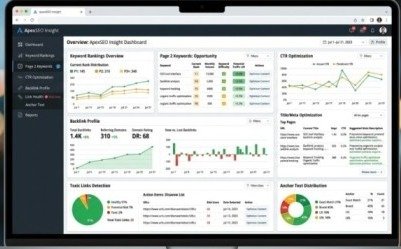
Your website is live. Your content is published. But your traffic is flat — or worse, slowly declining — and you have no idea why.
Here is the truth most website owners never hear: 90% of websites have serious SEO problems they do not know exist. Broken pages Google cannot crawl. Missing metadata that kills click-through rates. Technical errors that silently block rankings. Duplicate content confusing the algorithm. Backlinks from spammy sites dragging your domain authority down.
You cannot fix what you cannot see. That is exactly why a proper SEO audit step by step process is the single most important action any website owner can take before spending another dollar on content, ads, or link building.
This complete guide walks you through every critical area of an SEO audit — technical foundation, on-page optimization, content quality, backlink profile, and competitive gaps — with 25 specific fixes that will have measurable impact on your Google rankings in 2026.
What Is an SEO Audit and Why Does It Matter?
An SEO audit is a systematic diagnostic process that evaluates every factor influencing your website’s performance in Google Search. Think of it as a full health check for your website — it reveals exactly what is working, what is broken, and where the biggest opportunities are hiding.
Without a proper SEO audit step by step process, optimization is guesswork. You might spend months improving content on pages that have technical errors preventing them from ranking at all. You might build backlinks to pages that are accidentally set to noindex. You might optimize keywords while missing the fact that your site takes 8 seconds to load on mobile.
A structured audit eliminates the guesswork entirely and gives you a clear, prioritized action plan based on real data.
Tools You Need Before Starting
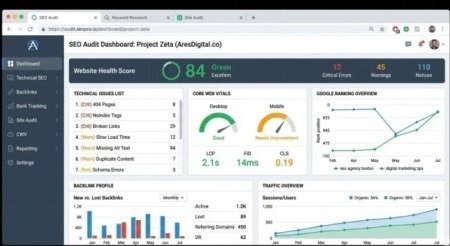
Before beginning your SEO audit step by step, set up these essential tools:
- Google Search Console — Free. Shows indexing status, Core Web Vitals, search performance, and manual actions
- Google PageSpeed Insights — Free. Measures page speed and Core Web Vitals with specific fix recommendations
- Screaming Frog — Free up to 500 URLs. Crawls your entire site and identifies technical issues instantly
- Ahrefs or Semrush — Paid. Backlink analysis, keyword gaps, and competitor research
- Google’s Rich Results Test — Free. Validates structured data for rich snippets eligibility
Phase 1 — Technical SEO Audit (Fixes 1 to 8)
Technical issues are the foundation of everything. If Google cannot crawl and index your pages correctly, no amount of content optimization or link building will save your rankings.
Fix 1 — Audit Your Robots.txt File
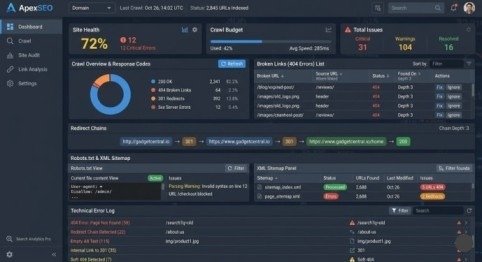
Visit yourwebsite.com/robots.txt and review every directive. A single misconfigured line can accidentally block Google from crawling your most important pages — including CSS and JavaScript files that affect how Google renders your content. Confirm that no critical pages or resources are blocked.
Fix 2 — Submit and Validate Your XML Sitemap
Your sitemap should exist, be submitted to Google Search Console, and contain only canonical, indexable URLs. No 404 pages. No redirect URLs. No noindex pages. A polluted sitemap wastes crawl budget and confuses Google about which pages deserve priority indexing.
Fix 3 — Fix All 4xx and 5xx Status Code Errors
Run Screaming Frog and filter results by status code. Every 404 error is a dead end for both users and Google crawlers. Fix broken pages by restoring content, implementing clean 301 redirects to the most relevant live page, or removing internal links pointing to deleted URLs.
Fix 4 — Eliminate Redirect Chains
A redirect chain — where URL A redirects to B which redirects to C — loses link equity at every hop. Audit all redirects and consolidate chains into single direct redirects from origin to final destination. This alone can recover significant ranking authority on established websites.
Fix 5 — Resolve Core Web Vitals Failures
Check Core Web Vitals in Google Search Console under the Experience section. Three metrics define your score:
- LCP (Largest Contentful Paint) — Must load under 2.5 seconds. Fix by compressing hero images and enabling browser caching
- INP (Interaction to Next Paint) — Must respond under 200ms. Fix by reducing JavaScript execution time
- CLS (Cumulative Layout Shift) — Must score below 0.1. Fix by setting explicit width and height on all images and embeds
Pages failing Core Web Vitals are actively disadvantaged in Google rankings versus competitors with passing scores.
Fix 6 — Force HTTPS Across Every Page
Verify that every page on your site serves over HTTPS with a valid SSL certificate. All HTTP URLs must redirect to HTTPS using 301 permanent redirects — not 302 temporary redirects. Check for mixed content warnings where images, scripts, or fonts still load over HTTP even on HTTPS pages.
Fix 7 — Confirm Mobile-Friendliness
Test your website using Google’s Mobile-Friendly Test tool. Check that the viewport meta tag is present, font sizes are minimum 16px, touch targets are at least 48×48 pixels, and no content requires horizontal scrolling. Google uses mobile-first indexing — your mobile experience directly determines your rankings on both mobile and desktop.
Fix 8 — Find and Fix Orphan Pages
Orphan pages are pages on your site that have no internal links pointing to them. Google either cannot discover them or assigns them very low priority. Use Screaming Frog combined with your sitemap to identify orphan pages and add relevant internal links from related content.
Phase 2 — On-Page SEO Audit (Fixes 9 to 16)
On-page elements are signals you control completely. Audit every important page on your site — starting with your top 20 pages by organic traffic — against this checklist.
Fix 9 — Optimize Every Title Tag
Every page needs a unique title tag between 50 and 60 characters. Your primary keyword should appear near the beginning of the title. Duplicate title tags — one of the most common on-page issues found in any SEO audit step by step — confuse Google about which page to rank for a given search query.
Fix 10 — Write Compelling Meta Descriptions
Every page needs a unique meta description between 150 and 160 characters. Include your primary keyword naturally — Google bolds matching terms in search results, making your listing more visually prominent. Add a clear reason to click that differentiates your result from competing pages.
Fix 11 — Fix Heading Structure Errors
Every page should have exactly one H1 containing the primary keyword. H2 headings should cover main sections, H3s cover subsections. Never skip heading levels — jumping from H1 to H3 signals disorganized content structure to both users and Google crawlers.
Fix 12 — Add and Optimize Alt Text on All Images
Every image needs descriptive alt text that includes relevant keywords where natural. Alt text is simultaneously an SEO ranking signal and an accessibility requirement. Missing alt text on images is one of the most consistently overlooked technical issues on established websites.
Fix 13 — Audit and Improve Internal Linking
Every important page should receive a minimum of three internal links from other relevant pages on your site. Use descriptive anchor text — “our complete guide to email marketing” — never generic phrases like “click here.” Fix every broken internal link identified by Screaming Frog.
Fix 14 — Optimize All URL Slugs
URLs should be short, keyword-focused, and contain no unnecessary words. Use hyphens to separate words, keep everything lowercase, and remove filler words. A clean URL like /seo-audit-guide performs better than /how-to-do-a-complete-seo-audit-for-your-website-in-2026.
Fix 15 — Convert Images to WebP Format
Replace JPEG and PNG images with WebP or AVIF format for significantly smaller file sizes with equal or better visual quality. Add explicit width and height attributes to every image to prevent Cumulative Layout Shift. Apply lazy loading to all images that appear below the fold.
Fix 16 — Validate All Structured Data
Use Google’s Rich Results Test to validate every Schema markup implementation on your site. Fix all errors and warnings — invalid structured data is completely ignored by Google rather than generating the rich snippets that can increase click-through rates by 15 to 35%. Priority schema types include Organization, BreadcrumbList, FAQPage, and Article.
Phase 3 — Content Quality Audit (Fixes 17 to 20)
Fix 17 — Identify and Update Thin Content Pages
Pages with fewer than 300 words of genuine unique value are at high risk of being demoted by Google’s Helpful Content system. Audit every page on your site and either expand thin pages with comprehensive, useful content or consolidate them with related pages through 301 redirects.
Fix 18 — Find Pages with Declining Traffic and Refresh Them
Open Google Search Console and filter your Performance Report by comparing date ranges — last 6 months versus the previous 6 months. Pages with declining impressions and clicks need a content refresh — updated statistics, additional depth, new examples, and improved formatting to reassert relevance.
Fix 19 — Target Page 2 Keywords for Quick Wins
Filter your Search Console Performance Report to show only keywords ranking in positions 11 to 20. These pages are one targeted improvement away from page one. Strengthen the content depth, add a few relevant internal links from high-authority pages, and ensure the on-page optimization perfectly matches the searcher’s intent.
Fix 20 — Fix Pages with High Impressions but Low CTR
Sort your Performance Report by impressions and look for pages with thousands of impressions but below 3% click-through rate. These pages rank but nobody clicks them. Rewrite their title tags and meta descriptions to be more specific, more compelling, and better aligned with what searchers actually want to find.
Phase 4 — Backlink Profile Audit (Fixes 21 to 23)
Fix 21 — Identify and Disavow Toxic Backlinks
Use Google Search Console’s Links report combined with Ahrefs or Semrush to audit every referring domain. Filter for sites with Domain Authority below 10, zero organic traffic, or obvious spam characteristics. Compile these into a disavow file and submit it through Google Search Console to prevent toxic links from damaging your domain authority.
Fix 22 — Recover Lost Backlinks
Ahrefs’ Lost Backlinks report shows every link your site dropped over a selected time period. Sort by the DR of the linking domain and investigate the highest-authority losses first. If the loss was caused by a URL change on your site, a clean 301 redirect immediately recovers the lost link equity. If the linking page still exists but removed your link, a polite outreach email requesting reinstatement often succeeds.
Fix 23 — Audit Anchor Text Distribution
Export your full backlink profile and analyze anchor text patterns. A natural profile includes branded anchors, naked URLs, generic phrases, and a small percentage of keyword-rich anchors. If more than 40% of your incoming links use exact-match keyword anchors, you have an over-optimized anchor text profile — a pattern Google’s SpamBrain system flags as a manipulation signal.
Phase 5 — Competitive Gap Audit (Fixes 24 to 25)
Fix 24 — Run a Keyword Gap Analysis
Use Ahrefs or Semrush’s Keyword Gap tool to identify keywords your top competitors rank for that your site does not target at all. These represent direct content opportunities — searches your potential customers are making where you have zero presence. Prioritize gaps with high search volume and clear commercial intent for immediate content creation.
Fix 25 — Analyze Competitor Backlink Sources
Identify the top three websites ranking above you for your primary keywords. Use Ahrefs to export their referring domains and filter by domain authority and topical relevance. Any platform linking to multiple competitors but not to you is a pre-qualified outreach target — they already link in your niche, proving their willingness to do so.
SEO Audit Prioritization Framework
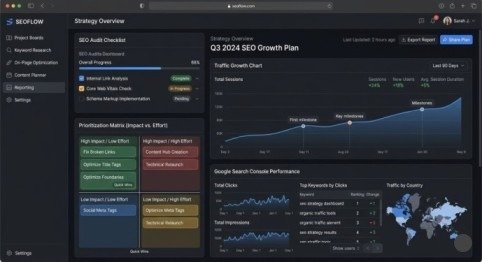
After completing your SEO audit step by step, you will have a list of issues across all five phases. Prioritize them using this simple impact-versus-effort matrix:
Fix Immediately — High Impact, Low Effort: Broken internal links, missing alt text, duplicate meta descriptions, redirect chains, sitemap errors, and robots.txt misconfigurations. These take hours to fix and can produce ranking improvements within days as Google re-crawls your pages.
Schedule This Week — High Impact, Higher Effort: Core Web Vitals optimization, thin content expansion, page 2 keyword improvements, and disavow file submission. These take more time but deliver significant ranking improvements within 4 to 8 weeks.Plan for Next Month — Strategic, Long-Term: Content creation for keyword gaps, link building campaigns targeting competitor backlink sources, and structured data implementation across all key page types.
Final Thoughts
A thorough SEO audit step by step is not a one-time event — it is a quarterly discipline that keeps your website healthy, competitive, and growing in organic search.
The 25 fixes in this guide cover every critical dimension of SEO performance in 2026. Work through them systematically, prioritize by impact, and track your progress in Google Search Console. Within 60 to 90 days of implementing the high-priority fixes, you will see measurable improvements in crawlability, indexing, click-through rates, and ultimately organic traffic.
The websites winning on Google in 2026 are not the ones with the most content or the biggest budgets. They are the ones with the cleanest technical foundations, the most relevant content, and the most authoritative backlink profiles. A proper SEO audit step by step gives you the roadmap to build all three.
Frequently Asked Questions
Q1: How long does a complete SEO audit take?
A small website of under 100 pages takes 2 to 4 hours. A medium site of 100 to 500 pages takes a full day. A large enterprise site takes 2 to 5 days. Prioritize by traffic impact — start with your highest-traffic pages first.
Q2: How often should I run an SEO audit?
Run a full technical audit quarterly, a content quality review every six months, and a competitive analysis annually. For large ecommerce or news sites, set up automated crawl monitoring to catch technical issues as they appear rather than waiting for scheduled audits.
Q3: Can I do an SEO audit for free?
Yes. Google Search Console, Google PageSpeed Insights, Screaming Frog (free up to 500 URLs), and Google’s Rich Results Test cover all the technical and on-page elements. Paid tools like Ahrefs or Semrush are needed for backlink analysis and keyword gap research.
Q4: What is the most common SEO issue found in audits?
The four most consistently found issues are: duplicate or missing meta descriptions, Core Web Vitals failures on mobile, thin or outdated content on service pages, and broken internal links creating orphan pages. Fixing these four categories alone produces measurable ranking improvements on most websites.
Q5: How quickly do rankings improve after fixing SEO issues?
Technical fixes take effect as soon as Google re-crawls affected pages — typically within days to weeks. Content improvements take 4 to 8 weeks to show ranking changes. Link building results take 3 to 6 months to fully materialize.