
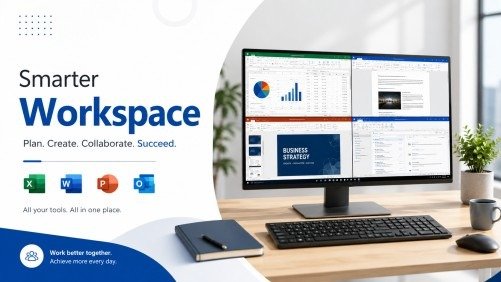
Have you ever opened Microsoft Office and felt confused about where to start? Many people know the names Excel, Word, PowerPoint, and Outlook, but they do not know how to use them well. This can make simple work take longer than it should. The good news is that you do not need years of experience to become confident. A well-designed Microsoft Office Course can help you learn each program step by step. Instead of guessing what each tool does, you will understand how to use them for real work, school, and personal projects.
Learning Microsoft Office is one of the smartest skills you can build today. Almost every office, business, and organization uses these applications every day. When you know how to create documents, manage data, design presentations, and organize emails, you become more productive and valuable. In this guide, you will learn how one complete Microsoft Office Course can help you master Excel, Word, PowerPoint, and Outlook while building practical skills you can use with confidence.
Why Learn Microsoft Office Today?
Microsoft Office remains one of the most widely used productivity tools in the world. Businesses, schools, government offices, and freelancers depend on it every day. Whether you are writing reports, analyzing numbers, creating presentations, or managing emails, Microsoft Office helps you work faster and more accurately.
A complete Microsoft Office Course teaches more than software features. It helps you understand how to solve everyday problems using the right tools. Instead of learning random tips from different websites, you follow a clear learning path that builds your confidence from the basics to more advanced tasks.
The biggest advantage is that these skills stay useful across many industries. Employers often expect candidates to know Microsoft Office before they apply for office-based jobs.
Benefits of Learning Microsoft Office
- Improve workplace productivity
- Create professional documents
- Analyze business data with confidence
- Build engaging presentations
- Organize emails and calendars efficiently
- Save time through automation and shortcuts
Master Microsoft Word for Professional Documents
Microsoft Word is much more than a simple typing program. It helps you create clean, professional, and attractive documents for almost any purpose.
A quality Microsoft Office Course starts with Word because document creation is one of the most common office tasks. Learning proper formatting makes your work easier to read and more professional.
Create Better Documents
You will learn how to:
- Format headings correctly
- Adjust margins and page layouts
- Insert tables and images
- Create professional reports
- Design resumes and letters
Using styles instead of manual formatting also saves time and keeps documents consistent.
Improve Collaboration
Word includes review tools that make teamwork easier. You can track changes, leave comments, and compare document versions without losing important information.
These features are especially useful for businesses, students, and project teams.
Learn Excel to Organize and Analyze Data
Excel is one of the most powerful applications in Microsoft Office. Many beginners think it is only for calculations, but it can do much more.
A complete Microsoft Office Course teaches Excel in a simple way so learners do not feel overwhelmed. You begin with worksheets and cells before moving to formulas, charts, and data analysis.
Build Strong Spreadsheet Skills
You learn how to:
- Organize information clearly
- Format worksheets
- Sort and filter data
- Create professional tables
- Print spreadsheets correctly
These skills help reduce mistakes and improve accuracy.
Use Formulas with Confidence
Formulas allow Excel to perform calculations automatically. Instead of calculating everything manually, Excel completes the work in seconds.
Common formulas include:
- SUM
- AVERAGE
- IF
- COUNT
- XLOOKUP
Learning these functions inside a structured Microsoft Office Course helps you understand when and why to use each one.
Visualize Data with Charts
Numbers are easier to understand when presented visually.
Excel charts help you:
- Compare results
- Show trends
- Present reports
- Explain business performance
Simple charts often communicate information better than long tables of numbers.
Create Powerful PowerPoint Presentations
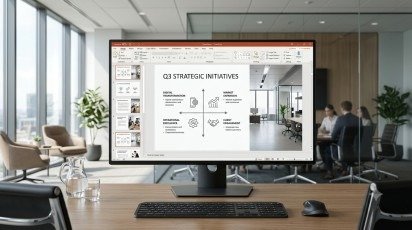
PowerPoint helps you share ideas in a clear and engaging way. Whether you are presenting at work, teaching students, or pitching a business idea, good slides make a big difference.
A professional Microsoft Office Course explains how to design presentations that are simple, attractive, and easy to follow.
Design Clean Slides
Good presentations avoid unnecessary clutter.
Instead, focus on:
- Clear headings
- Short text
- High-quality images
- SmartArt graphics
- Easy-to-read layouts
Keeping slides simple allows your audience to focus on your message.
Add Visual Elements
PowerPoint includes many features that improve presentations without making them distracting.
These include:
- Charts
- Icons
- Pictures
- Videos
- Animations
- Transitions
Using these tools correctly creates presentations that look professional while keeping viewers engaged.
Master Outlook for Better Email Management
Many people use Outlook only to send emails. However, it offers many more features that help you stay organized every day. A complete Microsoft Office Course teaches you how to manage emails, calendars, contacts, and tasks in one place.
When your inbox is organized, you spend less time searching for messages and more time completing important work.
Organize Your Inbox
Keeping your inbox clean improves productivity.
You can learn to:
- Create folders for different projects
- Use categories to organize messages
- Search emails quickly
- Archive old conversations
- Flag important emails for follow-up
These small habits save time and reduce stress during busy workdays.
Manage Your Calendar
Outlook also helps you plan your schedule.
You can:
- Create meetings
- Set reminders
- Share calendars
- Schedule appointments
- Manage daily tasks
Using these features helps you stay on track and avoid missing deadlines.
Learn Microsoft 365 for Modern Collaboration
Today, many companies use Microsoft 365 because it allows teams to work together from anywhere. Files stay updated, and everyone can access the latest version.
A modern Microsoft Office Course also introduces Microsoft 365 so learners understand how cloud-based productivity works.
Work Together in Real Time
Microsoft 365 makes teamwork simple.
You can:
- Share documents securely
- Edit files with team members
- Save work automatically
- Access files from different devices
- Keep documents updated
These tools improve communication and make collaboration much easier.
Access Your Work Anywhere
One of the biggest benefits of Microsoft 365 is flexibility.
Whether you are working from home, the office, or while traveling, your files remain available whenever you need them.
How to Learn Microsoft Office Faster
Learning becomes easier when you follow a clear plan instead of jumping between random tutorials.
A structured Microsoft Office Course helps you build one skill before moving to the next.
Start with the Basics
Begin by learning:
- Word
- Excel
- PowerPoint
- Outlook
Understanding the basics first creates a strong foundation for advanced skills.
Practice Every Day
Even 20 to 30 minutes of daily practice can improve your confidence.
Try creating:
- Reports
- Budgets
- Presentations
- Business letters
- Email templates
Real practice helps you remember what you learn.
Complete Small Projects
Working on small projects is one of the fastest ways to improve.
Examples include:
- Monthly expense tracker
- Sales report
- Resume
- School presentation
- Meeting schedule
These projects connect theory with real-world experience.
Common Mistakes Beginners Should Avoid
Many new learners become frustrated because they try to learn everything at once.
Avoid these common mistakes:
- Skipping basic lessons
- Memorizing instead of practicing
- Ignoring keyboard shortcuts
- Not using templates
- Giving up after one difficult lesson
A good Microsoft Office Course explains concepts step by step, making learning much easier and less stressful.
Career Benefits of Microsoft Office Skills

Microsoft Office skills are valuable in almost every industry.
Strong Office knowledge can support careers such as:
- Administrative Assistant
- Office Administrator
- Executive Assistant
- Customer Support Representative
- Data Entry Specialist
- Project Coordinator
- Business Support Officer
- Sales Administrator
Many employers list Microsoft Office skills as a basic job requirement. Completing a professional Microsoft Office Course helps demonstrate that you understand workplace productivity tools.
Who Should Take This Microsoft Office Course?
This course is suitable for learners at different stages of their careers.
It is ideal for:
- Beginners
- Students
- Job seekers
- Office workers
- Business owners
- Freelancers
- Career changers
Whether you want to improve your daily work or prepare for future opportunities, this training provides practical knowledge that can be applied immediately.
Final Thoughts
Learning Microsoft Office is an investment that continues to provide value throughout your career. Word helps you create professional documents, Excel allows you to organize and analyze information, PowerPoint improves communication through presentations, and Outlook keeps your work organized.
Instead of learning these applications separately, choosing one complete Microsoft OfficeCourse gives you a structured learning path that builds confidence from the beginning. As your skills improve, you will work faster, reduce errors, and handle everyday office tasks more efficiently.
No matter your experience level, consistent practice and the right guidance can help you become confident with Microsoft Office. Start learning today, keep practicing regularly, and use your new skills to achieve greater success in work, education, and personal projects.
Frequently Asked Questions
Is a Microsoft Office Course suitable for complete beginners?
Yes. Most courses begin with basic lessons before moving to advanced topics, making them suitable for learners with little or no previous experience.
Which Microsoft Office application should I learn first?
Most learners start with Word and then continue to Excel, PowerPoint, and Outlook. This order builds confidence gradually.
How long does it take to learn Microsoft Office?
Basic skills can often be learned within a few weeks of regular practice. Advanced features take longer and improve with real-world use.
Can Microsoft Office skills help me get a job?
Yes. Many employers expect candidates to know Microsoft Office because these applications are used daily in offices, schools, and businesses.
Do I need Microsoft 365 to learn Office?
No. Many skills work across different Office versions, although Microsoft 365 provides additional cloud-based collaboration features.
Meta Description
Master Excel, Word, PowerPoint, and Outlook with one complete Microsoft Office Course. Learn practical skills, boost productivity, and build workplace confidence.