
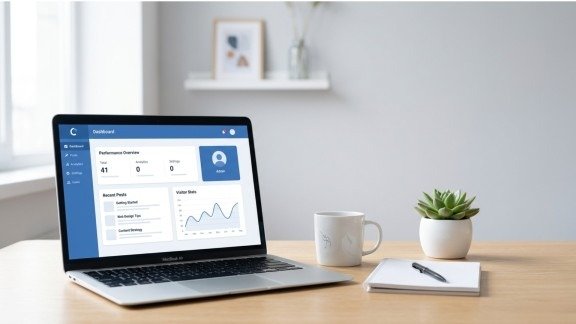
Starting a website may feel hard at first. You may think it needs coding or big skills. However, that is not true. With the right guide, WordPress setup becomes simple and fast. You can build your own site step by step without stress.
In today’s world, a website is very important. Whether you want a blog, business site, or online store, you need a strong start. So, learning WordPress setup is the best first step. It gives you control, freedom, and growth.
Also, WordPress is easy to use. Even beginners can learn it quickly. In this guide, you will learn each step clearly and simply. So, let’s begin your journey and make your dream website live today.
1. Start with a Clear Website Plan
Before you begin your WordPress setup, you need a plan. A clear plan helps you stay focused. It also saves time later.
Think about these things first:
- What is your website about?
- Who will visit your site?
- What do you want to share or sell?
For example, if you want a blog, your content will be articles. On the other hand, if it is a shop, you need product pages.
Also, choose your style. Pick colors, fonts, and layout ideas. This step may look simple, but it is very important for a strong WordPress setup.
2. Choose Domain Name and Hosting
Now, after planning, you need two things:
- Domain name (your website address)
- Hosting (where your site lives online)
Your domain should be:
- Short
- Easy to remember
- Related to your topic
Next, choose good hosting. Fast hosting helps your site load quickly. Also, it keeps your website safe.
Many hosting services offer easy tools. Because of that, your wordpress setup becomes faster and smoother.
3. Install WordPress Easily
Now comes the main step: installing WordPress.
Most hosting providers give a one-click install option. So, you do not need technical skills.
Steps are simple:
- Log in to your hosting account
- Click “Install WordPress.”
- Add your site name and login details
- Finish setup
That’s it! Your WordPress setup is now active.
Also, you can log in anytime by using:
yourdomain.com/wp-admin
4. Set Up Basic Website Settings
After installation, you need to adjust some settings. This step makes your wordpress setup better and ready.
Go to settings and do this:
- Add your site title and tagline
- Choose your language
- Set time zone
- Change URL structure (important for SEO)
Tip: Use “Post Name” format for links. It looks clean and helps ranking.
Also, remove default posts and pages. This keeps your site clean from the start.
5. Pick a Beautiful Theme
Now it’s time to design your website.
A theme controls how your site looks. So, choose wisely during your wordpress setup.
There are two types:
- Free themes
- Paid (premium) themes
Choose a theme that is:
- Mobile-friendly
- Fast loading
- Easy to customize
Also, make sure it matches your website goal. A good theme makes your wordpress setup more professional and attractive.
6. Create Content for Your Website

Now your website is ready for content.
Content is the heart of your site. Without content, your wordpress setup is incomplete.
There are two main types:
Posts
- Used for blogs
- Show in date order
Pages
- Static content
- Like About, Contact
Start with these pages:
- Home
- About
- Contact
- Blog
Also, write simple and helpful content. Because of this, visitors will stay longer on your site.
7. Add Plugins for Extra Features
Plugins are like apps for your website. They add new features to your wordpress setup.
You can install plugins easily:
- Go to Plugins
- Click “Add New”
- Search and install
Some useful plugins are:
- SEO plugin (for Google ranking)
- Security plugin
- Backup plugin
- Speed plugin
Important: Do not install too many plugins. It can slow your site.
So, always choose only needed tools for a better wordpress setup.
Extra Tips to Improve Your Website
After basic wordpress setup, you should improve your site step by step. Small changes can make a big difference.
Focus on SEO
Use your keywords naturally in your content, headings, and titles. This helps Google understand your website. Also, write simple and helpful content so users stay longer on your site.
Make Your Site Fast
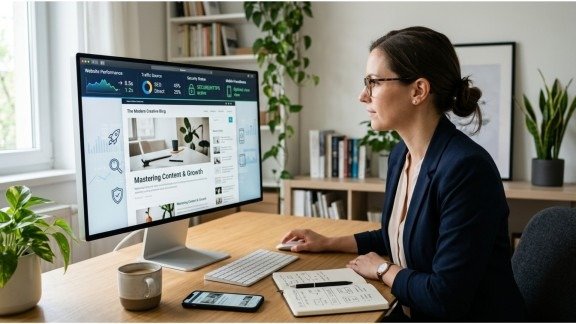
Speed is very important. Use small-size images and good hosting. Also, avoid adding too many plugins because they can slow down your website.
Keep Your Site Safe
Always update WordPress, themes, and plugins. This keeps your site secure. You can also use a security plugin and take backups to stay safe.
Use Mobile-Friendly Design
Most people use mobile phones, so your site should look good on all devices. Choose a responsive theme and keep your design simple and clean.
Common Mistakes to Avoid
Many beginners make small mistakes in wordpress setup. Avoid these:
- Choosing a bad domain name
- Using too many plugins
- Ignoring SEO settings
- Not updating website
Fixing these early will save your time.
Final Thoughts
Starting a website is not hard anymore. With the right steps, your wordpress setup becomes easy and smooth.
First, plan your idea. Then, choose domain and hosting. After that, install WordPress and design your site. Finally, add content and plugins.
Also, keep improving your website step by step. Because success does not come in one day.
Now, you have everything you need. So, take action today and complete your wordpress setup. Your website is waiting to go live!
FAQs
1. What is WordPress setup?
WordPress setup is the process of creating and launching a website using WordPress step by step.
2. Do I need coding skills for WordPress setup?
No, WordPress is beginner-friendly, and you can build a site without coding knowledge.
3. How long does WordPress setup take?
A basic WordPress setup can be done in 30 minutes to 1 hour.
4. Which hosting is best for WordPress setup?
Any fast and reliable hosting with one-click install is best for easy setup.
5. Can I use WordPress setup for an online store?
Yes, you can create an eCommerce site using plugins like WooCommerce.
SEO Meta Description
Learn WordPress setup in 7 easy steps to launch your website fast. Beginner-friendly guide to create, design, and grow your site easily.