
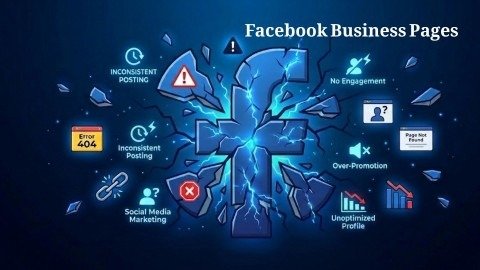
Many people create Facebook Business Pages to grow their brand and reach more customers online. They post photos, share offers, and promote their services. In the beginning, everything looks exciting. However, after some time many page owners feel stuck because the page does not grow and engagement stays very low.
However, this situation is very common. Many small businesses struggle with their Facebook Business Pages even when they are posting regularly. The reason is simple: social media platforms change very quickly. The rules, algorithms, and user behavior keep evolving, so strategies that worked before may stop working today.
So, what should you do in this situation? First, you need to understand the real problems behind slow growth. After that, you can apply the right solutions. In this guide, we will explore the biggest issues people face with Facebook Business Pages and the most effective ways to solve them step by step.
Why Facebook Business Pages Struggle to Grow
There are many reasons why Facebook BusinessPages fail to grow properly. Sometimes the issue is poor planning or a lack of strategy. Other times, the problem is weak content, poor branding, or targeting the wrong audience.
Many page owners believe that posting daily is enough. However, growth requires more than just posting content. A successful page needs clear goals, consistent branding, useful content, and engagement with followers.
In addition, Facebook’s algorithm has become stricter over the years. The platform shows posts mainly when users interact with them. Therefore, if people do not like, comment, or share your content, Facebook reduces its visibility.
Because of this system, many Facebook Business Pages slowly lose reach and engagement even if the business itself is good.
Major Problems That Stop Facebook Business Pages from Growing
1. Advertising Accounts Get Restricted
One serious challenge businesses face is when their advertising account gets restricted or blocked. This issue can appear suddenly and may stop all advertising activities connected to your page.
Facebook sometimes blocks ads due to suspicious activity, policy violations, or payment problems. In many cases the issue is not intentional, but the system may still flag the account for security reasons.
When this happens, your Facebook Business Pages advertising campaigns stop immediately and your marketing momentum can slow down.
What happens after a restriction
- Running ads stop automatically
- You cannot create new advertising campaigns
- Reporting tools become limited
- Campaign performance drops quickly
How to fix it
First, carefully review Facebook advertising policies and ensure that your ads follow all rules. Many issues happen because marketers overlook small guideline details.
Also, avoid logging into your account from different countries or unusual locations within a short time. This behavior may look suspicious to the system.
If your account is already restricted, submit a single appeal and wait for a response. Sending repeated requests usually delays the review process.
2. Very Low Organic Reach
Another major issue affecting Facebook Business Pages is extremely low organic reach. You may spend time creating good images and writing engaging captions, yet only a small number of followers actually see the post.
This happens because Facebook’s algorithm now prioritizes posts from friends, family members, and groups. Business content often appears lower in the news feed unless users actively interact with it.
As a result, many Facebook Business Pages struggle to reach even the audience that already follows them.
How to improve reach
To increase reach, focus on creating content that offers real value to your audience. People are more likely to interact with posts that help them learn something or solve a problem.
For example, you can share:
- Helpful tips
- Short educational videos
- Real customer experiences
- Questions that encourage discussion
Also, try posting when your audience is most active. Timing plays an important role in improving engagement and visibility.
3. Good Engagement but Poor Sales
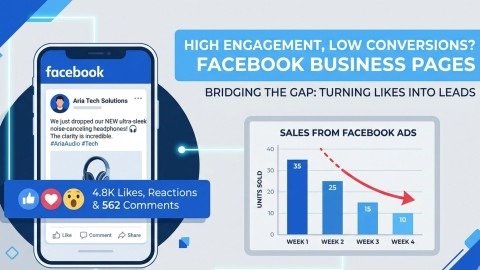
Sometimes Facebook Business Pages receive likes, comments, and shares, but still fail to generate real sales. This situation can confuse many business owners.
In most cases, this happens because the content entertains users but does not guide them toward a purchase decision. People may enjoy reading your posts, but they are not clearly encouraged to take action.
Ways to increase conversions
To turn engagement into real customers, your content should guide people toward the next step.
You can improve conversions by:
- Adding clear call-to-action messages
- Offering limited-time promotions
- Explaining product benefits clearly
- Linking to strong and simple landing pages
Testing different ad formats and messages can also help identify which strategy works best.
4. Strong Competition in the Market
Many industries are extremely competitive on social media. Thousands of businesses promote similar products and services every day.
Because of this competition, Facebook Business Pages must work harder to stand out and capture audience attention.
If competitors invest heavily in advertising, they may dominate the market, making it harder for smaller brands to gain visibility.
How to compete effectively
Instead of targeting a broad audience, focus on a specific group that truly needs your product or service.
For example, you can:
- Target a specific age group
- Focus on a particular location
- Choose interests related to your niche
When your targeting becomes more precise, marketing becomes more effective, and your ads perform better.
5. Negative Reviews Hurt Reputation
Reviews strongly influence buying decisions online. Many people check reviews before trusting a brand or purchasing a product.
If a page receives too many negative comments, potential customers may lose confidence in the brand. Unfortunately, some Facebook Business Pages ignore negative feedback, which can make the situation worse.
How to manage reviews
The first rule is to respond politely to every review. Even when criticism feels unfair, staying professional protects your brand image. Next, try to solve the customer’s problem whenever possible. Quick solutions show that the business cares about customer satisfaction.
Finally, encourage satisfied customers to leave positive feedback. More positive reviews improve the overall rating and credibility of your page.
6. Confusing Analytics and Reports
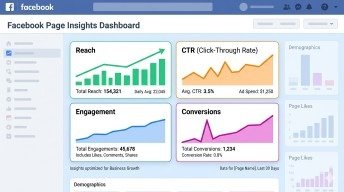
Facebook provides many analytics tools, but many page owners find them difficult to understand. They often focus only on likes and comments while ignoring more important metrics.
Important data includes reach, click-through rate, conversion rate, and audience insights. These numbers reveal how well your content and campaigns are performing.
Without understanding these metrics, Facebook Business Pages cannot improve their marketing strategy effectively.
How to understand results
Start by analyzing which posts receive the highest engagement. This helps identify the type of content your audience enjoys.
Then review audience activity patterns. Knowing when followers are online allows you to schedule posts at the best time. Finally, compare different advertising campaigns. Testing multiple strategies helps you discover which methods deliver the best results.
7. Unwanted Posts from Visitors
Some pages allow visitors to publish posts directly on the timeline. While this feature can encourage community interaction, it may also cause problems. Spam links, unrelated promotions, or harmful comments can appear on Facebook Business Pages, which may damage the professional image of the brand.
How to control page activity
Adjust your page settings so that visitor posts require approval before appearing publicly. This allows you to filter unwanted content.
Also, remove spam posts quickly and block users who repeatedly violate community rules. Maintaining a clean page helps protect your brand reputation.
8. Difficulty Changing Page Details
Sometimes businesses want to update their brand name, category, or other information. However, Facebook has strict rules about changing page details.
Because of these policies, some Facebook Business Pages face delays when attempting to modify important information.
Tips for updating your page
Before requesting changes, ensure that the new information follows Facebook’s naming guidelines.
Avoid changing your page name frequently because it may confuse followers and trigger additional review checks.
Planning your branding carefully from the beginning helps prevent these problems.
Smart Strategies to Grow Facebook Business Pages

Fixing problems is important, but long-term success requires a strong strategy. Businesses that succeed with Facebook Business Pages focus on consistency, creativity, and audience engagement.
Build a Clear Content Plan
Posting randomly rarely leads to growth. Instead, create a simple content calendar that balances different types of posts throughout the week.
For example:
- Monday: helpful tips
- Wednesday: product highlights
- Friday: customer stories
This structure helps audiences know what to expect from your page.
Focus on Visual Content
Visual content captures attention faster than plain text. Images, infographics, and short videos encourage people to stop scrolling and engage with the post.
Even simple smartphone videos can perform well if they provide useful or entertaining information. That is why many successful Facebook Business Pages prioritize visual storytelling.
Engage With Followers
Social media works best when it feels like a conversation rather than a broadcast.
Reply to comments quickly, thank followers for their support, and ask questions that invite discussion. These small interactions help build a loyal community around Facebook Business Pages.
Use Paid Promotion Wisely
Organic reach is limited, so smart advertising can help expand your audience.
Instead of promoting every post, focus on boosting content that already receives strong engagement. This ensures that your marketing budget is used efficiently.
When done correctly, advertising can significantly increase the visibility of Facebook Business Pages.
Final Thoughts
Managing Facebook Business Pages can feel challenging, especially when growth is slow. The platform changes often, and competition continues to increase.
However, most problems have clear solutions. By focusing on quality content, understanding analytics, and engaging consistently with followers, businesses can improve their results over time.
Success on social media does not happen overnight. But with patience, creativity, and the right strategy, Facebook Business Pagescan become powerful tools for building brand awareness and attracting loyal customers.
In addition, businesses that stay updated with trends and audience behavior often see faster improvement. A well-managed page can turn social media visitors into long-term customers and supporters of your brand.
Frequently Asked Questions
How can businesses improve engagement on Facebook Business Pages?
Businesses can improve engagement by posting helpful content, using visuals like videos, and replying quickly to comments from followers.
What type of content performs best on Facebook Business Pages?
Educational posts, short videos, customer stories, and problem-solving tips usually attract more attention and interaction from users.
Why do Facebook Business Pages lose organic reach over time?
Organic reach often drops because Facebook prioritizes personal content and pages with low engagement receive less visibility.
How often should businesses post on Facebook Business Pages?
Posting three to five times per week with valuable and engaging content helps maintain audience interest and consistent visibility.
What are common mistakes businesses make with Facebook Business Pages?
Common mistakes include inconsistent posting, poor visuals, ignoring analytics data, and failing to interact with followers.
Meta Description
Learn why Facebook Business Pages fail and discover practical solutions to fix low reach, poor engagement, and slow growth with proven social media strategies.
- Why Facebook Business Pages Struggle to Grow
- Major Problems That Stop Facebook Business Pages from Growing
- 2. Very Low Organic Reach
- 3. Good Engagement but Poor Sales
- 4. Strong Competition in the Market
- 5. Negative Reviews Hurt Reputation
- 6. Confusing Analytics and Reports
- 7. Unwanted Posts from Visitors
- 8. Difficulty Changing Page Details
- Smart Strategies to Grow Facebook Business Pages
- Final Thoughts
- Frequently Asked Questions
- How can businesses improve engagement on Facebook Business Pages?
- What type of content performs best on Facebook Business Pages?
- Why do Facebook Business Pages lose organic reach over time?
- How often should businesses post on Facebook Business Pages?
- What are common mistakes businesses make with Facebook Business Pages?
- Meta Description