


- Do you keep using the mouse again and again?
- Do you feel tired after long hours on the computer?
If your answer is yes, keyboard shortcuts can make your work faster and easier. They are a simple way to save time and get more done on a computer.
Computers are an important part of daily life. Students use them for study and assignments, while office workers use them for emails, reports, and presentations. Freelancers and business owners also spend most of their day working on computers.
Many people feel their work is slow and stressful, mainly because of heavy mouse use. Each click seems small, but together they waste a lot of time. Keyboard shortcuts solve this problem by letting you complete tasks quickly with simple key combinations.
You do not need to download anything — shortcuts are already available on your computer. Using them daily saves time, makes work easier, and improves productivity.
What Do We Mean by Keyboard Shortcuts?
Keyboard shortcuts are quick key commands. You press two or more keys together. The computer completes the action right away. The mouse is not needed. For example, tasks like copying text or saving files are done faster.
Why Keyboard Shortcuts Are Important
Keyboard shortcuts help us work faster. They save time by reducing extra clicks. Using shortcuts also helps us stay focused.
Time is very valuable today.
- Every extra click wastes time.
- Many clicks waste many minutes.
- Keyboard shortcuts for productivity help save that time.
- They stop distractions and improve focus
How Keyboard Shortcuts Make Work Faster
Keyboard shortcuts help us finish tasks faster. They reduce extra clicking and moving the mouse. This saves time and makes working easier.
Relying on the mouse for every action slows you down.
- Even small, repeated clicks can cost you valuable time.
- Keyboard shortcuts let you perform tasks instantly.
- They keep you focused and help you complete work more efficiently
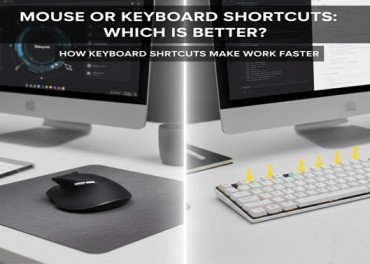
Mouse or Keyboard Shortcuts: Which Is Better?
Using a mouse is common. But it takes more time. You move your hand again and again. This breaks your focus. Time-saving keyboard shortcuts are faster. They keep your hands in one place. You stay focused on your task. This is why skilled users prefer them.
Keyboard Shortcuts as a Smart Way to Work
People want simple ways to work better. They look for smart work methods. Keyboard shortcuts are one of them. They are easy and free. You only need practice, not extra tools. Keyboard shortcuts for faster work are smart, simple, and time-saving.
Keyboard Shortcuts for Different Computer Systems
Every computer system has its own shortcuts. Learning them makes work faster and easier. Using the right shortcuts helps you work better on any computer.
Keyboard shortcuts work on all major systems:
- Windows shortcuts help manage files and programs.
- macOS shortcuts help with fast navigation.
- Linux shortcuts support efficient work.
No matter which system you use, useful keyboard shortcuts are always helpful
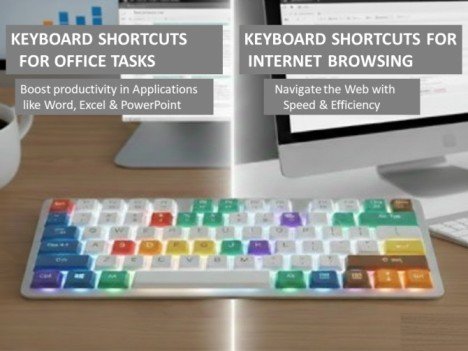
Keyboard Shortcuts for Office Tasks
Office work takes a lot of time. Using office keyboard shortcuts can make it faster and easier.
- In Microsoft Word, shortcuts help with writing and editing.
- In Excel, shortcuts help manage data fast.
- In PowerPoint, shortcuts help create slides with no effort.
Office keyboard shortcuts make work faster and simpler.
Keyboard Shortcuts for Internet Browsing
We use the internet daily. Keyboard shortcuts forfaster work make browsing quicker. They help you to:
- Open new tabs fast
- Close tabs with no effort
- Switch between tabs
- Refresh web pages
All major browsers support these shortcuts.
Easy Keyboard Shortcuts Everyone Should Learn
Learning simple keyboard shortcuts helps you work faster. They save time by reducing extra clicks. Using them makes daily computer tasks easier.
Common Shortcuts for Daily Use
- Ctrl + C – Copy
- Ctrl + V – Paste
- Ctrl + X – Cut
- Ctrl + Z – Undo
- Ctrl + A – Select all
- Ctrl + S – Save
These useful keyboard shortcuts work in most programs.
Useful Windows Shortcuts
Windows shortcuts make work fast and easy. They save time and are simple to learn. Shortcuts are very helpful for daily tasks.
- Alt + Tab – Switch between apps
- Windows + D – Show desktop
- Windows + E – Open File Explorer
- Windows + L – Lock the computer
They save time in daily Windows use.
Helpful Internet Shortcuts
Internet shortcuts make browsing quick and easy. They save time and make work simple. Very useful for daily online tasks.
- Ctrl + T – Open a new tab
- Ctrl + W – Close the current tab
- Ctrl + Shift + T – Reopen closed tab
- Ctrl + R – Refresh the page
They make browsing smooth and fast.
Simple Writing Shortcuts
Writing shortcuts make typing faster and easier. They save time and are easy to use. Very helpful for daily writing tasks
- Ctrl + B – Bold text
- Ctrl + I – Italic text
- Ctrl + U – Underline text
- Ctrl + F – Find text
Very useful for writing and editing.
Small Shortcuts Bring Big Results
One shortcut saves a few seconds. You use it many times a day. Over weeks, hours are not wasted. This improves total productivity.
Are Keyboard Shortcuts Difficult to Learn?
Many people think shortcuts are hard. This is not correct. You can learn a few shortcuts at a time. Start with a few simple ones. Practice daily, and at a slow pace add more.
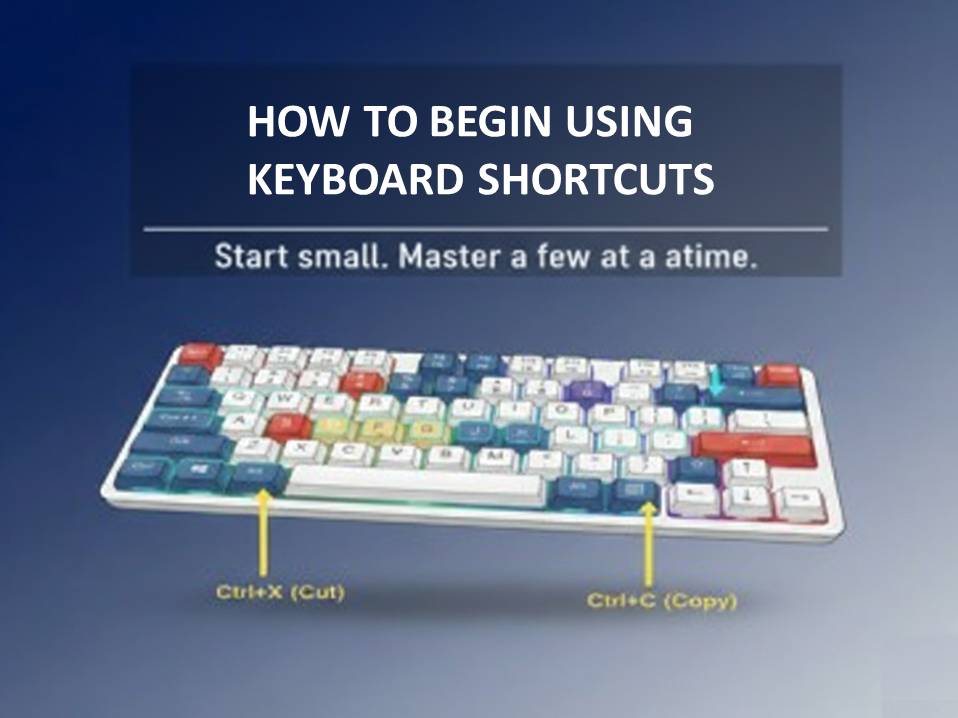
How to Begin Using Keyboard Shortcuts
Start small. Learn three or four shortcuts first. Use them every day. Try not to use the mouse for those tasks. With time, keyboard shortcuts for productivity become a habit.
Conclusion
Keyboard shortcuts make computer work easier and more efficient. They help save time in daily computer tasks and reduce extra effort and stress. By using time-saving keyboard shortcuts, work becomes smooth, fast, and well organized. You can complete many tasks in no time using fewer mouse clicks. This saves time and makes work easier. Keyboard shortcuts also help you stay focused. Learning these useful keyboard shortcuts is simple and useful for everyone. A person should start Step by step and practice daily. With regular practice, speed improves by itself and confidence increases. Soon, finishing tasks fast becomes normal. Are you ready to learn keyboard shortcuts? They can help you work faster and smarter.
FAQS
️ 1. What are the most useful keyboard shortcuts for office software?
Common office keyboard shortcuts like Ctrl + C, Ctrl + V, Ctrl + S, and Ctrl Z save time and make office work easier.
2. Where can I download keyboard shortcut cheat sheets?
Keyboard shortcut cheat sheets can Be available from Microsoft, Google Docs, and Adobe.
️ 3. Where can I find official keyboard shortcut guides?
Official keyboard shortcut guides are online. You can find them on Windows, Apple, and Linux websites.
️ 4.How can I customize keyboard shortcuts?
You can change keyboard shortcuts in Windows, macOS, and Linux settings.
Meta Description
Time-saving keyboard shortcuts aapko computer par faster work karne mein madad dete hain. In shortcuts se mouse use kam hota hai, time bachta hai, aur productivity improve hoti hai. Yeh shortcuts office work, internet browsing, aur daily computer tasks ko easy aur stress-free banate hain.