

Technology can feel confusing for many seniors, but Tech Tutorials for Seniors make learning easy and enjoyable. Phones, apps, computers, and the internet change very fast. It is easy to feel lost or left out. But learning technology can be simple and fun. With a little practice, seniors can use phones and computers to talk to family, play games, shop online, or learn new things.
This guide is easy to follow. It shows step by step how to start with basic tools. You can practice a little at a time and become more confident. We will talk about phones, apps, computers, and the internet. By following these tips, anyone can feel comfortable using technology, no matter their age.
Learning technology can make life easier. It can also give new chances to do things. With patience and practice,
seniors can feel confident and enjoy all the good things technology can do.
Tech Tutorials for Seniors: Start Small and Take Simple Steps
Learning technology is easier when you start small. Don’t try to learn everything at once. Focus on one task at a time.
For example:
- Make a video call on your phone.
- Open an app and explore slowly.
- Write notes to remember what you learn.
Step-by-step practice helps seniors avoid feeling overwhelmed. Start with one device, like a smartphone. After that, try a tablet or computer.
Tip: Practice a little every day. Even 10–15 minutes can make a big difference.
Protect Your Privacy and Stay Safe Online
Many seniors worry about scams, hackers, or sharing private information by mistake. It is important to learn how to stay safe online.
Simple safety tips:
- Use strong passwords and a password manager.
- Check privacy settings on social media.
- Don’t click on links from people you don’t know.
- Never share personal information by email or text.
Extra tip: Turn on two-factor authentication (2FA) for important accounts. It makes your accounts safer.
Explore Fun Apps and Games
Technology can be fun! Apps and games help seniors practice using devices while enjoying themselves.
Ideas to try:
- Crossword or Sudoku apps.
- Social games like Words with Friends.
- Video calls or photo sharing with family.
Games are not just fun—they teach typing, swiping, and navigating apps. Even simple apps like Google Maps or YouTube can help seniors become more confident with technology.
Adjust Devices for Comfort
Small screens and tiny text can be hard to see or use. You can make devices easier for seniors.
Tips for comfort:
- Increase text size.
- Use zoom features.
- Enable screen readers.
- Turn on high-contrast mode if needed.
Many smartphones and computers have accessibility features. Voice commands or text-to-speech can help seniors use devices independently.
Practice Every Day
Regular practice helps seniors remember skills. It builds confidence and makes using technology easier.
Even a few minutes every day can make a big difference.
Daily practice ideas:
- Send a message to family.
- Check your calendar online.
- Browse news or hobbies online.
Small, repeated practice is better than long sessions. Make it part of your daily routine.
Support From Family and Community
Seniors don’t have to learn technology alone. Many communities offer help. Libraries, volunteer programs, and local groups can guide seniors.
Support options:
- Free or low-cost computers and phones.
- Community tech classes.
- Volunteers to teach step by step.
Asking for help makes learning faster and easier. Don’t hesitate to reach out to family or friends for guidance.
Basic Computer Skills

Seniors may find computers tricky at first. Start with the basics.
Computer basics:
- Turn the computer on and off.
- Use the mouse or touchpad.
- Open and close programs.
- Understand the desktop and icons.
Once these are comfortable, seniors can start using email, browsing the internet, and installing apps.
Tip: Write shortcuts or keep small guides on the desk to help memory.
Smartphones for Seniors
Smartphones are important for staying connected. Seniors can learn them slowly.
Step-by-step guide:
- Make and receive calls.
- Send text messages.
- Save family numbers in contacts.
- Take and share photos.
- Install safe apps for banking, social media, and news.
Tip: Turn off notifications that are not needed to avoid distractions.
Using Social Media Safely
Social media helps seniors stay in touch with friends and family.
How to use safely:
- Create secure accounts.
- Post photos and messages carefully.
- Accept friend requests only from people you know.
- Set privacy settings so only friends can see posts.
Social media also allows seniors to join hobby groups and make learning more fun.
Online Shopping
Shopping online is convenient, but keeping yourself safe is very important.Check sites carefully, use secure connections, and protect your payment info.Always take a moment to confirm the seller and read basic safety steps before buying.
With a little caution, online shopping can stay easy, useful, and worry‑free.
Tips for seniors:
- Use trusted websites.
- Read reviews before buying.
- Avoid giving personal info on unknown sites.
- Track orders and deliveries carefully.
Start with small purchases to build confidence.
Email Tips
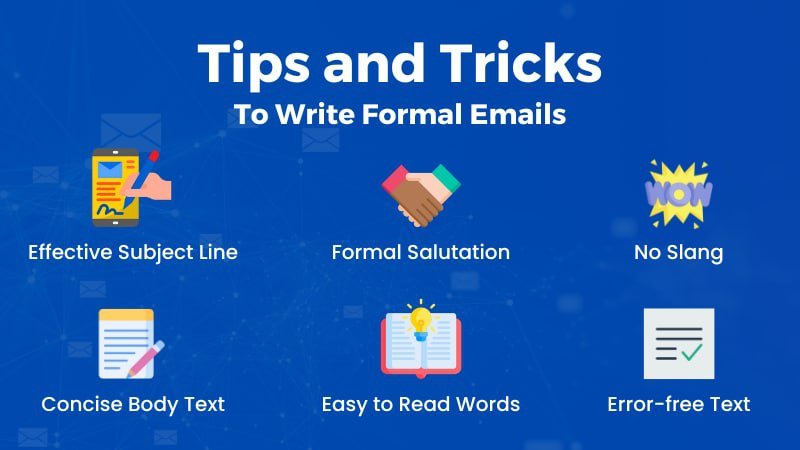
Email is a key tool for communication.
Simple steps:
- Create an email account.
- Read, reply, and forward messages.
- Attach files or photos.
- Organize messages in folders.
Tip: Use email services with large fonts for easier reading.
Video Calls and Online Meetings
Video calls help seniors stay connected with family and friends, even from a distance. They can see loved ones, share special moments, and feel more involved in daily life. Learning simple apps and steps makes video calling easy and stress-free.
With practice, seniors can start video chats confidently on phones, tablets, or computers. Regular video calls bring joy, reduce loneliness, and help seniors stay socially active.
How to start:
- Use apps like Zoom, Skype, or FaceTime.
- Join meetings with a link.
- Turn the camera and microphone on/off.
- Learn basic etiquette for calls.
Regular calls also give seniors practice with technology while staying connected socially.
Health and Fitness Apps
Technology can support health. Seniors can:
- Track steps and exercise.
- Set reminders for medications.
- Join online workout classes.
- Use telehealth apps for doctor visits.
These apps make life easier and healthier.
Organizing Digital Photos
Many seniors enjoy taking and viewing photos, but often struggle with organizing them. They may have pictures scattered across phones, computers, and cameras. Learning simple steps to sort and store photos makes it easier to find favorite memories. Using albums, folders, or cloud storage can help keep photos safe and organized.
With a little practice, seniors can enjoy their photos anytime without frustration.
Simple steps:
- Take photos with phones or cameras.
- Create albums or folders.
- Share photos safely with family.
- Back up photos online.
Digital photo skills boost confidence and preserve memories.
Online Learning and Hobbies
Learning doesn’t stop with age. Seniors can explore:
- Free courses on Coursera, Khan Academy, or YouTube.
- Hobbies like painting, cooking, or learning languages.
- Online communities with shared interests.
Learning online keeps the mind active and engaged.
Accessibility Features
Modern devices have features to help seniors:
- Voice commands to control devices.
- Text-to-speech for reading emails or articles.
- Large fonts or high-contrast mode.
- Assistive touch for easy navigation.
These features help seniors use technology independently.
Tips for Seniors Learning Technology
Learning technology can be challenging for seniors, but with the right mindset and simple steps, it can become easy and enjoyable. Technology helps seniors stay connected with family, manage daily tasks, and enjoy entertainment. These simple tips will help seniors learn technology with confidence and comfort.
1.Be Patient With Yourself
Learning new technology takes time, especially if you are new to digital devices. Everyone learns at their own speed, so do not compare yourself with others. Making mistakes is normal and part of the learning process. Stay calm, take breaks when needed, and keep practicing. With patience, learning becomes easier.
SEO Keywords: patience in learning technology, seniors learning tips, learning at your own pace.
2.Write Things Down
Writing steps and instructions helps seniors remember how to use devices and apps. Keep a small notebook to write simple steps, passwords, and useful tips. This makes it easier to repeat tasks without confusion and builds confidence in using technology.
SEO Keywords: note taking for seniors, write steps to remember, technology tips for seniors
3.Ask for Help When Needed
Do not hesitate to ask for help from family members, friends, or community volunteers. Many people are happy to guide and support seniors. Asking questions helps clear confusion and speeds up the learning process.
SEO Keywords: technology help for seniors, ask for help learning tech, digital support for seniors
4.Practice Every Day
Daily practice helps seniors become comfortable with technology. Even 5 to 15 minutes a day can improve skills and memory. Regular use makes devices feel familiar and easy to handle.
SEO Keywords: daily practice tips, seniors technology practice, improve digital skills.
5.Start With Things You Enjoy
Learning is more fun when you begin with activities you like. Try video calls with family, watching videos, listening to music, playing simple games, or viewing photos. Enjoyable activities make learning stress-free and motivating.
SEO Keywords: fun technology for seniors, easy apps for seniors, enjoyable learning methods.
FAQs for Seniors Learning Technology
Q1: I’m afraid of breaking my device. How do I start?
Start slowly. Explore basic features first. Most mistakes can be undone. You won’t break your device by learning.
Q2: How can I remember passwords?
Use a password manager. Write passwords in a safe notebook. Keep it handy for backup.
Q3: How do I avoid online scams?
Don’t click unknown links. Verify emails or messages. Only share info on trusted sites.
Q4: Can seniors learn technology at an older age?
Yes! Age does not matter. Practice and guidance help anyone learn.
Q5: Are there free resources to learn technology?
Yes! Libraries, community centers, and online platforms offer free tutorials and classes.
Conclusion
Seniors can learn technology by taking it step by step. Start small and practice a little every day to build confidence. Keep your information safe and set up devices so they are comfortable and easy to use. Apps, games, and guidance from friends or the community make learning fun and enjoyable.
With patience and support, seniors can use phones, computers, and the internet confidently. They can stay in touch with family, explore new activities, and enjoy all the benefits that technology brings to daily life. Learning tech can be simple, rewarding, and empowering for everyone.
Meta Description
Learn simple and clear tech tips for seniors with step-by-step guides. Start today and help yourself or a loved one enjoy phones, apps, and the internet safely and with confidence. Try these tips now!