
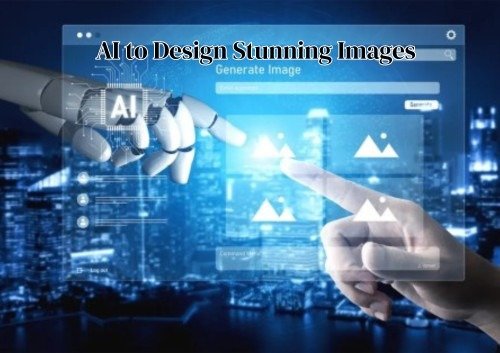
A few years ago, creating beautiful images online felt difficult and sometimes overwhelming. You needed proper design skills. You had to learn complicated software. You needed a powerful computer to run heavy programs. Most importantly, you needed a lot of time and patience to create something that looked professional. For many people, this made high-quality design feel out of reach. It felt like something only experts could do.
In 2026, things are completely different.
Artificial Intelligence has transformed the creative world in ways no one expected. Today, you can turn a simple idea into a powerful, eye-catching image in just minutes. If you are wondering how to use AI to design stunning images, the process is now simpler and more accessible than ever. You do not need to be a trained designer. You do not need to spend years studying graphic design principles. You only need imagination, a clear idea, and the right AI tool to bring it to life.
Modern AI tools are smarter, faster, and more intuitive than ever before. They understand style. They understand lighting. They understand mood, composition, and color balance. And most importantly, they understand your words and convert them into visuals that look polished and professional.
Whether you are a content creator, small business owner, student, freelancer, or marketer, learning how to use AI to design stunning images gives you the ability to create powerful visuals without stress or confusion. It does not replace your creativity. It strengthens it.
In this guide, you will learn how to use AI creatively and strategically to design images that truly stand out in today’s digital world.
1. How AI Completely Changed the Way We Create Images
Before AI, design was skill-based and often intimidating. You needed proper training. You had to understand layers, brushes, shadows, textures, and color theory. Even simple tasks like removing a background or adjusting lighting required technical knowledge. For beginners, the learning curve felt long and frustrating. Many people had creative ideas but did not have the technical skills to bring them to life.
Design was also time-consuming. Creating one high-quality image could take hours. Small mistakes meant starting again. Professional tools were powerful, but they were not always easy to use.
Now, the process is completely different.
You describe what you imagine. AI brings it to life.
Instead of focusing on technical steps, you focus on your idea. The system handles composition, lighting, depth, and detail. What once required advanced skills can now be done with a well-written prompt.
This shift is powerful. It removes technical barriers. It opens creative opportunities for students, entrepreneurs, content creators, and small businesses. More people can now express ideas visually without fear of complicated software.
In 2026, creativity is no longer limited by design knowledge. It is powered by imagination, clarity, and the ability to communicate your vision clearly.
2. Why AI Image Creation Became So Popular So Quickly
AI did not become popular by accident.
It solved real problems.
People needed content faster. Social media moves quickly. Businesses need fresh visuals daily. Marketing campaigns change constantly.
AI offers:
- Speed
- Flexibility
- Low cost
- Endless variations
You can generate ten image ideas in minutes. That was impossible before.
This speed gives creators a competitive edge.
3. Understanding in Simple Words How AI Image Generators Work
AI tools are trained on millions of images. They learn patterns. They understand shapes, colors, styles, and composition.
When you type a prompt, the AI analyzes your words. It predicts what the image should look like based on patterns it learned.
It does not search and copy.
It generates something new.
That is why prompts matter so much. Your words guide the creation.
Think of AI like a digital artist.
You are the director.
4. Choosing the Right AI Tool Based on Your Creative Goal
Not every AI tool works the same way.
Some are better for realistic photos.
Some are better for fantasy art.
Some focus on editing.
Some specialize in 3D design.
If you want social media posts, choose a tool that generates fast and clean visuals.
If you want cinematic art, choose a tool known for strong lighting and detail.
In 2026, popular tools include DALL·E, MidJourney, Stable Diffusion, and Adobe Firefly.
5. Free Tools vs Paid AI Platforms: What You Should Know
Free AI tools are great for beginners.
They let you explore.
They let you test ideas.
You can practice writing prompts.
You can learn how the system responds.
There is no pressure.
There is no big investment.
For students, hobby creators, or people who are just curious, free tools are more than enough. They help you understand the basics without spending money.
But paid AI platforms usually offer more power.
They often provide:
• Higher resolution images
• Faster generation speed
• Priority access during busy times
• Commercial usage rights
• More style and control features
• Advanced editing options
Paid tools also give you more consistency. The results are often sharper and more detailed. You may also get access to premium models and updates earlier.
If you are creating content for business, marketing, or client work, investing in a paid tool can be a smart decision. It gives you better quality and fewer limits.
If you are exploring for fun or learning step by step, free versions are perfectly fine. Start small. Upgrade only when you truly need more control and quality.
6. The Real Secret Behind Writing Prompts That Actually Work
Many beginners think AI is random. It is not.
The quality of your image depends on the quality of your prompt.
Short prompts give basic results.
Detailed prompts give powerful results.
Instead of writing:“City at night.” Write:
“Modern city skyline at night, neon reflections on wet streets, cinematic lighting, ultra detailed, 4K resolution.” Details create depth.
7. A Simple Prompt Structure That Makes Your Results Better
If you feel confused, use this structure:
Subject + Environment + Style + Lighting + Mood + Quality
Example:
“Peaceful mountain lake surrounded by pine trees, sunrise glow, realistic photography style, soft golden light, high resolution.” This structure keeps your prompt clear and balanced.
8. Small Words That Change the Entire Mood of Your Image
Small words can completely change how your image feels.
Lighting words change everything.
They control the emotion.
They control the atmosphere.
They control the overall vibe of the picture.
For example, use words like:
• Warm
• Soft
• Bright
• Golden
• Dramatic
• Moody
• Dark
If you write “bright sunlight,” the image feels happy and energetic.
If you write “dark shadows,” the image feels serious or mysterious.
Even adding one simple word like “cinematic” can improve realism.
It adds depth.
It adds contrast.
It makes the image look more professional.
You can also combine mood words.
If you write “bright sunlight,” the image feels happy and energetic.
If you write “dark shadows,” the image feels serious or mysterious.
Even adding one simple word like “cinematic” can improve realism.
It adds depth.
It adds contrast.
It makes the image look more professional.
You can also combine mood words.
For example:
“Soft golden light” feels calm and peaceful.
“Dark dramatic lighting” feels intense and powerful.
These small adjustments may look simple.
But they create big visual differences.
In AI design, details matter.
One extra word can completely transform the final result.
9. Common Mistakes Beginners Make With AI Image Design
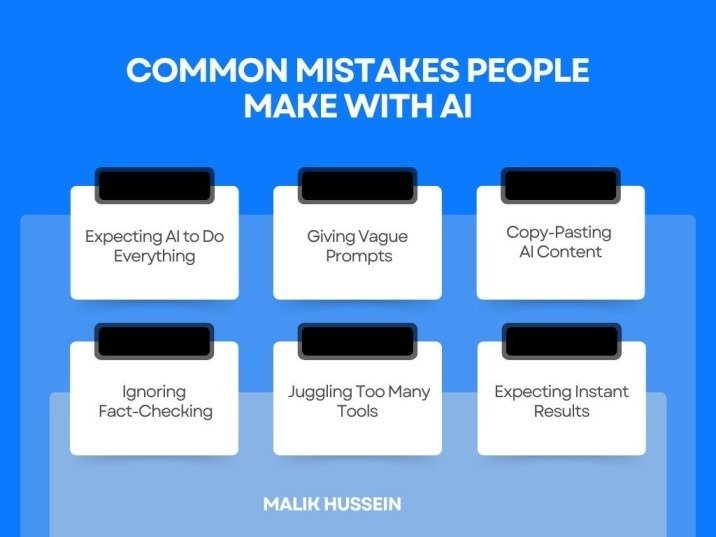
Many beginners make simple mistakes that affect the quality of their AI images.
Some of the most common mistakes are:
- Using very short prompts – vague instructions lead to generic results.
- Adding too many unrelated styles – too many styles can confuse the AI and make images messy.
- Forgetting about lighting – lighting words help set the mood and realism.
- Expecting perfection instantly – AI is powerful, but it needs guidance and practice.
Other mistakes include using unclear words or repeating the same prompt without adjustments.
The good news? These mistakes are easy to fix.
The key is to experiment and learn from each attempt.
AI is like a partner – it works better when you guide it carefully.
Practice makes a big difference.
The more you write prompts, refine them, and test results, the better your images will look.
10. How to Improve and Refine AI Images Like a Pro
Your first AI-generated image is rarely perfect.
Don’t worry – that’s normal.
You can improve it step by step.
Here’s how professionals do it:
- Regenerate the image – try slightly different prompts to see new variations.
- Adjust your prompt – add more details or remove unnecessary words.
- Clarify your idea – make sure the AI clearly understands the subject, style, and mood.
- Edit specific areas – many AI tools allow selective editing. You can fix faces, change colors, or remove unwanted objects.
- Refine composition – adjust framing, background, or proportions if needed.
Refining is part of the creative process.
Even experienced designers rarely use the first result.
They test, tweak, and improve until the image matches their vision.
With practice, you’ll learn how small changes in prompts and edits can create professional-looking results every time.
11. Making Your AI Images Look More Professional and High Quality
To make images look professional:
- Use high resolution settings
- Avoid cluttered backgrounds
- Focus on one main subject
- Use consistent lighting
Clean composition always looks better.
Simple often feels stronger.
12. Using AI to Create Eye-Catching Social Media Content
Social media needs strong visuals.
AI helps create:
- Instagram posts
- YouTube thumbnails
- Story backgrounds
- Pinterest graphics
Use bold contrast.
Use clear focus.
Keep text readable.
AI allows quick testing. You can try five thumbnail ideas in minutes.
13. How Businesses Are Using AI for Marketing and Branding
Businesses are quickly discovering the power of AI for marketing and branding.
AI is no longer just a tool for designers – it is now a key part of business strategy.
Companies use AI to create:
• Ad creatives – eye-catching visuals for social media, Google ads, and campaigns.
• Product mockups – realistic images of products before production or launch.
• Website banners – attractive graphics for homepages, blogs, and landing pages.
• Email graphics – visuals that make newsletters and promotions more engaging.
AI saves time and effort.
Instead of spending hours designing, businesses can generate multiple ideas in minutes.
It also reduces costs, because fewer resources are needed for professional-quality visuals.
Content production becomes faster, allowing businesses to keep up with trends and campaigns.
14. Combining AI With Your Own Creativity for Unique Results
AI should not replace your thinking.
Use it as support.
Start with your idea.
Generate options.
Pick the best one.
Then edit it in your own style.
The best results happen when human creativity leads and AI assists.
15. Advanced Techniques That Make Your Images Stand Out
If you want better results, try:
- Negative prompts (what you do not want in the image)
- Aspect ratio adjustments
- Style references
- Reference images
These tools give more control.
More control means more precision.
16. Understanding AI Ethics and Copyright in 2026
AI is powerful. Use it responsibly.
Always check platform rules.
Understand commercial rights.
Avoid copying specific artists directly.
Ethical use builds long-term credibility.
17. Future Trends: Where AI Image Design Is Heading Next
AI will continue evolving.
Soon we will see:
- Real-time AI video generation
- Interactive 3D worlds
- AI integrated into AR and VR
- Hyper-personalized design tools
Learning now prepares you for the future.
18. Why Practice Matters More Than the Tool You Use
Many people search for the “best AI tool.”
But results depend more on skill than platform.
Good prompts beat expensive software.
Practice writing.
Practice refining.
Practice experimenting.
Skill grows with repetition.
19. Building Your Own AI Image Creation Workflow
To stay organized:
- Write your idea clearly.
- Create 3–5 prompt variations.
- Select best output.
- Refine and edit.
- Export in high resolution.
Having a system saves time
20. Final Thoughts: AI Is a Tool, Not a Replacement
AI in 2026 is powerful.But it is still a tool.
Your imagination is the real engine.
Your vision gives direction.
Your taste defines quality.
Start experimenting today.
Do not wait to be perfect.
Just begin.
The more you create, the better you will become.
AI does not remove creativity.It expands it.
FAQs
· Why is creating images with AI so easy in 2026?
AI instantly converts ideas into visuals without skills or costly software, making design simple for everyone.
· How professional do AI-generated images look?
With clear prompts, AI creates realistic, sharp, and high-quality images that look truly professional.
· Can AI images be made using free tools?
Yes, free tools can create good-quality images for beginners, while paid tools offer better quality and more control.
· What’s the key to getting good AI images?
A clear, detailed prompt is essential to guide AI and achieve the best results.
· Will AI replace human creativity?
No, AI enhances creativity by helping bring ideas to life faster and easier.
Conclusion
In 2026, AI has revolutionized the way we create images. Professional-quality visuals are now accessible to anyone, without the need for expensive software or years of formal training. With imagination, clear ideas, and the right AI tools, designing has become faster, more efficient, and highly creative.
The true key to success lies in crafting thoughtful prompts, practicing consistently, and combining AI’s capabilities with your personal creativity. By experimenting, refining, and iterating, you can produce visuals that are both unique and professional. AI does not replace human creativity—it amplifies it, enabling creators to bring their visions to life like never before.
Meta Description
Discover how to use AI to design stunning images in 2026 with smarter prompts, better tools, and creative techniques. Learn step by step how to create professional visuals and start building your own AI-powered designs today.