
Freelancing is growing fast around the world. Many people now earn money online from home. Students, professionals, and even beginners are joining freelancing platforms. Among all these platforms, Fiverr is one of the most popular.
Fiverr allows people to sell their skills online. You can offer services like graphic design, content writing, video editing, programming, SEO, and digital marketing. Many beginners start their freelancing journey here.
However, success on Fiverr does not come from just opening an account. You must create a professional profile that attracts buyers. Your profile is the first thing clients see before placing an order.
That is why it is important to learn how to create a Professional Fiverr Profile the right way. A strong profile builds trust and increases your chances of getting orders.
In this complete guide, you will learn how to create a Professional Fiverr Profile step by step. These simple steps will help beginners create a powerful profile and start their freelancing career with confidence.
Why a Professional Fiverr Profile Is Important
Before learning how to create a Professional Fiverr Profile, it is important to understand why it matters.
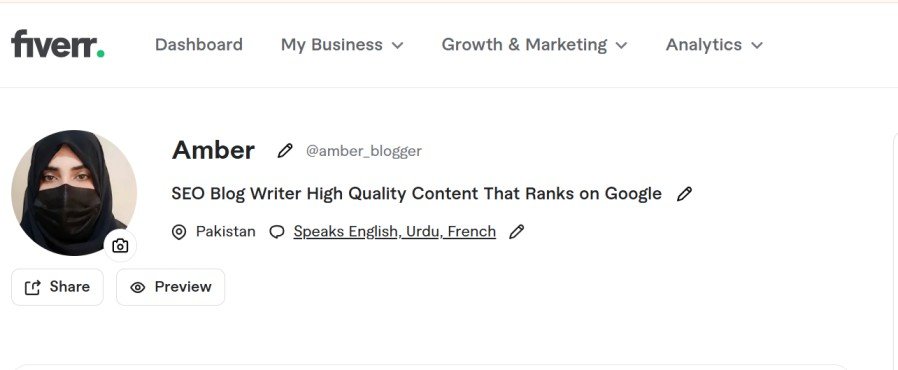
Your Fiverr profile works like your online identity. It tells clients who you are and what services you offer. Buyers look at your profile before deciding to hire you.
A weak profile can reduce your chances of getting work. But a strong profile can help you stand out from thousands of freelancers.
Here are some benefits of a professional Fiverr profile:
- Builds trust with clients
- Shows your skills clearly
- Improves your gig visibility
- Increases your chances of getting orders
- Creates a strong first impression
When you understand How to Create a Professional Fiverr Profile, you position yourself as a serious freelancer.
7 Powerful Steps to Create a Professional Fiverr Profile
Step 1: Create Your Fiverr Account
The first step in How to Create a Professional Fiverr Profile is creating your account. The process is quick and easy.
You can sign up with email, Google, Facebook, or Apple ID. Choose a unique and professional username. Verify your email to activate your account. Now your Fiverr account is ready to use.
Follow these steps:
- Go to Fiverr.com
- Click the Join button
- Sign up using email, Google, Facebook, or Apple ID
- Choose a professional username
- Create a strong password
- Verify your email address
Once your account is verified, your Fiverr account becomes active. Now you can start building your professional profile.
Step 2: Choose a Professional Username
Your username is very important on Fiverr. It represents your brand.
When learning how to create a Professional Fiverr Profile, choose a username carefully. Fiverr does not allow you to change it later.
Pick a name that is simple, easy to remember, and related to your skills. Avoid using numbers or symbols that look unprofessional.
Tips for selecting a good username:
- Keep it simple and clear
- Avoid numbers and random symbols
- Choose a name related to your skill
- Make it easy to remember
Example:
- SEOExpertAli
- CreativeDesignerSara
- ContentWriterAhmed
A professional username makes your profile look trustworthy.
Step 3: Add a Professional Profile Picture
Your profile picture is the first visual impression for clients.
When you study How to Create a Professional Fiverr Profile, you will notice that successful freelancers always use a professional photo.
Use a clear, high-quality image showing your face. A friendly and simple photo builds trust and encourages clients to contact you.
Tips for a good Fiverr profile picture:
- Use a clear and high-quality image
- Show your face clearly
- Use natural lighting
- Keep the background simple
- Avoid blurry photos
People trust profiles with real pictures. A friendly photo can increase the chances that buyers will contact you.
Step 4: Write a Strong Profile Description
Your profile description is one of the most important parts of your Fiverr profile.
When learning how to create a Professional Fiverr Profile, you must write a description that clearly explains your skills.
Keep your sentences short and simple. Mention what you do, your experience, and why clients should choose you. A clear description helps buyers understand your value quickly.
Your description should include:
- Who you are
- What services you offer
- Your experience
- Why clients should choose you
Example structure:
- Start with a short introduction
- Explain your skills and experience
- End with a message that encourages clients to contact you
Keep sentences short and clear. Avoid complicated words.
A well-written description helps buyers understand your value.
Step 5: Add Skills and Languages
Another important step in How to Create a Professional Fiverr Profile is adding skills.
Skills help Fiverr understand your expertise. They also help buyers find your profile.
Add all the skills related to your services. Include the languages you speak to make communication with clients easier.
Examples of common Fiverr skills:
- Graphic design
- SEO
- Content writing
- Video editing
- Web development
- Digital marketing
You should also add the languages you speak, e.g., English, Urdu, Arabic, Spanish. This helps clients know if communication will be easy.
Step 6: Add Education and Certifications
Education and certifications increase your credibility.
When building your profile, include your educational background. Even short courses can strengthen your profile.
Examples:
- Digital Marketing Course
- SEO Certification
- Graphic Design Diploma
- Web Development Training
Buyers trust freelancers who show proof of learning. If you have completed online courses, add them to your profile. This makes your profile look more professional.
Step 7: Stay Active and Build Trust
The final step in How to Create a Professional Fiverr Profile is staying active.
Many beginners create a profile and then stop using Fiverr. This reduces their chances of success.
Tips to stay active:
- Respond quickly to messages
- Update your profile regularly
- Improve your gig descriptions
- Deliver work on time
- Maintain good communication
Consistency helps build trust with buyers. Active freelancers often receive more orders.
How to Create Gigs on Fiverr
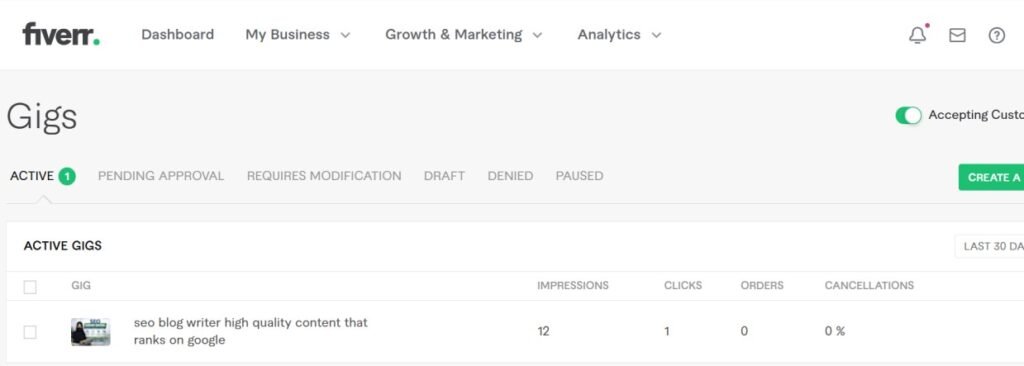
After completing your profile, it’s time to create your first Fiverr gig. Your gig is how clients see your services and place orders.
Move your cursor to the Selling option at the top menu. Click on Gigs from the drop-down menu. Then click Create a New Gig to start.
Write an Overview of Your Gig
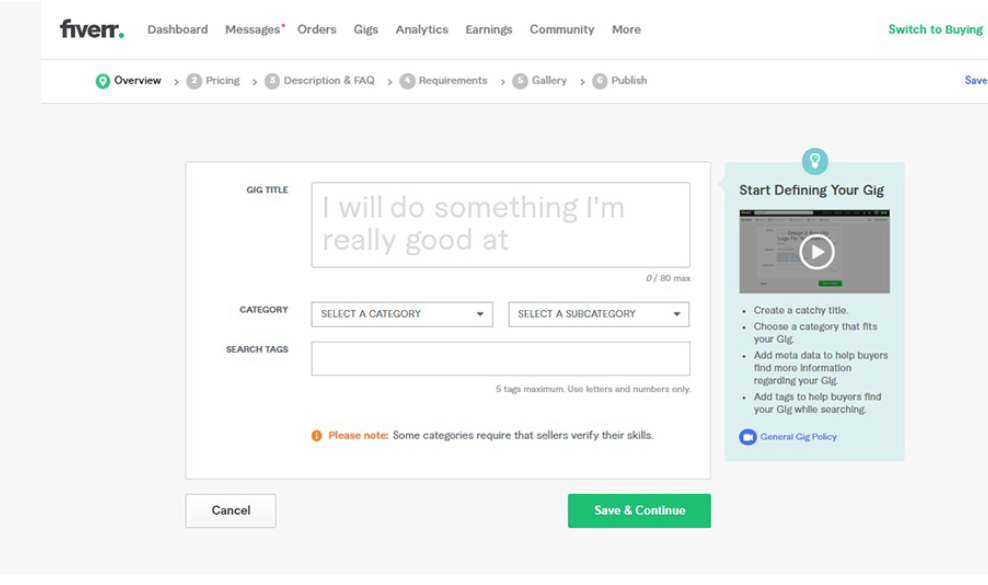
Fill in the gig title, select the right category and subcategory, and add related search tags. The title should be original, concise, and clear. Selecting the correct category predicts your options in the next steps. Choose the best search tags by checking what other sellers in your niche are using.
Set the Price of Your Gig
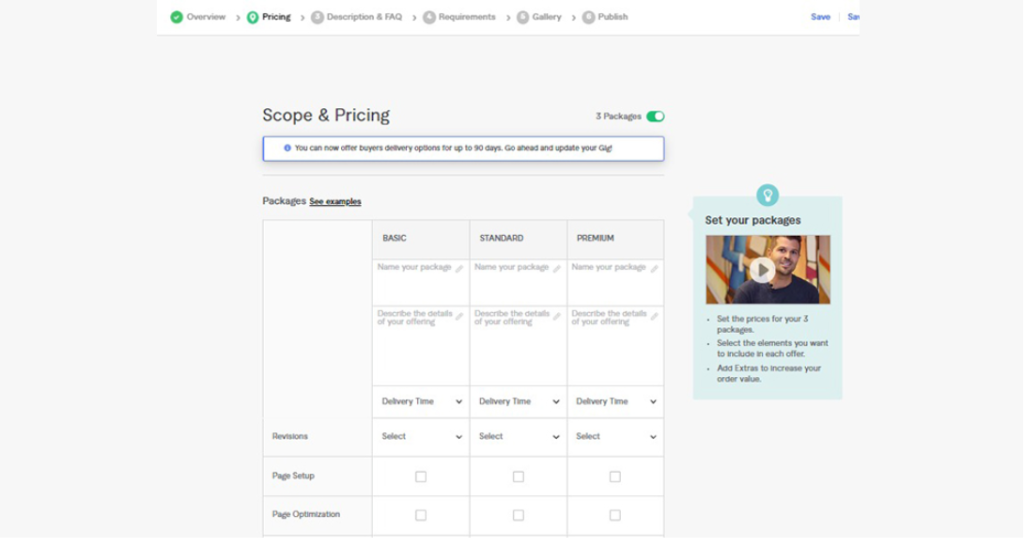
Fiverr offers three packages: Basic, Standard, and Premium. You can create all three or select one. Give each package a title and description. Be creative, mention delivery time, and make your pricing attractive.
Add Frequently Asked Questions (FAQs)
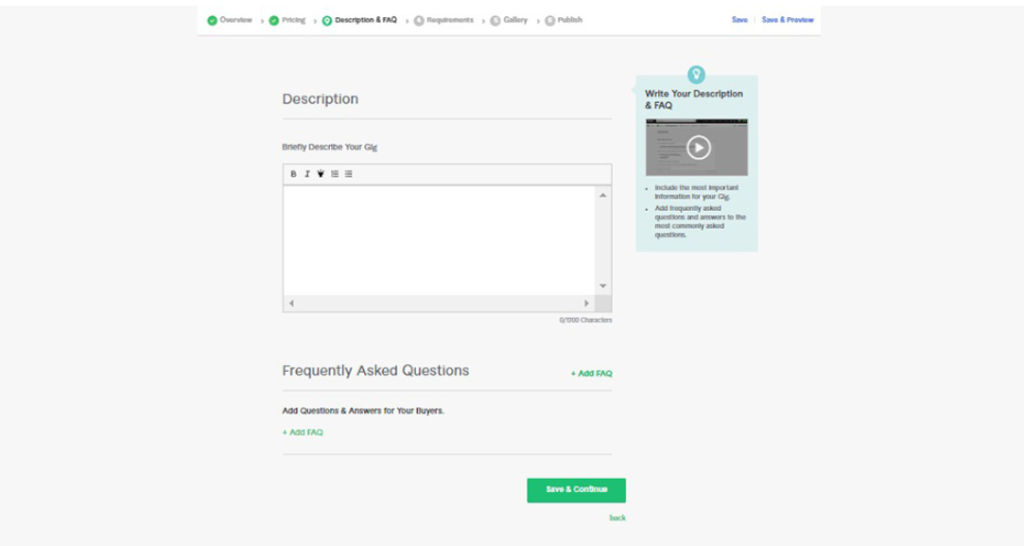
Use the FAQ section to answer common questions buyers may have. Update it regularly based on client queries.
Add Requirements
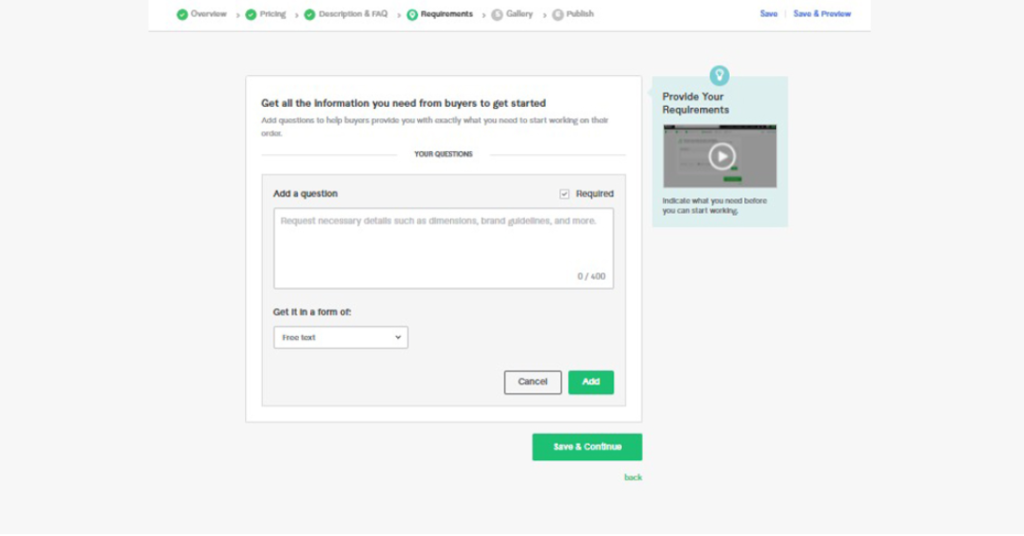
Mention all the details you need from buyers to start work. For example, if you are designing a logo, ask for the business name, industry, and color preferences.
Create Impactful Gig Gallery Content
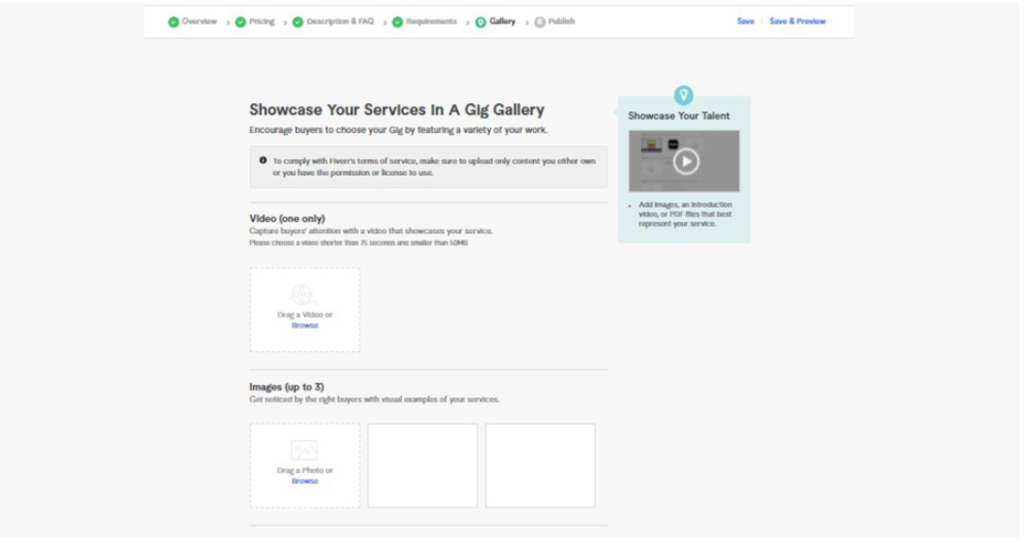
Upload images, videos, or PDFs showcasing your work. High-quality visuals make your gig more appealing and increase client trust.
Publish Your Gig and Go Live
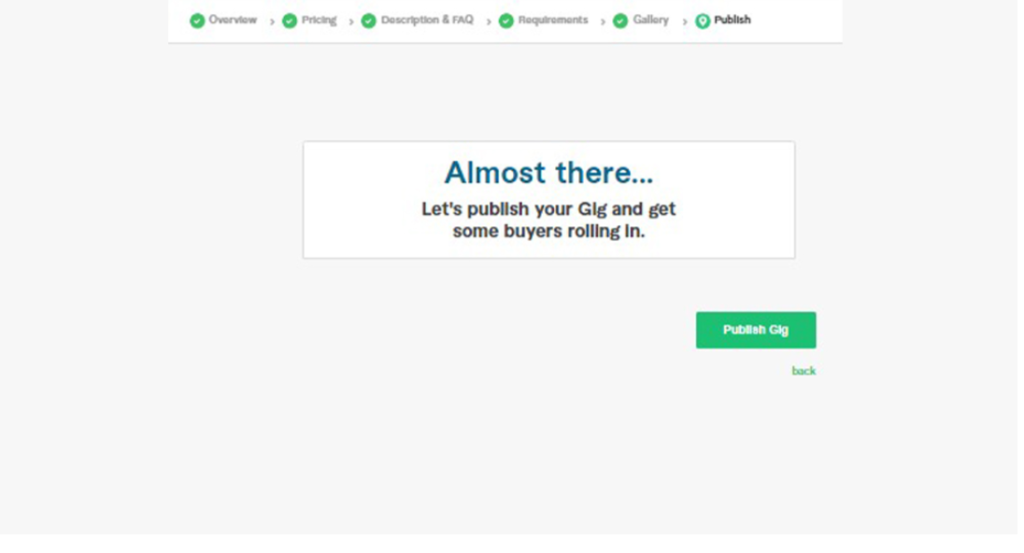
Once everything is ready, click Publish Gig. Your gig is now live and visible to clients. Follow these steps to create the best gigs and start your freelancing journey on Fiverr.
Common Mistakes Beginners Should Avoid
Many beginners make simple mistakes when creating their Fiverr profiles because they don’t understand how to create a professional Fiverr profile properly.
- Using unprofessional usernames
- Uploading low-quality profile photos
- Writing short or unclear descriptions
- Not adding skills or certifications
- Being inactive for long periods
Avoiding these mistakes will help you succeed faster.
Tips to Get Your First Fiverr Order
Getting the first order can be challenging. But with the right strategy, it becomes easier.
Here are some helpful tips:
- Create clear and detailed gigs
- Use attractive gig images
- Offer competitive prices in the beginning
- Respond quickly to buyers
- Promote your gigs on social media
Patience is important. Many successful freelancers started with zero orders.
Conclusion
Fiverr is one of the best platforms for beginners who want to earn online. Learning How to create a Professional Fiverr Profile is the first step toward success. A strong profile helps you attract clients and stand out from thousands of freelancers.
Once your profile is ready, creating high-quality gigs is equally important. Follow all the steps for your profile and gigs, stay active, and deliver quality work. With patience and consistency, you can build a successful freelancing career on Fiverr.
Remember to update your profile regularly. Add new skills, certificates, and portfolio items. Respond quickly to client messages and maintain good communication. A professional approach and consistent effort will grow your freelancing business faster.
FAQs
1. What is a Fiverr profile?
A Fiverr profile is your professional page on Fiverr. Clients check it to see your skills and services. It shows what you can offer and why they should hire you.
2. Why is a professional Fiverr profile important?
A professional profile builds trust with clients. It shows your expertise clearly and increases your chances of getting orders.
3. Can beginners succeed on Fiverr?
Yes, beginners can succeed with effort. Strong profiles, clear descriptions, and quality gigs attract clients.
4. How long does it take to get the first order?
It depends on your gig quality and activity. Some get orders in days, others may take a few weeks.
5. Can I edit my Fiverr profile later?
Yes, you can update your profile anytime. Skills, descriptions, and other details can be changed whenever needed.
Meta Description
Learn how to create a Professional Fiverr Profile with 7 powerful steps for beginners. Build trust, attract clients, and start freelancing successfully.