
Don’t Get Fooled: Online scams are growing fast, and awareness is your first defense. Every day, thousands of people lose money and personal data to clever tricks. Scammers are smart. They use emails, fake websites, calls, and social media to fool users. Many scams look real. That is why even careful people sometimes get trapped.
The biggest problem is trust. Scammers pretend to be banks, companies, or even friends. They create panic or excitement. They may say your account is blocked. Or they may say you won a prize. When emotions rise, thinking becomes weak. This is exactly what scammers want.
The good news is simple. You can stay safe. You just need the right knowledge and habits. Learning a few smart tips can protect your money, your identity, and your peace of mind. Online safety is not hard. It only requires awareness and quick checking before action.
In this guide, you will learn easy and powerful secrets to avoid online scams. The tips are written in simple language. Sentences are short. Ideas are clear. You can understand them quickly and apply them daily. Follow these steps, and you will stay ahead of scammers.
Remember one rule: Think first. Click later.
1. What Is an Online Scam?
An online scam is a trick used on the internet to cheat people. Scammers try to steal money, passwords, or personal information. They often pretend to be trusted companies, banks, or even friends. Many scams look real, so people do not notice the danger. Online scams are risky because they spread fast and are hard to trace. Anyone who uses the internet can become a target. But when you understand how scams work, you can protect yourself easily. Awareness is your best protection. The more you learn about scams, the safer you stay online.
Simple Definition
An online scam is a fake message, website, or offer made to fool you. The goal is to make you share private information or send money. Scammers often use fear or excitement to control your reaction. For example, they may say your account is blocked or that you won a prize. When emotions rise, people act quickly. Quick reactions help scammers succeed. That is why you should always slow down and check first.
Why Scams Are Increasing
More people use the internet every day. Online shopping, banking, and social media are now part of daily life. This gives scammers more chances to find victims. Technology also helps scammers hide their identity. They use fake numbers, tools, and software to stay hidden. Some even use smart programs to create realistic messages. Because of this, scams are growing fast. Staying informed is the best way to stay safe.
2. Why Scammers Target You
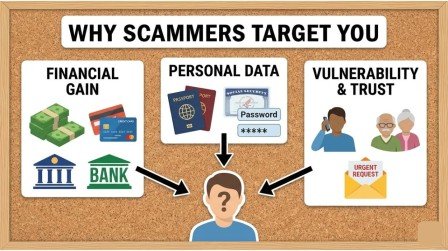
Scammers do not only target rich or famous people. They target anyone who uses the internet. Their systems send messages to thousands of users at once. Even if only a few people respond, they still win. Scammers study human behavior. They know people react quickly to fear, curiosity, or excitement. When someone clicks a link without checking, they become an easy target. Being targeted does not mean you are careless. It only means you need better awareness. Once you understand their tricks, you can avoid them easily.
Easy Victims Online
Online communication feels safe because you cannot see the other person. This makes people trust messages faster. If a message looks professional, many users believe it is real. Scammers use logos, names, and designs to look official. They want you to react quickly without thinking. People who do not check links or senders are easier to trick. Taking a few seconds to verify can save you from big trouble.
Value of Personal Data
Your personal data is very valuable online. Emails, passwords, and card numbers can be sold to criminals. They use this data to steal money or access accounts. Sometimes they use one password to open many accounts. Even small details can help them. That is why scammers work hard to collect information. Protecting your data is as important as protecting your wallet.
3. Common Types of Online Scams
Online scams come in many forms. Some arrive as messages. Others appear as websites or ads. Each scam may look different, but the goal is the same. Scammers want your information or money. They often change their methods to trick more people. When users learn one trick, scammers create another. Knowing the common types helps you recognize danger faster. The more scam styles you know, the harder it becomes for scammers to fool you.
Fake Messages
Fake messages are one of the most common scams. They may come as texts, emails, or chat messages. They often say you won something or must verify your account. These messages push you to click a link. Once you click, you may land on a fake page. That page collects your details. Never click links from unknown messages.
Fraud Websites
Fraud websites look real but are fake. They copy real logos and designs. Many people cannot see the difference. When users enter their login or card details, scammers receive them instantly. Some fake stores take payment and then disappear. Always check the website address and reviews before trusting a site.
4. Warning Signs of a Scam
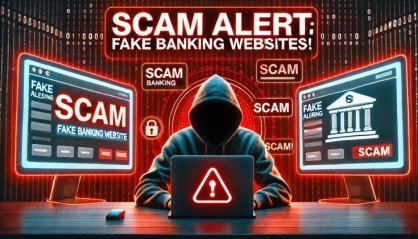
Scams usually show warning signs that you can notice if you pay attention. Recognizing these signs helps you stop scams before they affect your money or personal information. Scammers often create a sense of urgency to make you act without thinking carefully. When you know what to watch for, you can easily identify suspicious messages or websites and stay safe online.
Urgent Language
Scam messages often use urgent or threatening words like “Act now” or “Last chance.” These words are meant to create panic so people act too quickly without verifying anything. Real companies almost never rush you in this way, so always pause and think before clicking.
Strange Links
Links in scam messages can look unusual, with random letters, extra numbers, or slight misspellings. Some links appear normal but actually lead to fake websites or harmful downloads. Hover over links to see the full address, and avoid clicking if it looks unfamiliar or suspicious.
5. Fake Emails and Messages
Scam emails and messages can look very real and convincing. They often use company logos, names, and professional formatting to trick you. The main goal is to steal your personal information, passwords, or money. Even careful people can fall for these scams if they do not check before clicking.
Phishing Tricks
Some messages take you to fake login pages that look real. When you enter your details, scammers can steal them immediately. These emails may pretend to be from your bank, social media, or online stores.
How to Check Sender
Always look closely at the sender’s email address for mistakes or extra letters. Fake emails often look almost real but contain small errors. Check with the company directly before clicking links or sharing any personal information.
6. Dangerous Links
Links on the internet can be very risky if you do not check them carefully. Some links may lead to fake websites that look real, while others can install harmful software on your device. Clicking these links without verifying them can put your money, passwords, and personal information at serious risk. Scammers often hide behind links because it is easy to trick people who act too quickly.
Shortened URLs Risk
Shortened links are often used to hide the real website address. They may look harmless, but they can take you to dangerous pages that steal your information. Scammers love using these because you cannot see where the link will really take you. Even links that seem to come from friends or familiar accounts can be harmful if shortened. Always be cautious and think before clicking any shortened URL.
How to Preview Links
Before clicking a link, hover your mouse over it to see the full address. This helps you identify whether it is a real or fake website. If the URL looks unusual, has random letters, or comes from an unknown domain, do not click it. You can also type the website address manually in your browser instead of using the link. Taking a few seconds to check links carefully can prevent scams, protect your personal information, and save you from serious trouble.
7. Dont Get Fooled: Online Shopping Frauds
Online shopping is very convenient, but it can be risky if you trust the wrong store or click on fake links. Scammers create fake websites that look real to trick buyers. Many people fall victim because they do not check reviews, addresses, or payment safety. Knowing the warning signs helps you shop safely without losing money or personal information.
Fake Stores
Some online stores take your payment but never send the product. These fake stores often copy the design of real websites to look trustworthy. They may even post fake reviews to gain your confidence. Always verify the website, read reviews, and check for proper contact information before making any purchase.
Unreal Discounts
Huge discounts or “too-good-to-be-true” deals are often bait used by scammers. If a deal looks unreal, it probably is. Scammers use these offers to get your payment or personal information. Always compare prices with real stores and be cautious of sudden promotions from unknown sellers.
8. Payment Scams
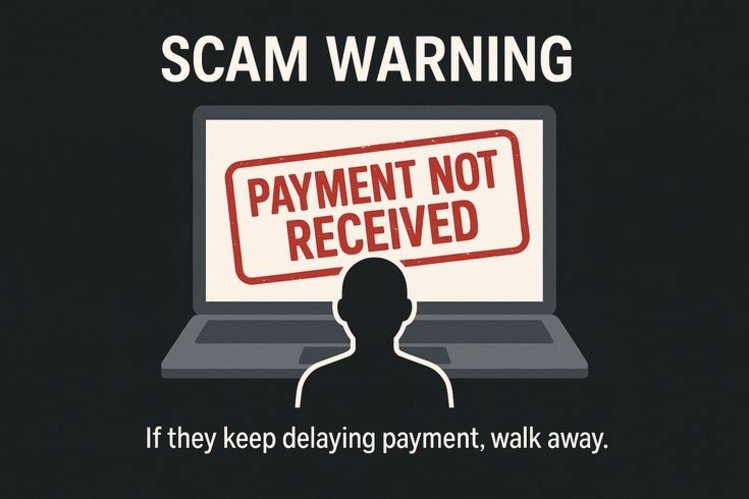
Payment scams are very common because scammers target the way you send money. Using the wrong payment method can make it impossible to recover your funds. Being aware of safe and unsafe payment options is crucial to staying protected online.
Unsafe Payment Methods
Scammers prefer payments that cannot be traced, such as gift cards, cryptocurrency, or direct money transfers. Once sent, these payments are almost impossible to recover. Avoid using these methods for unknown sellers or suspicious deals.
Safe Ways to Pay
Use trusted and verified payment systems such as PayPal, bank transfers, or credit cards. These methods often offer fraud protection and can help recover money if a scam occurs. Always double-check the seller’s credibility before sending any payment.
9. Password Safety Basics
Passwords are the first line of defense for your online accounts. Weak passwords make it easy for hackers and scammers to access your accounts. Using strong, unique passwords is essential for protecting your personal information and online safety.
Strong Password Tips
Create long passwords with a combination of letters, numbers, and symbols. Avoid using the same password for multiple accounts. Strong passwords reduce the chances of being hacked and keep your accounts secure.
Password Mistakes
Never use simple passwords like your name, birthday, or “123456.” Avoid predictable patterns that are easy for hackers to guess. Changing passwords regularly and keeping them unique for each account is the safest practice.
10. Public Wi-Fi Dangers
Public Wi-Fi networks may seem convenient, but they are not always safe. Hackers can monitor activity on these networks and steal sensitive data. Being careful when using public internet is important for protecting your personal information.
Risks
Hackers can intercept data like passwords, bank details, and personal messages on public Wi-Fi. These networks often lack proper security, making it easier for criminals to access your information.
Safety
Avoid logging into important accounts on public Wi-Fi. Use mobile data, a VPN, or wait until you are on a secure network before accessing sensitive information. Always be cautious with free or unsecured Wi-Fi networks.
Conclusion
Online scams are everywhere, but awareness and cautious habits can protect you. Most scams rely on rushing you into decisions, so slowing down and verifying details is your first line of defense. Simple checks like reviewing emails, confirming websites, and using secure payment methods make a huge difference.
Remember, your personal data is as valuable as your money. By staying alert, using strong passwords, and being careful with links and offers, you can enjoy the benefits of the internet safely and confidently. Consistent vigilance is the key to staying one step ahead of scammers.
FAQs: Online Scams
Q1: How can I spot a scam email?
Check the sender’s email carefully, look for typos, and never click suspicious links without verifying.
Q2: Are all online shopping discounts fake?
Not all, but unusually large discounts from unknown sellers are often scams. Always verify reviews and the store.
Q3: Is it safe to use public Wi-Fi for online banking?
No, public Wi-Fi can be insecure. Use mobile data or a VPN for sensitive transactions.
Q4: Can scammers hack my accounts without my password?
Yes, through phishing or malware. Strong, unique passwords help protect your accounts.
Q5: What payment methods are safest online?
Trusted methods like PayPal, credit cards, or bank transfers are safer than gift cards or crypto for unknown sellers.
Meta Description
Learn how to avoid online scams with simple tips, warning signs, and easy safety steps. Protect your money, identity, and personal data online.