
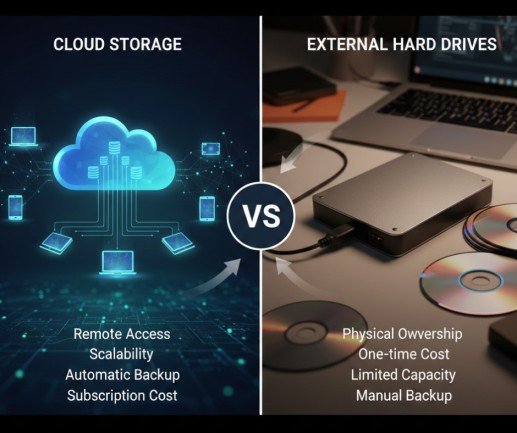
Today, our data is extremely important. Photos, videos, documents, school work, office files, and business records are all stored digitally. When we talk about Cloud Storage Vs External Hard Drives, the main goal is to protect this data. If data is lost or stolen, it can cause stress, money loss, and big problems. That is why data protection is so important.
Two popular ways to store and protect data are cloud storage and external hard drives. Many people ask a simple question: Which one keeps data safer? The answer is not the same for everyone. It depends on how you use data, where you store it, and how careful you are.
In this article, we explain how online cloud storage and external storage devices are different. We use simple language so everyone can understand easily.
We cover safety, risks, benefits, and real-life use so that anyone can read and understand it without difficulty.
What Is Cloud Storage?
Cloud storage means saving your data on the internet instead of on your own device. Your files are stored on big computers called servers. These servers are managed by cloud companies.
You can access your data:
- On your phone
- On your laptop
- On a tablet
- From anywhere with internet
Examples of cloud storage include Google Drive, Dropbox, and OneDrive.
How Cloud Storage Protects Data
Cloud companies use strong security systems. These systems help keep your data safe from loss and damage.
Common protection methods include:
- Password protection
- Data encryption (data is locked)
- Backup copies of files
- Firewalls and security checks
Even if your phone or laptop breaks, your data stays safe in the cloud.
What Is an External Hard Drive?
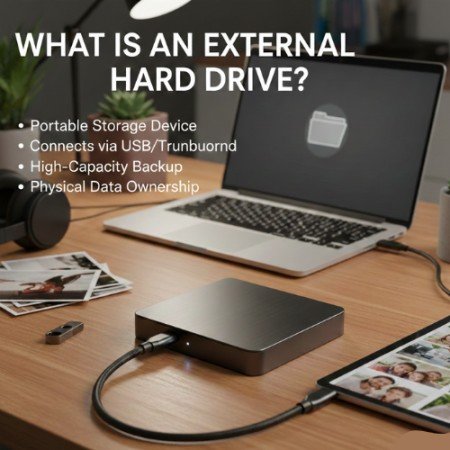
An external hard drive is a physical device. You plug it into your computer or laptop using a cable. It stores your data just like a USB, but with much more space.
External hard drives are used to:
- Save large files
- Backup computers
- Store photos and videos.
You keep the hard drive with you at home or the office.
How External Hard Drives Protect Data
External hard drives protect data by keeping it offline. This means hackers cannot reach it through the internet.
Basic protection methods include:
- Password locks (in some drives)
- Manual backups
- Safe physical storage
Your data is under your control, not a company’s server.
Cloud Storage Vs External Hard Drives: Basic Difference
| Feature | Cloud Storage | External Hard Drive |
| Internet Needed | Yes | No |
| Access Anywhere | Yes | No |
| Physical Damage Risk | No | Yes |
| Hacking Risk | Yes | Very Low |
| Automatic Backup | Yes | No |
| User Control | Medium | Full |
Now, let us understand how cloud storage protects your data in real-life situations.
1. Protection from Physical Damage
Cloud storage keeps your data safe from physical problems. This means your files are protected even if something bad happens to your device or place.
Cloud storage protects your data from:
- Fire that can damage computers.
- Flood or water damage
- Device damage, such as a broken laptop or phone
If your laptop stops working, is lost, or gets damaged, your files are still safe online. You can open them again on another device by logging into your account.
2. Automatic Backup
Cloud storage saves your data automatically. You do not need to click any button or remember to back up your files.
Whenever you create or change a file, it is saved in the cloud on its own. This is helpful because people often forget to back up their data. Automatic backup helps protect your data. It saves files even when you forget or delete them by mistake.
3. Encryption and Security
Most cloud storage services use encryption to protect your data. Encryption means your data is locked in a secret code.
Only you or someone with permission can read the data. If an unknown person tries to open your files, they will not understand anything. This extra security helps keep personal photos, documents, and important files safe from others.
4. Risks of Cloud Storage
Cloud storage is generally safe, but it also carries certain risks that users should understand to ensure better data protection and online security.
Common risks include:
- Internet hacking
- Password theft
- Service outages (temporary service downtime)
If your password is weak or easy to guess, unauthorized users can access your account and view or steal your data. That is why using a strong password, two-step verification, and updated security settings is extremely important to keep your files safe.
Data Protection in External Hard Drives
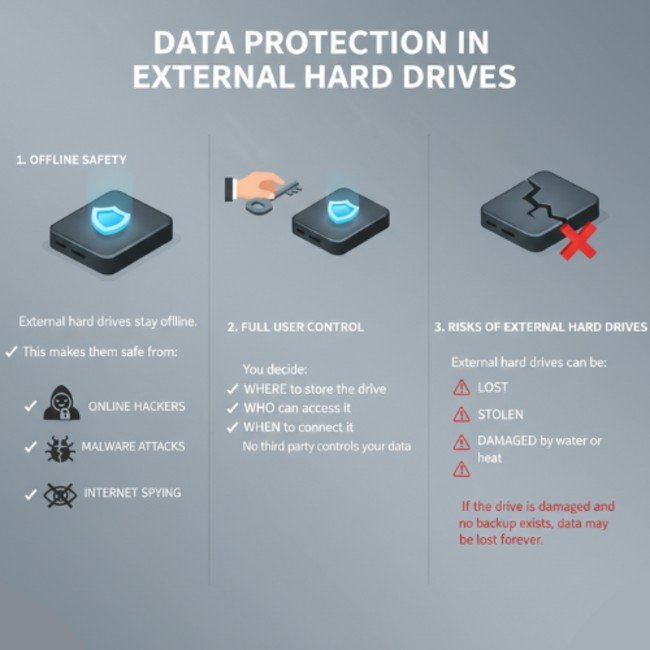
1. Offline Safety
External hard drives remain completely offline, which makes them highly secure against online threats. Because they are not connected to the internet, they stay protected from:
- Online hackers
- Malware and virus attacks
- Internet spying and unauthorized remote access
This offline nature provides an extra layer of security, making external hard drives a reliable option for storing sensitive and private data safely.
2. Full User Control
With external hard drives, you have complete control over your data and how it is managed. You decide:
- Where to store the drive safely
- Who can access your files
- When and how to connect the device
This full control ensures that no third-party company or online service manages your data, giving you greater privacy, security, and peace of mind, especially for sensitive and confidential information.
3. Risks of External Hard Drives
Although external hard drives provide strong offline security, they also come with certain physical risks. External hard drives can be:
- Lost
- Stolen
- Physically broken
- Damaged by water, heat, or accidental drops
If the drive becomes damaged and no backup is available, your important data may be lost permanently. That is why regular backups and careful handling are essential to ensure long-term data safety.
Which One Is Safer for Personal Use?
For personal use, both options have strengths.
Cloud Storage Is Better If:
- You use multiple devices.
- You want access from anywhere.
- You forgot to do manual backups.
External Hard Drive Is Better If:
- You want offline storage.
- You store private files.
- You do not trust online services.
Many people use both for better protection.
Which One Is Safer for Business Data?
Businesses need strong data protection to keep their important files safe. Cloud storage helps share files, saves data automatically, and recovers lost files, but it needs strong passwords. External hard drives store data offline and keep sensitive files safe, but they need careful handling.
Cloud Storage for Business
Cloud storage helps businesses by:
- Sharing files with team members easily
- Saving data automatically without extra work
- Recovering files if data is lost or deleted
- Allowing access from anywhere
However, cloud storage needs:
- Strong passwords
Proper rules for data safety
External Hard Drives for Business
External hard drives are useful for:
- Keeping local data backups
- Storing sensitive business files
- Protecting data without internet access
However, they require:
- Careful handling
Protection from loss or damage
Data Loss Scenarios: Cloud vs Hard Drive
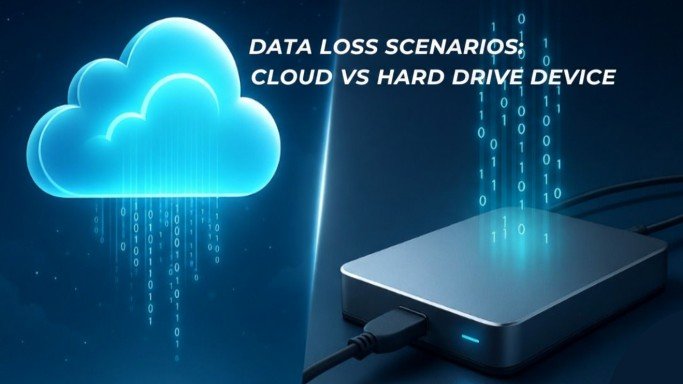
Device Theft
- Cloud storage keeps data safe.
- Hard drive data is lost if stolen.
Internet Attack
- Cloud storage may be attacked.
- Hard drives stay safe.
Accidental Deletion
- Cloud may recover files.
- Hard drives may lose data.
Ease of Use and Safety Comparison
Cloud storage is easy for beginners. It works in the background.
External hard drives need:
- Manual backups
- Careful handling
- Safe storage
Ease of use affects data safety.
Cost Comparison and Data Protection Analysis
Cloud storage:
- Free limited space
- Monthly or yearly cost
External hard drive:
- One-time purchase
- No monthly cost
Cost does not always mean better protection.
Best Practice for Maximum Data Protection
The safest method is to use both together.
Best method:
- Use cloud storage for daily files.
- Use an external hard drive for backup.
- Keep strong passwords
- Update devices regularly
This reduces almost all risks.
Final Verdict: Which One Offers Better Data Protection?
There is no single winner.
- Cloud storage protects data from physical loss and device damage.
- External hard drives protect data from online threats.
For best results, combine both methods. This gives double safety and peace of mind.
Conclusion
Keeping data safe is essential in today’s digital world. Our photos, documents, and business files hold great value. If we lose them, it can cause stress and problems. That is why choosing the right way to protect data matters.
Cloud storage is easy to use and good for daily files. External hard drives give you control and keep your data safe without the internet. When both are used together, they provide the strongest protection. Start protecting your data today, because lost data cannot always be recovered.
FAQs
1. Is cloud storage safe for personal data?
Yes, cloud storage is safe if you use strong passwords and two-step verification. It protects data from device loss and damage.
2. Can external hard drives fail?
Yes, external hard drives can fail due to damage, age, or accidents. That is why backups are very important
3. Which is better for long-term data storage?
External hard drives are good for long-term offline storage. Cloud storage is better for regular access and updates.
4. Can cloud storage be hacked?
Cloud accounts can be hacked if security is weak. Using strong passwords reduces this risk a lot.
5. Should I use both cloud storage and hard drives?
Yes, using both gives the best data protection. One protects from online risks, the other from physical damage.
Meta Description:
Cloud storage vs external hard drives explained simply. Learn which option offers better data protection and how to keep your files safe. Start protecting your data today for maximum security and peace of mind.