
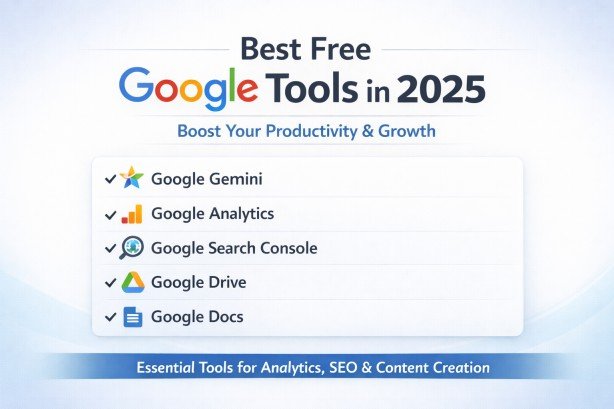
In today’s digital world, simply creating a website is not enough to grow online. Millions of websites are already active on the internet, and competition is very high. If you want to succeed, you must understand your audience, improve your website, and make smart decisions based on real data instead of guessing.
This is where Google tools become very powerful. Google offers many free tools that help you with SEO, marketing, content creation, website performance, and online business growth. These tools are easy to use, even for beginners, and they do not require advanced technical skills. In this article, you will learn about the best free Google tools in 2025 in very simple language, so you can start using them easily.
Why Google Tools Are Important in 2025
The internet is growing very fast. Every second, people are searching for answers, products, and services on Google. If your website does not appear in search results, you lose a big opportunity to get visitors and customers.
Google tools help you understand what is happening on your website. Instead of guessing, you get real data like how many people visited your site, what they clicked, and how they found you.
These tools help you:
- Understand your audience better
- Improve your website performance
- Find strong keywords for SEO
- Track marketing results
- Make smart business decisions
Another big advantage is that most Google tools are completely free. This makes them perfect for students, freelancers, bloggers, and small business owners who want to grow without spending money.
1. Google Analytics 4 (GA4)
Google Analytics 4 is one of the most important tools for any website owner. It helps you understand user behavior on your website.
With GA4, you can see:
- How many people visit your website
- Which pages they visit most
- How much time they spend on each page
- What buttons or links they click
- Where your visitors come from
GA4 works on an event-based system, which means it tracks every action users take on your website more accurately than older versions.
Why it is useful:
It helps you understand what content your visitors like and what needs improvement. For example, if one page has many visitors but low engagement, you can improve its design or content.
2. Google Search Console
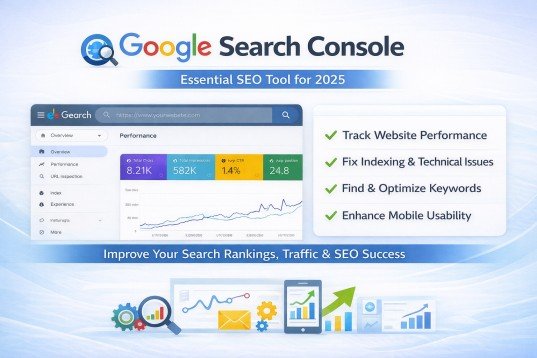
Google Search Console is a must-have tool for SEO. It helps you monitor how your website appears in Google search results.
You can use it to:
- See which keywords bring traffic
- Check your website indexing status
- Fix technical SEO problems
- Submit your sitemap
- Improve mobile usability
It also tells you if your website has any errors that stop it from ranking properly.
Why it is useful:
It helps you improve your visibility on Google so more people can find your website organically without paid ads.
3. Google Ads
Google Ads is Google’s advertising platform. It helps you show ads on Google search results, YouTube, and other websites.
With Google Ads, you can control:
- Your daily or monthly budget
- Target audience (age, location, interest)
- Keywords for ads
- Type of campaign
Why it is useful:
It brings fast traffic to your website. While SEO takes time, Google Ads can give instant visitors and potential customers.
4. Google Keyword Planner
Keyword Planner is a powerful tool for finding the right keywords for your content or ads.
It shows you:
- How many people search a keyword
- How competitive it is
- Related keyword ideas
Why it is useful:
It helps you choose keywords that people are actually searching for. This improves your chances of ranking higher in search results and getting more traffic. For example, instead of guessing topics, you can use Keyword Planner to find real data-based keywords.
5. Google Tag Manager
Google Tag Manager helps you manage tracking codes on your website without editing code again and again.
You can track things like:
- Button clicks
- Form submissions
- Page views
- Conversion actions
Why it is useful:
It saves time and reduces errors. You can manage all tracking tools in one place without needing a developer every time.
6. Google Looker Studio
Google Looker Studio is a reporting tool. It helps you turn raw data into simple charts and dashboards.
You can create:
- Performance dashboards
- Visual reports
- SEO reports
- Marketing summaries
Why it is useful:
It makes data easy to understand. Instead of looking at numbers, you see graphs and visuals that help you make quick decisions.
You can also share reports with clients or team members easily.
7. Google Trends
Google Trends shows what people are searching for on Google in real time.
You can use it to:
- Find trending topics
- Compare different keywords
- Check seasonal demand
- Discover rising searches
Why it is useful:
It helps content creators and marketers create content that is currently popular. This increases chances of getting more traffic.
For example, if a topic is trending, you can write about it early and get more visitors.
8. Google Business Profile

Google Business Profile is very important for local businesses. It helps your business appear on Google Search and Google Maps.
You can add:
- Business name
- Address and location
- Contact details
- Website link
- Photos and reviews
Why it is useful:
It builds trust and helps local customers find your business easily. If someone searches “near me,” your business can appear in results.
9. Google PageSpeed Insights
PageSpeed Insights is a tool that checks your website speed and performance.
It shows:
- Website loading speed
- Performance score
- Problems affecting speed
- Suggestions to improve speed
Why it is useful:
A fast website improves user experience and helps in SEO ranking. If your site is slow, visitors may leave quickly.
This tool helps you fix speed issues and improve overall performance.
10. Google Optimize (A/B Testing Tool)
Google Optimize is used for testing different versions of your website.
You can test:
- Headlines
- Button colors
- Page designs
- Layout changes
Why it is useful:
It helps you understand what design works best for users. Small changes can increase clicks, sign-ups, or sales.
How to Use These Tools Together
The real power comes when you use these tools together instead of using them separately.
For example:
- Use Google Analytics to understand visitors
- Use Search Console to improve SEO
- Use Keyword Planner for content ideas
- Use Google Ads for traffic
- Use Looker Studio for reporting
This creates a complete digital marketing system for your website.
Simple Strategy for Beginners
If you are just starting, follow this simple plan:
Step 1: Set up Google Analytics
Step 2: Connect Google Search Console
Step 3: Research keywords using Keyword Planner
Step 4: Create helpful and simple content
Step 5: Track performance and improve regularly Start small and stay consistent. Over time, your results will grow.
Benefits of Google Tools
Using Google tools gives many advantages:
- They are free
- Easy for beginners
- Provide real and trusted data
- Help improve SEO
- Increase website traffic
- Support online business growth
These tools help you make better decisions instead of guessing.
Common Mistakes to Avoid
Many beginners make simple mistakes such as:
- Not tracking website data
- Ignoring SEO basics
- Using wrong keywords
- Not checking website speed
- Not updating content regularly
Avoiding these mistakes can improve your success rate.
Future of Google Tools in 2025 and Beyond
Google is constantly improving its tools. In 2025 and coming years, Google tools are becoming more advanced with AI and automation.
Future improvements include:
- Smarter AI insights
- Better tracking accuracy
- More automation features
- Improved privacy and security
Learning these tools now will help you stay ahead in the future.
Conclusion
Google tools are very important for anyone who wants to grow online in 2025. Whether you are a student, freelancer, blogger, or business owner, these tools can help you understand your audience and improve your online presence.
The best part is that most of these tools are free and easy to use. You do not need advanced skills to start.
If you use them correctly and stay consistent, you can grow your website, increase traffic, and achieve long-term success online. Start learning and using these tools today, and step by step, you will see real improvement in your digital journey.
Frequently Asked Questions (FAQs)
1. Are all Google tools free to use?
Yes, most Google tools are completely free. Only Google Ads requires payment when you run paid campaigns.
2. Which Google tools are best for beginners?
Google Analytics and Google Search Console are best for beginners. They help you understand traffic and improve SEO easily.
3. Do I need coding skills to use Google tools?
No, you don’t need coding skills for most Google tools. They are designed to be simple and beginner-friendly.
4. How long does it take to learn Google tools?
You can learn basic features in a few weeks. With practice, your skills will improve over time.
5. Can Google tools help me earn money online?
Yes, they can help you grow traffic and sales. Many freelancers and businesses use them to increase income.
Meta Description
Best free Google tools in 2025 for SEO, traffic tracking, and online growth. Simple beginner guide to improve website performance and marketing.
- Why Google Tools Are Important in 2025
- 1. Google Analytics 4 (GA4)
- 2. Google Search Console
- 3. Google Ads
- 4. Google Keyword Planner
- 5. Google Tag Manager
- 6. Google Looker Studio
- 7. Google Trends
- 8. Google Business Profile
- 9. Google PageSpeed Insights
- 10. Google Optimize (A/B Testing Tool)
- How to Use These Tools Together
- Simple Strategy for Beginners
- Benefits of Google Tools
- Common Mistakes to Avoid
- Future of Google Tools in 2025 and Beyond
- Conclusion
- Frequently Asked Questions (FAQs)
- Meta Description