
Sarah’s phone buzzed at 3 AM. “Mom, I’m stuck at the airport. Need $500 urgently. Send it now.” The message looked real—it came from her daughter’s WhatsApp. Sarah sent the money immediately. By morning, she discovered the truth: her daughter was asleep at home. A scammer had hijacked the WhatsApp account and drained Sarah’s savings.
This nightmare happens every single day. Hackers target WhatsApp users constantly because they know one simple fact: most people never secure their accounts properly.
WhatsApp connects you to family, friends, work colleagues, and business contacts. Your entire digital life flows through one app. Bank details. Private photos. Confidential work conversations. Medical information. Everything sits behind a single password that might be weaker than you think.
The scary part? Hackers do not need advanced skills anymore. They use automated tools, fake websites, and psychological tricks that work on anyone who is not prepared.
But here is the good news: securing your WhatsApp takes less time than making coffee. This guide shows you exactly how to protect yourself from every major WhatsApp threat in 2026. Each step is simple, practical, and proven to work.
Ready to lock down your account? Let’s secure your WhatsApp right now.
Why WhatsApp Security Matters More Than Ever
WhatsApp processes over 100 billion messages daily. That massive volume makes it an irresistible target for cybercriminals.
Here is what hackers can do once they access your WhatsApp:
Steal Your Identity:
They impersonate you and scam everyone in your contacts list. Your friends receive fake emergency messages asking for money—from your actual account.
Access Private Information:
Every conversation, photo, document, and voice note becomes visible. Business secrets, personal photos, financial details—all exposed.
Blackmail and Extortion:
Private conversations or photos can be used to threaten or manipulate you into paying ransoms.
Financial Fraud:
Hackers change payment details in conversations, redirect money transfers, or request fake payments from your contacts. The reality is simple: an unsecured WhatsApp account is a disaster waiting to happen.
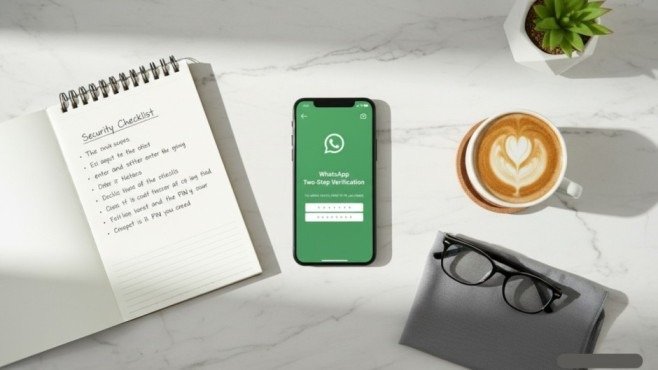
Enable Two-Step Verification Immediately
This single setting stops most hacking attempts dead in their tracks. Two-step verification adds a six-digit PIN that only you know. Even if hackers steal your phone number or verification code, they cannot access your account without this PIN
How to enable it:
- Open WhatsApp
- Go to Settings > Account > Two-Step Verification
- Tap “Turn On”
- Create a strong six-digit PIN (avoid birthdays or obvious numbers)
- Add your email address as backup
Choose a PIN you remember but others cannot guess. Do not use 123456, your birth year, or repeating numbers.
Critical warning:
WhatsApp will never ask for your PIN in a message or call. Anyone asking for it is a scammer trying to steal your account. This protection takes two minutes to set up and prevents 90% of account takeovers.
Lock Your WhatsApp with Biometric Security
Your phone might have a fingerprint lock, but does WhatsApp itself require authentication? Enabling WhatsApp’s built-in app lock adds another barrier. Even if someone unlocks your phone, they still cannot open WhatsApp without your fingerprint, face ID, or PIN.
Setup steps:
- Go to Settings > Privacy > App Lock
- Toggle it on
- Choose fingerprint, face recognition, or PIN
- Set how quickly the lock activates (immediately recommended)
This feature protects you when:
- Someone borrows your phone
- Your phone gets stolen
- You accidentally leave your device unlocked
It takes 30 seconds to enable and works every time you open WhatsApp.
Recognize and Avoid Common WhatsApp Scams
Hackers rely on tricks that exploit human psychology rather than technical vulnerabilities.
Verification Code Scam:
Someone messages claiming to be WhatsApp support or a friend. They say, “We sent you a code by mistake. Can you forward it to me?” The moment you send that code, they steal your account.
Truth:
WhatsApp never contacts you asking for codes. Never share verification codes with anyone, ever.
Fake Job Offers:
Messages promise high-paying work-from-home jobs. They ask you to click a link to “apply.” That link installs spyware or steals your login credentials.
Impersonation Attacks:
Hackers hijack someone’s account, then message everyone in their contacts asking for money. The messages look legitimate because they come from a real friend’s number.
Romance Scams:
Fake profiles build relationships over weeks, gain trust, then create emergencies requiring money transfers.
Investment Scams:
Messages promise guaranteed returns on cryptocurrency or stock investments. These are always fraudulent.
Red flags that signal scams:
- Urgency and pressure (act now or lose out)
- Requests for money, codes, or personal information
- Links from unknown contacts
- Poor grammar or unusual phrasing from known contacts
- Offers that seem too good to be true
When in doubt, verify directly through phone calls before taking any action.
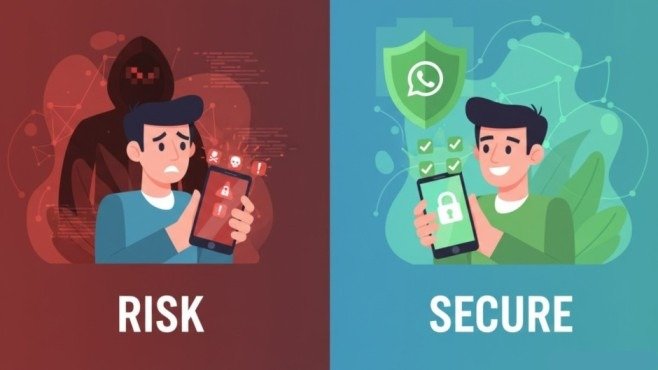
Secure Your Privacy Settings
WhatsApp offers granular privacy controls that most people never touch. Adjusting these settings prevents strangers from gathering information about you.
Go to Settings > Privacy and configure:
Profile Photo: Set to “My Contacts” or “Nobody.” Why let strangers see your face?
About: Set to “My Contacts” or “Nobody.” Your status message reveals personal information.
Last Seen: Set to “Nobody.” Stalkers and scammers track your activity patterns using this data.
Read Receipts: Turn off if you want privacy about when you read messages.
Groups: Set to “My Contacts.” This prevents random people from adding you to spam groups.
Live Location: Keep disabled unless actively sharing with someone you trust.
These adjustments limit what information strangers can collect about you. Social engineers use visible data to craft convincing scams.
Never Click Suspicious Links
Links are the most common delivery method for malware and phishing attacks.
Hackers disguise dangerous links to look legitimate:
- “Your package is waiting—track it here”
- “You won security software for free”
- “Check out this funny video of you”
- “Your account will be deleted—verify now”
Before clicking any link:
- Verify the sender is who they claim to be
- Check if the message sounds normal for that person
- Look for spelling errors or odd grammar
- Hover over links (on desktop) to see the actual URL
- Search for the offer separately rather than using provided links
If something feels off, it probably is. Delete suspicious messages and block the sender.
Keep WhatsApp Updated
Hackers exploit security vulnerabilities in outdated app versions. WhatsApp releases regular updates that patch newly discovered security holes. Running old versions leaves those holes open for attackers to exploit.
Enable automatic updates:
iPhone: Settings > App Store > App Updates (toggle on)
Android: Play Store > Menu > Settings > Auto-update apps (choose “Over any network” or “Over Wi-Fi only”)
Also keep your phone’s operating system updated. Security patches protect the foundation that WhatsApp runs on.
Old software = open doors for hackers.
Use Official WhatsApp Only
Fake WhatsApp versions like GB WhatsApp, WhatsApp Plus, or others promise extra features. They deliver malware instead.
These modified apps:
- Lack proper encryption
- Steal your data
- Install spyware on your device
- Get your account permanently banned
Download WhatsApp only from:
- Google Play Store (Android)
- Apple App Store (iPhone)
- Official WhatsApp website
Never install WhatsApp from random websites, email links, or third-party app stores. The risk is never worth any promised extra features.
Enable Security Notifications
WhatsApp can alert you when something suspicious happens with your contacts’ security.
How it works:
When a contact reinstalls WhatsApp, changes phones, or adds a new linked device, their security code changes. This is normal—but it could also mean someone hijacked their account.
Enable notifications:
- Go to Settings > Account > Security
- Turn on “Show Security Notifications”
When you receive a security notification about a contact you talk to regularly, verify with them directly whether they changed devices. If they did not, their account might be compromised. This early warning system helps you avoid scammers impersonating your contacts.
Secure Your WhatsApp Backups
WhatsApp backups store your entire chat history in the cloud. If hackers access your cloud account, they access everything.
Enable encrypted backups:
- Go to Settings > Chats > Chat Backup
- Tap “End-to-End Encrypted Backup”
- Create a strong password or generate an encryption key
- Store this password securely
Important:
If you forget this password, even you cannot restore your backup. Write it down and store it safely. Encrypted backups mean your chat history stays private even if someone breaches your Google or iCloud account.
Review Linked Devices Regularly
WhatsApp allows linking to computers and tablets. Hackers who briefly access your phone can link their own device without you noticing.
Check regularly:
- Go to Settings > Linked Devices
- Review every listed device
- Remove anything you do not recognize
Unknown devices mean someone else is reading your messages in real-time. Remove them immediately and enable two-step verification.
Check this weekly if you handle sensitive information through WhatsApp.
What to Do If Your Account Gets Hacked
Act fast if you suspect compromise:
Step 1: Open WhatsApp and send an email to support@whatsapp.com with subject “Lost/Stolen: Please deactivate my account” and include your phone number in international format.
Step 2: Reinstall WhatsApp on your phone and verify using your phone number. This kicks the hacker out.
Step 3: Enable two-step verification immediately.
Step 4: Alert your contacts that your account was compromised. Tell them to ignore any strange messages they received.
Step 5: Change passwords for email and any accounts linked to that email address.
Step 6: Review recent messages to see what information the hacker accessed.
Speed matters. The faster you act, the less damage occurs.
Additional Protection Tips
Avoid Public WiFi:
Hackers monitor public networks. Use mobile data or a trusted VPN when accessing WhatsApp on public WiFi.
Do Not Root or Jailbreak:
Modified phones have reduced security. Stick with standard operating systems.
Be Skeptical:
Question unusual messages even from known contacts. Verify independently before sending money or sharing sensitive information.
Use Strong Phone Security:
Your WhatsApp is only as secure as your phone. Use strong unlock codes and avoid leaving your phone unattended.
Limit Personal Information:
Do not share sensitive details like passwords, bank accounts, or verification codes through WhatsApp.
Conclusion
Securing your WhatsApp from hackers and scammers is not complicated—it just requires taking the right steps. Enable two-step verification. Lock your app with biometrics. Adjust privacy settings. Keep everything updated. Stay alert for scams.
These simple actions create multiple layers of protection that stop most attacks before they start. Remember Sarah from the beginning? After that expensive lesson, she secured her daughter’s account properly. The same scammer tried again six months later—and failed completely because the account was protected.
Do not wait until something bad happens. Spend ten minutes right now securing your WhatsApp properly. Your future self will thank you.
Frequently Asked Questions
Can hackers read my WhatsApp messages?
Not if they’re end-to-end encrypted. However, hackers can steal your entire account if you don’t enable two-step verification.
What is the most important WhatsApp security feature?
Two-step verification. It prevents most account hijacking attempts.
How do I know if someone is reading my WhatsApp?
Check Linked Devices under Settings. Unknown devices mean someone else has access.
Should I use WhatsApp for sensitive information?
Yes, but enable all security features first: two-step verification, app lock, encrypted backups, and privacy settings.
What should I do if I receive a suspicious message?
Do not click links. Verify the sender through a phone call. Report and block if it’s a scam.
Meta Description:
Protect your WhatsApp from hackers in 2026! Learn proven security tips, scam warnings, and privacy settings to keep your messages safe. Easy step-by-step guide inside.