
In 2026, creating your own website has become extremely easy, affordable, and accessible for everyone. Gone are the days when building a website required strong coding skills or hiring expensive developers. Today, powerful website builders, AI tools, and ready-made templates allow anyone to design and launch a professional website in just a few days.
Whether you want to start a blog, create a business website, build a portfolio, or launch an online store, you can do it all by following simple steps. A website is your digital identity. It represents your ideas, brand, services, and skills. A well-designed, fast, and easy-to-use website helps build trust, attract visitors, and grow your online presence.
This complete guide explains how to build your own website from scratch in 2026, step by step. From choosing a domain name to SEO and promotion, every detail is explained in simple language for beginners.
Step 1: Decide Your Website Goal
Before starting your website, the first and most important step is to clearly define your goal. Knowing why you want a website helps you decide everything else, including design, layout, content, and features.
Why Is Website Goal Important?
Your website goal determines:
- The structure of your website
- The design layout
- The type of content you create
- The tools and plugins you use
If you skip this step, your website may look confusing, unfocused, and unprofessional.
Common Website Goals
1. Blog Website
A blog is used to share ideas, tutorials, personal stories, news, or educational content. Blogs focus on readability, simple design, and fast loading speed.
2. Portfolio Website
A portfolio website is used to showcase your work, skills, achievements, and projects. Designers, photographers, writers, and developers often use portfolios.
3. Business Website
A business website promotes services, products, and company information. It helps generate leads, increase brand awareness, and build credibility.
4. Online Store (E-commerce)
An online store allows you to sell physical or digital products. It requires product pages, secure payments, shipping options, and customer support features.
Pro Tip
Write your website goal in one clear sentence, such as:
“My goal is to build a blog website that teaches beginners about digital marketing.”
This clarity will help you design your website effectively.
Step 2: Choose a Domain Name
A domain name is your website’s address on the internet. It is what users type into their browser to reach your website.
Why Is Domain Name Important?
Your domain name:
- Builds brand identity
- Makes your website memorable
- Improves trust
- Affects SEO ranking
Best Practices for Choosing a Domain Name
- Keep it short and simple
- Avoid numbers and special characters
- Use easy spelling
- Prefer .com or .pk for Pakistan
- Include your brand or niche keyword
Examples
- techguide2026.com
- amandeepblog.com
- digitalgrowth.pk
SEO Tip
If possible, include a keyword related to your niche, but do not make the domain too long.
Pro Tip
Choose a domain name that you can use for many years. Changing it later can confuse visitors and harm SEO.
Step 3: Buy Web Hosting – Build Your Own Website
Web hosting is the service that stores your website’s files, images, and data. Without hosting, your website cannot appear online.
Types of Web Hosting
1. Shared Hosting
Best for beginners. Affordable and easy to manage. Your website shares server resources with others.
2. Cloud Hosting
Provides fast performance, flexibility, and better uptime. Suitable for growing websites.
3. VPS Hosting
Offers high performance and control. Best for advanced users and high-traffic websites.
Important Hosting Features
- Free SSL certificate
- Daily backups
- 24/7 customer support
- One-click WordPress installation
- High uptime (99.9%)
Pro Tip
Choose hosting that offers automatic backups and security features to protect your data.
Step 4: Choose a Website Builder
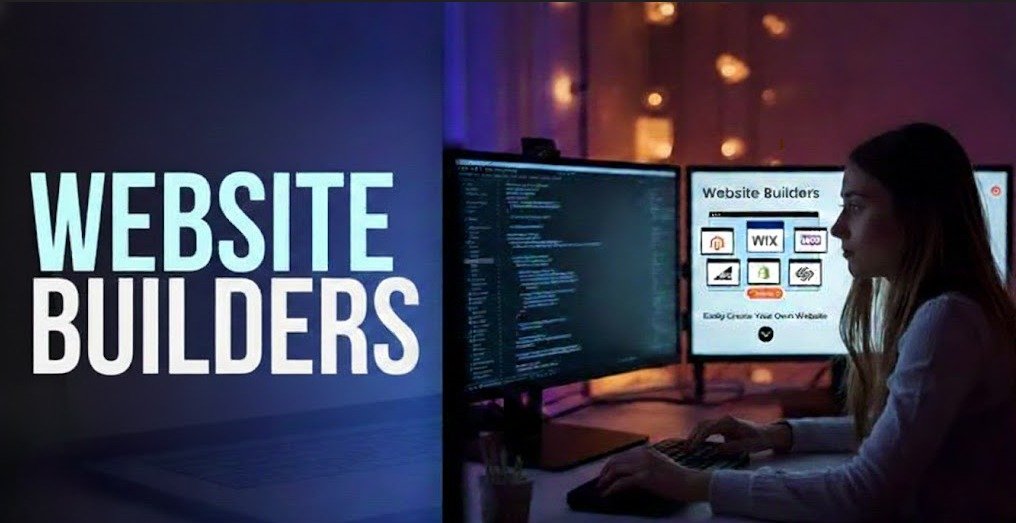
Website builders help you create, design, and manage your website easily without any technical or coding skills. These tools provide ready-made templates, drag-and-drop features, and simple controls, making website creation fast and user-friendly. Even beginners can build a professional-looking website in a short time using website builders.
Best No-Coding Website Builders
1. WordPress
Most popular platform. Flexible, SEO-friendly, and highly customizable.
2. Wix
Drag-and-drop editor, perfect for beginners.
3. Squarespace
Modern and stylish designs, ideal for portfolios and business sites.
If You Know Coding
- HTML, CSS, JavaScript
- React
- Next.js
Pro Tip
WordPress is the best choice for beginners and professionals because it offers flexibility, scalability, and SEO advantages.
Step 5: Pick a Theme or Website Design
Your website theme decides the overall look, style, and user experience of your site. A good theme makes your website visually attractive, easy to navigate, and mobile-friendly. Choosing a clean and fast-loading design helps create a strong first impression and keeps visitors engaged.
How to Choose a Good Theme
- Mobile responsive
- Fast loading
- Clean design
- SEO optimized
- Easy customization
Customization Options
- Logo
- Colors
- Fonts
- Layout
- Header and footer
Pro Tip
Simple and clean design performs better than complex layouts.
Step 6: Create Important Website Pages
Every website should include these essential pages:
1. Home Page
Your main landing page. It should clearly explain what your website is about.
2. About Page
Tell your story, mission, and background. Builds trust.
3. Services / Products Page
Explain what you offer, including benefits and pricing.
4. Contact Page
Provide contact form, email, phone number, and social media links.
5. Privacy Policy & Terms Page
Important for legal compliance and trust.
SEO Tip
Use proper headings (H1, H2, H3) and keyword-rich content.
Step 7: Add High-Quality Content
High-quality content is the backbone of your website and plays a key role in attracting and engaging visitors. Clear, useful, and well-structured content builds trust, improves user experience, and keeps users on your site longer. Well-written content also helps your website rank higher in search engines and grow organic traffic.
Content Writing Tips
- Short paragraphs
- Simple language
- Clear headings
- Bullet points
- Engaging visuals
SEO Content Tips
- Use keywords naturally
- Add internal links
- Optimize meta descriptions
- Write helpful articles
Step 8: Choose the Right Fonts
Fonts play an important role in improving readability and overall user experience on your website. The right font selection makes your content easy to read, visually appealing, and comfortable for visitors. Clean and consistent fonts also give your website a professional and modern look.
Best Fonts for Websites
Body Text:
- Open Sans
- Roboto
- Inter
Headings:
- Montserrat
- Lato
Font Best Practices
- Use 1–2 fonts only
- Keep font size 16–18px
- Ensure contrast for easy reading
Step 9: Add Images, Videos, and Graphics
Visual content plays a vital role in improving user engagement and making your website more attractive. High-quality images, videos, and graphics help explain your message clearly and keep visitors interested for a longer time. Well-optimized visuals also enhance website performance and support better SEO results.
Best Free Resources
- Unsplash
- Pixabay
- Canva
Image Optimization Tips
- Compress images
- Use correct file formats
- Add alt text for SEO
Step 10: Test Your Website
Before publishing, carefully test every part of your website to ensure smooth performance and usability. Check all pages, links, forms, buttons, and layouts on different devices to confirm everything works properly. Proper testing helps deliver a better user experience and prevents technical issues after launch.
Testing Checklist
- Mobile responsiveness
- Page loading speed
- Navigation menu
- Contact forms
- Buttons and links
Pro Tip
Test your website on different devices to ensure a smooth experience.
Step 11: SEO Basics
SEO helps your website rank higher in Google search results and attract organic traffic. By using the right keywords, optimized titles, and quality content, your website becomes easier for search engines to understand. Strong SEO practices improve visibility, increase visitors, and support long-term online growth.
Essential SEO Techniques
- Keyword research
- Page title optimization
- Meta descriptions
- Image alt tags
- Fast page speed
- Mobile optimization
Step 12: Launch and Promote Your Website
Once everything is ready, publish your website and make it live for your audience. Share your website on social media, email, and other digital platforms to reach more people. Proper promotion helps increase traffic, build brand awareness, and grow your online presence faster.
Promotion Methods
- Social media platforms
- Email newsletters
- WhatsApp sharing
- Google Search Console submission
Step 13: Keep Your Website Updated
Regular updates and maintenance keep your website fast, secure, and running smoothly. Updating themes, plugins, and content helps improve performance and protect your site from security risks. A well-maintained website also delivers a better user experience and builds long-term trust.
Maintenance Tasks
- Plugin updates
- Theme updates
- Content updates
- Website backups
- Analytics tracking
Step 14: Extra Tips for 2026
- Use AI tools for content
- Add chatbots
- Improve mobile speed
- Use advanced security tools
Common Mistakes to Avoid
- Too much content on one page
- Too many fonts
- Slow website speed
- Ignoring SEO
- Weak security
Conclusion
Building a website from scratch in 2026 is simple, affordable, and perfect for beginners. With modern website builders, templates, and AI tools, anyone can design and launch a professional-looking website without coding skills. Focusing on clean design, clear content, and mobile-friendly layouts ensures that your website makes a strong first impression and engages visitors effectively.
Regular updates, proper SEO practices, and website maintenance keep your site fast, secure, and reliable. A well-optimized and user-friendly website not only builds trust but also attracts more visitors and supports long-term online growth. By following the right steps, anyone can create a website that stands out in 2026.
FAQs
Q1: How long does it take to build a website?
Beginners can build a website within 1–3 days using WordPress or Wix.
Q2: Do I need coding skills?
No, website builders allow you to create websites without coding knowledge.
Q3: Which fonts are best for websites?
Open Sans, Roboto, and Inter for body text, and Montserrat or Lato for headings.
Q4: How much does a website cost?
Basic websites start from $3–$5 per month using shared hosting.
Q5: Can I redesign my website later?
Yes, you can change themes, layouts, fonts, and colors anytime.
Q6: Is SEO important for new websites?
Yes, SEO helps your website rank on Google and get organic traffic.
Meta Description
Learn how to build your own website from scratch easily in 2026. Stepby-step guide for beginners on hosting, fonts, content, SEO, and promotion. Start your website today and see your ideas online in a few days!