
In 2026, having a website is not enough — using the best SEO plugins for WordPress is essential to rank higher, attract traffic, and grow online. The real challenge is getting people to visit your website. Millions of websites are competing for attention on Google every single day. If your WordPress website is not optimized for search engines, it will be almost invisible to potential visitors.
Search Engine Optimization (SEO) is the process that helps websites appear in search engine results. But SEO is not a simple task. It includes keyword research, content optimization, technical fixes, speed improvements, and many other complex steps.
For beginners and even for experienced website owners, doing all these tasks manually is very difficult. That is why WordPress SEO plugins are extremely important.
Best SEO Plugins for WordPress Help You:
- Optimize your website content
- Improve your Google rankings
- Fix technical SEO problems
- Increase website speed
- Track your performance
- Get more visitors
- Generate more business leads
If you learn how to use the best SEO plugins correctly, you can completely transform your WordPress website in 2026.
This detailed guide will teach you everything step by step:
- What SEO plugins are
- Why they are necessary
- How to use them properly
- Which plugins are the best
- How they help you get more traffic
- How they help you generate more leads
By the end of this article, you will have full knowledge about using SEO plugins like a professional.
Why You Need the Best WordPress SEO Plugin?
1. SEO Plugins Make Optimization Easy
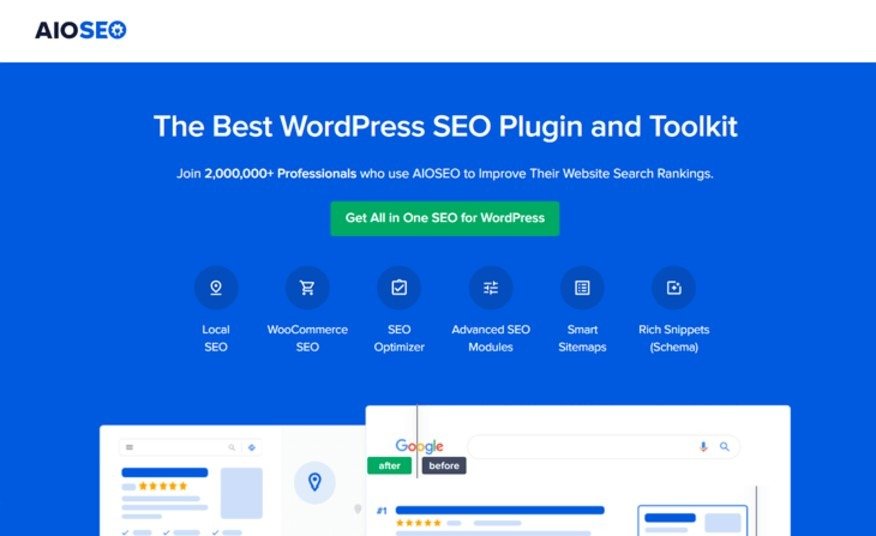
Search Engine Optimization (SEO) means making your website visible on Google and other search engines. SEO includes many important tasks, such as:
- Adding titles to every page
- Writing unique and interesting descriptions for each page
- Creating and submitting sitemaps
- Fixing website links so visitors can easily navigate
- Adding special codes (called schema) to show extra information in search results
Doing all of this by yourself can be difficult and take a lot of time. It may also require some coding knowledge. That’s where SEO plugins come in. They do most of these tasks automatically, so you can focus on writing good content.
Even beginners can use SEO plugins easily. With the right plugin, you can improve your website’s ranking, check SEO performance, and make sure your site follows best practices. All of this is possible without any technical skills, making website optimization faster and much easier.
2.They Help You Rank Higher on Google
SEO plugins analyze your content and tell you:
- Which keywords to use
- How to improve headings
- How to optimize images
- How to write better descriptions
This guidance helps your website rank higher in search results.
3.They Save Time
Instead of spending hours on manual SEO work, plugins automate most of the process. You can focus more on creating good content while the plugin handles optimization.
4.They Improve User Experience
SEO is not only about Google. It is also about users.
SEO plugins help you:
- Improve readability
- Fix broken links
- Improve website speed
- Create better structure
All these things make your website more user-friendly.
5.They Help Generate More Leads
More traffic means more potential customers. With proper SEO optimization, you can attract targeted visitors who are interested in your products or services.
That is why every serious WordPress website in 2026 needs a powerful SEO plugin.
How We Test and Review WordPress SEO Plugins
Not every SEO plugin is good. Some plugins are slow, outdated, or too complicated. That is why it is important to test them carefully before using them.
We evaluate SEO plugins based on the following factors:
1.Ease of Use
A good SEO plugin should be simple and beginner-friendly.
We check:
- Is the interface easy to understand?
- Is the setup process simple?
- Can beginners use it without help?
If a plugin is too complicated, it is not suitable for most users.
2.Features and Functionality
We analyze whether the plugin offers important SEO features such as:
- Keyword optimization
- Meta title and description
- XML sitemaps
- Schema markup
- Social media integration
- Technical SEO tools
The more useful features a plugin has, the better it is.
3.Performance Impact
Some SEO plugins slow down websites. This is very bad for SEO.
We test:
- Does the plugin affect website speed?
- Is it lightweight?
- Does it use too many resources?
A good plugin should improve SEO without reducing performance.
4.Compatibility
We check whether the plugin works well with:
- Popular WordPress themes
- Page builders
- WooCommerce
- Other important plugins
5.Pricing and Value
Many SEO plugins offer both free and paid versions.
We compare:
- What features are available for free
- Whether the premium version is worth the price
- Which plugin gives the best value
6.Customer Support
Good support is essential.
We check:
- Documentation
- Tutorials
- Help center
- Response time
Based on all these factors, we create our list of the best SEO plugins.
The Best WordPress SEO Plugins (Expert Top Picks)
Now let’s explore the best SEO plugins that you can use in 2026 to grow your website.
1.All in One SEO (AIOSEO)
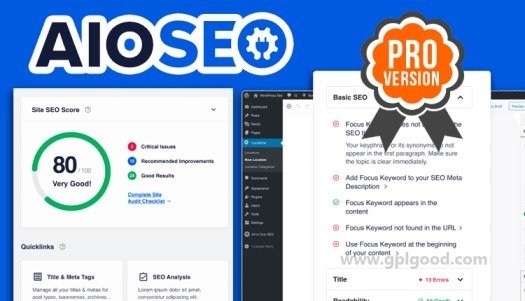
All in One SEO, also known as AIOSEO, is one of the most popular and powerful SEO plugins for WordPress.
Why AIOSEO Is Great
- Very easy to use
- Perfect for beginners
- Advanced features for professionals
- Fast and lightweight Regular updates
Main Features of AIOSEO
With this plugin you can:
- Optimize titles and descriptions
- Generate XML sitemaps
- Add schema markup
- Optimize WooCommerce stores
- Analyze content SEO
- Integrate social media
How to Use AIOSEO Properly
After installing the plugin, follow these steps:
- Run the setup wizard
- Add your website details
- Configure homepage SEO
- Enable sitemap
- Optimize each post using focus keywords
If you use AIOSEO correctly, your website SEO will improve very quickly.
2.Broken Link Checker
Broken links are very harmful for SEO.
If your website has too many broken links:
- Google rankings drop
- User experience becomes bad
- Visitors leave your site
How This Plugin Helps
Broken Link Checker automatically:
- Scans your website
- Finds broken links
- Notifies you
- Helps you fix them
How to Use It
1.Install the plugin
2. Run a website scan
3. Review the report
4. Fix or remove broken links
This simple process can greatly improve your SEO health.
3.Yoast SEO
Yoast SEO is one of the oldest and most trusted SEO plugins.
Why People Love Yoast SEO
- Simple interface
- Good content analysis
- Readability checker
- Internal linking suggestions
How to Use Yoast SEO
With Yoast you can:
- Add focus keywords
- Optimize meta descriptions
- Improve headings
- Check SEO score
It is a great choice for bloggers and content writers.
4.Rank Math
Rank Math is a modern SEO plugin that has become very popular in recent years.
Main Benefits
- Many premium features for free
- Easy setup wizard
- Built-in keyword suggestions
- Google Schema integration
- Lightweight and fast
How to Use Rank Math
After installing:
- Complete the setup wizard
- Connect Google Search Console
- Optimize each post
- Use schema features
Rank Math is perfect for users who want advanced SEO tools.
5.WPBeginner Keyword Generator
Keyword research is very important for SEO.
This free tool helps you:
- Find new keywords
- Generate content ideas
- Discover long-tail keywords
How to Use It
- Enter your main topic
- Get keyword suggestions
- Use them in your articles
It is very helpful for beginners.
6.MonsterInsights
SEO is incomplete without tracking performance.
MonsterInsights connects Google Analytics with WordPress and helps you understand:
- Where visitors come from
- Which pages perform best
- What users do on your site
How to Use MonsterInsights
- Install the plugin
- Connect Google Analytics
- Monitor reports
- Improve weak pages
This data helps you grow traffic and leads.
7.Google Search Console
Although not a plugin, Google Search Console is essential for SEO.
It helps you:
- Track rankings
- Submit sitemaps
- Find website errors
- Improve performance
Every website owner should use this free tool.
8.WP Rocket
Speed is a major ranking factor.WP Rocket helps to:
- Improve loading speed
- Optimize files
- Enable caching
- Boost Core Web Vitals
9.W3 Total Cache
Another great speed optimization plugin.
It improves:
- Website performance
- Loading time
- SEO rankings
10.Squirrly SEO
Squirrly SEO is an AI-based plugin that guides you in real-time while writing content.
What It Offers
- SEO assistant
- Keyword research
- Content analysis
- Performance tracking
Great for beginners who need guidance.
11.Schema Pro
Schema markup helps Google understand your content better.
Schema Pro allows you to:
- Add rich snippets
- Improve CTR
- Get featured results
12.SEOPress
SEOPress is a simple but powerful alternative to Yoast and Rank Math.
It provides:
- Clean interface
- SEO optimization
- Sitemaps
- Social features
Honorable Mentions
These tools are not direct SEO plugins, but they strongly support SEO performance indirectly.
SeedProd
SeedProd helps create fast, SEO-friendly landing pages and coming soon pages. It improves page speed, user experience, and conversions, which positively impacts search engine rankings.
OptinMonster
OptinMonster helps convert visitors into email subscribers and leads. Higher engagement, longer session duration, and repeat visits send positive signals to search engines, improving SEO.
RafflePress
RafflePress creates giveaways and contests that increase website traffic, social shares, and backlinks, which help boost search visibility and rankings.
LowFruits
LowFruits finds low-competition keywords that are easy to rank for. It is ideal for new websites and bloggers who want faster results in search engine rankings.
SEOBoost
SEOBoost helps optimize content based on search intent, provides keyword suggestions, and improves readability, leading to better rankings and higher organic traffic.
The Best WordPress SEO Plugins: Your FAQs Answered
What are WordPress SEO plugins?
SEO plugins are tools that help optimize WordPress websites for search engines without coding knowledge.
Why do I need an SEO plugin?
Because it helps you:
- Rank higher
- Get more traffic
- Fix SEO issues
- Optimize content
Do I need technical expertise?
No. Most SEO plugins are beginner-friendly and easy to use.
They offer simple dashboards, guided setup, and helpful tips, so no technical expertise is required.
Which is the best SEO plugin?
For most users:
- AIOSEO – Best overall
- Rank Math – Best free option
- Yoast – Best for bloggers
Final Thoughts
Using SEO plugins correctly is one of the smartest ways to grow your website in 2026.
If you:
- Choose the right plugin
- Configure it properly
- Optimize content
- Improve speed
Then you will definitely:
- Get more visitors
- Get better rankings
- Generate more leads
SEO plugins are powerful tools. When used properly, they can completely change the future of your website.
Conclusion
In 2026, using the best WordPress SEO plugins is important for any website that wants more visitors and leads. These plugins make SEO easy by improving content, using the right keywords, fixing problems, and making your site faster.
Choose the right plugin, set it up correctly, and follow simple SEO steps. Your site can rank higher on Google, give a better experience to visitors, and get more traffic and sales.
SEO is an ongoing process. Keep checking your site, update content, and use these plugins to grow your business and build trust. Start today and watch your website attract, engage, and convert more visitors.
Meta Description
Learn how to use the best WordPress SEO plugins in 2026 to grow your website. Improve Google rankings, get more visitors, and fix SEO issues easily. Boost website speed, optimize content, and track results. Step-bystep guide for beginners and pros to increase traffic and leads.
- Best SEO Plugins for WordPress Help You:
- Why You Need the Best WordPress SEO Plugin?
- How We Test and Review WordPress SEO Plugins
- The Best WordPress SEO Plugins (Expert Top Picks)
- Honorable Mentions
- The Best WordPress SEO Plugins: Your FAQs Answered
- Final Thoughts
- Conclusion
- Meta Description