

Freelancing is growing fast, with more people working from home or from anywhere in the world. Many professionals now prefer remote work because it allows flexibility, freedom, and a better work-life balance. While remote work offers flexibility, it can become difficult without the right tools. Managing tasks, deadlines, and communication can feel overwhelming if everything is not organized properly.
This is where remote work software helps. The right tools keep your work organized, improve communication with clients, and make daily tasks easier. They save time, reduce stress, and help you work more efficiently and professionally. Using proper software also helps freelancers stay productive, meet deadlines, and manage multiple projects smoothly.
In this guide, you’ll discover the best remote work software for freelancers, including tools for communication, project management, time tracking, file sharing, and accounting. This article is written in simple and easy words so you can read quickly, understand clearly, and choose the best tools for your freelance work.
1. What Is Remote Work Software?
Remote work software helps freelancers work efficiently from anywhere in the world. It allows you to manage tasks, meetings, time, files, and communication online in one organized system. With these tools, freelancers can stay productive, meet deadlines, and collaborate easily with clients or team members without being in the same location.
You don’t need a physical office because everything is stored in the cloud and can be accessed anytime, from any device, such as a laptop, tablet, or smartphone. This makes remote work more flexible, convenient, and cost-effective. Freelancers can save travel time, reduce expenses, and focus more on their work.
Remote work software also helps improve organization, track progress, store important files securely, and maintain smooth communication. Overall, it makes freelancing easier, more professional, and more efficient for people working online.
2. Why Freelancers Need Remote Work Software
Freelancers often handle multiple clients and projects at the same time, which can be challenging to manage without proper organization. Without the right tools, work can quickly become disorganized, deadlines may be missed, and important details can be forgotten.
Remote work software helps you manage tasks, track time, store files safely, and communicate clearly with clients in one place. These tools make it easier to stay organized, monitor progress, and handle different projects smoothly.
Using the right tools also helps you meet deadlines on time, avoid confusion, and reduce daily stress. It improves productivity, saves valuable time, and allows freelancers to focus more on delivering quality work instead of worrying about organization or communication problems. Overall, remote work software makes freelancing more efficient, professional, and stress-free.
3. Features to Look For in Remote Work Software
Not all remote work tools are freelancer-friendly. Some tools look advanced but are difficult to use. Freelancers need software that is simple, affordable, and reliable.
Important features to look for include:
- Easy to use interface
- Works on phones, tablets, and computers
- Free or affordable pricing plans
- Good customer support
- Strong data security and reliability
4. Best Remote Communication Tools for Freelancers
Freelancers often work with clients from different cities or countries, so clear communication is essential. Communication tools help you send messages, hold meetings, and share files easily.
Top Communication Tools:
- Slack: Great for quick chats and group discussions with clients or teams
- Zoom: Best for video calls and online meetings
- Microsoft Teams: Combines chat, video calls, and file sharing in one platform

5. Best Project Management Software for Freelancers
Managing multiple projects can be challenging. Project management tools help you organize tasks, set deadlines, and track progress.
Top Project Management Tools:
- Trello: Uses drag-and-drop task cards; ideal for beginners
- Asana: Offers task lists, timelines, and progress tracking
- Notion: Combines notes, tasks, projects, and databases in one place
6. Best Time Tracking Tools for Freelancers
Time tracking helps freelancers understand how long tasks take and ensures accurate client billing. These tools are especially useful for hourly projects.
Best Time Tracking Tools:
- Toggl Track: Simple start-and-stop time tracking
- Harvest: Time tracking with invoicing features
- Clockify: Free plan with support for multiple clients and projects
7. Best Accounting & Invoicing Tools for Freelancers
Getting paid on time is a top priority for freelancers. Accounting and invoicing tools help you create professional invoices, track expenses, and manage income.
Accounting & Invoicing Tools:
- FreshBooks: Invoicing, expense tracking, and reports
- Wave: Free invoicing and basic accounting features
- QuickBooks: Complete accounting solution for growing businesses
8. Best File Sharing & Cloud Storage Tools
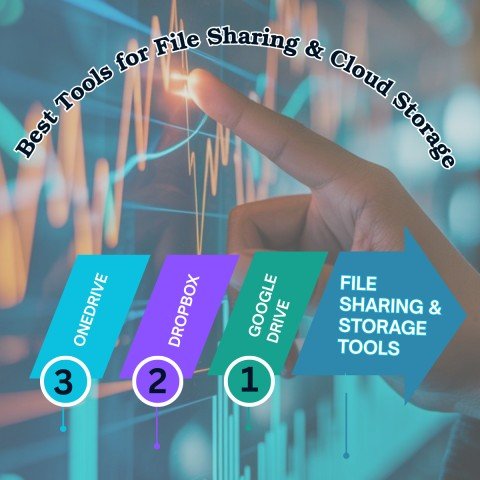
Your files are one of the most important parts of your freelance work. Cloud storage tools keep your data safe and allow you to share files easily with clients.
File Sharing & Storage Tools:
- Google Drive: Free storage with Docs, Sheets, and Slides
- Dropbox: Fast and reliable file sharing
- OneDrive: Works well with Microsoft Office apps
9. Best Free & Budget-Friendly Tools for Freelancers
Not every freelancer has a big budget, especially when starting out. Thankfully, many remote work tools offer free plans with useful features.
Free & Budget Tools:
- Trello (Free Plan)
- Clockify (Free Plan)
- Google Drive (Free Storage)
- Zoom (Limited Free Calls)
- Wave (Free Invoicing)
These tools allow you to start small and upgrade as your freelance business grows.
10. How to Choose the Right Remote Work Software
Choosing the right software can feel overwhelming. Start by identifying your main needs and budget. Always test free plans or trials before upgrading to paid versions.
Questions to Ask Yourself:
- What do I need this tool for?
- How much can I afford?
- Will it improve my productivity?
- Is it easy to learn and use?
11. Common Mistakes Freelancers Should Avoid
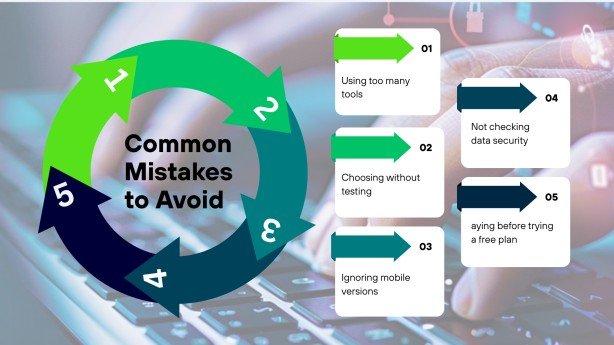
Even the best tools won’t help if they are used incorrectly. Many freelancers make simple mistakes that waste time and money.
Common Mistakes:
- Using too many tools at once
- Choosing software without testing it
- Ignoring mobile compatibility
- Not checking data security
- Paying before trying free plans
12. Future Trends in Remote Work Software
Remote work software continues to improve every year. New features are making freelancing easier and faster.
Future Trends:
- AI tools to automate repetitive tasks
- Stronger collaboration features
- Smarter mobile apps
- Better time tracking and billing systems
Conclusion
Remote work software makes freelancing more organized, productive, and professional. The right tools help you save time, reduce stress, and manage clients effectively.
Start with free or low-cost tools and upgrade as your business grows. When you use the right software, clients notice your professionalism, responsiveness, and efficiency—helping your freelance business grow stronger.
FAQs
Q1: What is the best remote work software for freelancers?
The best software depends on your needs. Slack or Zoom is great for communication, Trello or Asana for task management, and Clockify or Toggl Track for time tracking.
Q2: Can I freelance without remote work software?
Yes, but it is much harder. Without tools, you may miss deadlines, lose files, or struggle with communication.
Q3: Are there free tools for freelancers?
Yes. Popular free tools include Trello, Clockify, Google Drive, Zoom (limited), and Wave.
Q4: How do I choose the right software?
Identify your needs, set a budget, and test free plans before paying.
Q5: Will remote work software improve my freelance business?
Yes. It improves organization, communication, and productivity, making your freelance business more professional and reliable.
Meta Description
Best remote work software for freelancers in 2026. Discover top tools for communication, project management, time tracking, file sharing, and invoicing.
- 1. What Is Remote Work Software?
- 2. Why Freelancers Need Remote Work Software
- 3. Features to Look For in Remote Work Software
- 4. Best Remote Communication Tools for Freelancers
- 5. Best Project Management Software for Freelancers
- 6. Best Time Tracking Tools for Freelancers
- 7. Best Accounting & Invoicing Tools for Freelancers
- 8. Best File Sharing & Cloud Storage Tools
- 9. Best Free & Budget-Friendly Tools for Freelancers
- 10. How to Choose the Right Remote Work Software
- 11. Common Mistakes Freelancers Should Avoid
- 12. Future Trends in Remote Work Software