
You just bought a $1,200 Best Laptop and PC, and it freezes when you open two apps. Many people make this mistake by trusting brand names over real performance. Choosing a laptop or PC isn’t about picking the shiniest box — with so many models available, the real challenge is finding one that delivers genuine performance at a fair price.
Not every expensive laptop is worth it, and not every budget PC is a bad deal. This guide compares the best laptops and desktops using real-world tests, expert reviews, and honest price-to-performance analysis. Whether you’re a student, gamer, professional, or need a reliable machine for daily use, you’ll find the right system without guessing or wasting money.
Why Performance and Price Comparison Matters
The laptop and PC market is bigger and more confusing than ever. Marketing teams use words like ultra, pro, and max, but what do these really mean for daily use?
Performance shows how fast apps open, how smoothly games run, and how well multitasking works. In any laptop and PC review, performance is the most important factor. Price comparison then helps you see if you are getting real value or just paying for a brand name.
Smart buyers do not choose the cheapest or the most expensive option. They look for the best balance between performance and price — and this guide helps you find exactly that.
Key Factors Every Review Should Cover
Before diving into specific models, it is important to understand what makes a laptop or PC truly worth buying. Every good review should evaluate the following factors:
Processor (CPU):
The brain of any computer. A strong CPU means faster app loading, smoother multitasking, and better overall speed. Intel Core Ultra and AMD Ryzen AI series processors lead the way for laptops, while Intel Core i5/i7 and AMD Ryzen 5/7 remain strong choices for desktops.
Graphics (GPU):
Critical for gamers and content creators. Integrated graphics are fine for everyday tasks, but if you plan on gaming or video editing, a dedicated GPU from NVIDIA or AMD is essential.
RAM:
16GB is the new minimum for smooth performance. For heavy multitasking or creative work, 32GB is the sweet spot.
Storage:
SSDs are now standard and mandatory for fast boot times and quick app launches. Look for at least 512GB, ideally 1TB or more.
Display Quality:
A good screen makes everything better — from watching movies to editing photos. Look for high resolution, good color accuracy, and decent brightness.
Battery Life (Laptops):
A laptop that dies after four hours is useless on the go. Aim for 10 hours or more for real-world daily use.
Best Laptops: Top Picks by Category
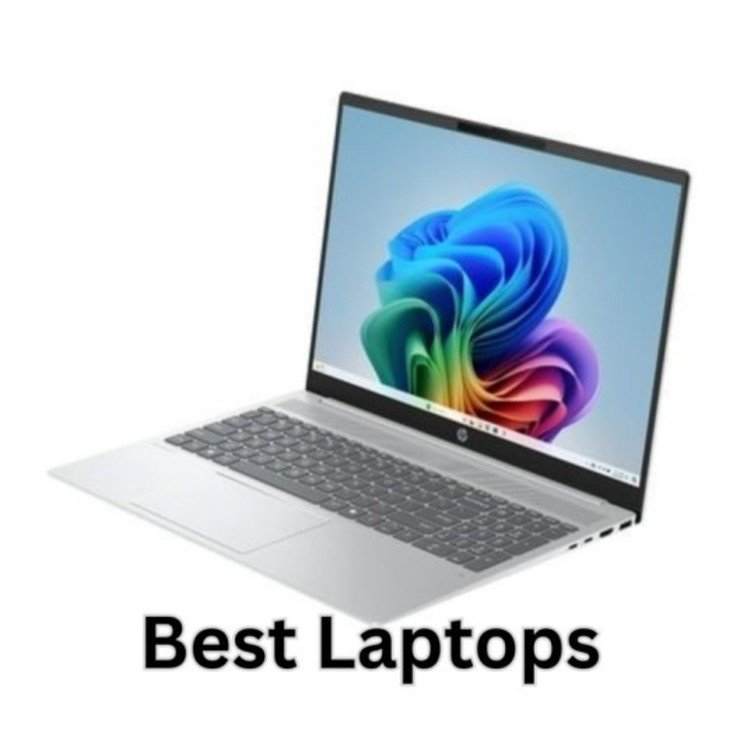
1.Best Overall Laptop — Apple MacBook Air M4
The MacBook Air M4 continues to dominate as the best all-around laptop. Starting at just $999, it delivers powerful performance through the M4 chip, incredible battery life of nearly 15 hours, and one of the brightest displays in its class. It is ultra-thin at just 0.44 inches and weighs only 2.7 pounds. It is also the best laptop for students, professionals, and everyday users — a safe and smart pick.
2.Best Value Windows Laptop — Dell Inspiron 14 Plus
If you do not want to spend over $1,000 and need a laptop that just works, the Dell Inspiron 14 Plus is hard to beat. It punches well above its weight class with solid, dependable performance for daily tasks and an incredible battery life that can last nearly 18 hours. It is an outstanding choice for anyone who wants reliability without overpaying.
3.Best Budget Laptop — Acer Aspire Go 15
For students, kids, seniors, or anyone on a tight budget, the Acer Aspire Go 15 is a dependable and affordable pick. It runs on a budget Intel processor and handles web browsing, documents, and video streaming without any issues. It is not built for gaming or heavy work, but for basic everyday tasks, it gets the job done at one of the lowest prices available.
4.Best Gaming Laptop — ASUS ROG Zephyrus G16
Gamers looking for power and portability will love the Zephyrus G16. It packs serious NVIDIA graphics performance into a relatively slim body that can still fit in a backpack. Battery life while gaming is not amazing, but for a high-performance gaming laptop that can also double as a work machine, it is one of the best options available.
5.Best for Creators — Lenovo Yoga Slim 7 (Intel Core Ultra 7)
Content creators who need a stunning display and long battery life should look at the Lenovo Yoga Slim 7. It features a gorgeous 2880×1800 OLED screen, 32GB of RAM, and battery life of up to 24 hours. It is lightweight, beautifully designed, and fast enough for video editing, photo work, and heavy multitasking.
Best Desktop PCs: Top Picks by Category
1.Best Desktop for Most People — Dell Tower Plus
The Dell Tower Plus is a clean, reliable, and surprisingly customizable desktop starting at just $999. If you are looking for the best desktop PC for home use, this one is hard to beat. It does not look flashy, but it delivers solid performance for everyday work, light gaming, and general use.
2.Best Budget Desktop — Acer Aspire TC-1775
For users who need a capable desktop at the lowest possible price, the Acer Aspire TC-1775 is the top pick. It comes with an Intel Core i5 processor, 8GB of RAM, and a 512GB SSD — all of which are perfectly fine for office work, web browsing, and casual use. It also has room to upgrade with extra RAM and storage slots.
3.Best Compact Desktop — Apple Mac Mini M4
The Mac Mini M4 is shockingly powerful in a tiny body. It runs whisper-quiet and delivers impressive speed for creative tasks and everyday work. Starting at a very competitive price, it is the best option for anyone in the Apple ecosystem or anyone who simply wants a small, fast, and silent desktop.
4.Best Gaming Desktop — Lenovo Legion Tower 7i (Gen 10)
For serious gamers who want a pre-built system with top-tier performance, the Legion Tower 7i is a powerhouse. It comes loaded with the latest NVIDIA graphics and Intel processors, and it is designed to handle the most demanding games at high settings without breaking a sweat.
Laptop vs Desktop: Which One Should You Buy?
One of the biggest questions buyers ask is the laptop vs desktop PC comparison — which one is really worth it? Here is a quick breakdown:
| Feature | Laptop | Desktop PC |
| Portability | Excellent | None |
| Performance per Dollar | Good | Better |
| Upgrade Options | Limited | Very High |
| Cooling Efficiency | Average | Superior |
| Best For | Students, travelers, remote work | Gamers, creators, office use |
| Price Range | $400 – $3,000+ | $500 – $4,000+ |
The bottom line: If portability matters, go with a laptop. If you want the best performance for your money and plan to stay at your desk, a desktop PC is almost always the smarter longterm investment.
How to Compare Prices the Smart Way
Never compare price alone. A $600 laptop might seem like a great deal until you realize it runs out of battery in three hours or freezes during basic tasks. Always ask these questions before buying:
What performance am I actually getting for this price?
Understanding PC performance vs price is the first step. Check real-world benchmarks and user reviews, not just the specs on the box.
Is there a cheaper model with similar specs?
Sometimes a slightly older model offers 90% of the performance at 70% of the price.
Can I upgrade later?
Desktops and some laptops allow you to add more RAM or storage down the road. This can save you money in the long run.
Smart buying is about finding the best value — not the lowest price and not the highest price, but the perfect middle ground.
Who Should Use This Guide?
This guide is designed for everyone. Students searching for affordable laptops, gamers comparing GPU power and frame rates, professionals who need speed and reliability, and casual users who simply want a computer that works well without costing a fortune — all of these buyers will find a perfect match somewhere on this list.
Conclusion
The best laptop and PC reviews focus on what truly matters: real performance and honest price comparison. They cut through the marketing noise and show you exactly what your money is buying.
Instead of chasing the most expensive machine on the shelf, look for balance. Finding the best value laptop desktop is all about matching your needs with the right price. A system that performs well, fits your needs, and stays within your budget will always be the best choice — no matter who you are.
With the right comparison, you do not just buy a computer. You invest in the right one.
(FAQs)
1.Which is better: a laptop or a desktop PC?
It depends on your needs: laptops are portable and convenient. Desktops offer better performance, easier upgrades, and better value for money.
2.How do I know if a laptop or PC is worth the price?
Check real-world reviews, not just box specs.Compare performance, display, battery, and price to judge true value.
3.Can a laptop handle gaming and multitasking like a desktop?
Modern laptops handle most games and multitasking very well.But desktops are still better for high-end gaming and heavy work due to stronger cooling and easy upgrades.
4.What should I prioritize when reading a review?
Look for honest performance tests, real battery life, display, and build quality.A good review compares real performance with price, not just the specs.
5.How do I choose a system for long-term use?
Focus on upgradeable desktops or laptops with strong specs and solid build quality. Balance your budget with future-proof features like 16GB+ RAM and 1TB+ storage to avoid replacing your system too soon.
Meta Description:
Looking for the best laptop and PC reviews. Compare realworld performance, top-rated models, and prices to find the perfect system for your needs and budget. Read now and choose smarter.